

Support KPIs got way more complicated than “did the agent follow the script.” SupportLogic is built for that world, AutoQA, coaching, and escalation prediction at enterprise scale, but a lot of teams buying it still end up stuck in the same meetings arguing about anecdotes instead of showing the actual customer quotes behind the metric (SupportLogic product overview: SupportLogic Data Cloud).
So if you’re searching “SupportLogic alternatives,” you’re usually not looking for another dashboard. You’re trying to reduce risk in a messy reality: churn signals hiding in tickets, repeat issues that never make it to product, and executive questions like “show me proof” that your current reporting can’t answer.
Quick Comparison: SupportLogic vs 6 Leading Alternatives
This comparison is useful if you’re deciding whether you need SupportLogic’s agent-quality stack or if your real gap is analytics you can trust and verify back to the conversation. SupportLogic leans into Support Experience workflows like escalation prediction, coaching, and knowledge-related AI initiatives (SupportLogic overview: SupportLogic Data Cloud). By contrast, Revelir AI is built around evidence-backed metrics across 100% of conversations, so you can defend insights in the room where priorities get set.

| Vendor | Primary Focus | Pricing Approach | Notable Strength | Where It Lags vs SupportLogic |
|---|---|---|---|---|
| SupportLogic | Support Experience (AutoQA, coaching, predictive escalations) | Custom/enterprise | Real-time coaching and predictive signals (SupportLogic Data Cloud) | N/A |
| Revelir AI | Evidence-backed analytics from 100% of support conversations | N/A (sales/website-driven trial flow) | Traceability from metrics to ticket-level quotes | No AutoQA or real-time agent coaching |
| SentiSum | Automated tagging, anomalies, churn-risk alerts, data Q&A | Sales-led (~$3k+/mo) | Sub-hourly anomalies + Kyo Q&A (SentiSum Unwrap AI Alternatives) | Limited QA/coaching depth (positioning focus on VoC analytics) |
| Siena (Idiomatic) | Autonomous ecommerce support agent | Sales-led (mid-market/enterprise) | Prebuilt ecommerce workflows (Siena G2 Page) | Analytics depth secondary to automation |
| Chattermill | Omnichannel VoC intelligence (enterprise) | Custom enterprise | Broad data unification and NLP (Chattermill Product Updates) | Support AutoQA/coaching not core |
| Thematic | Research-grade thematic analysis with human-in-the-loop | Sales-led ($1.5k+/mo typical) | Auditable taxonomy control (Thematic Thematic Analysis Guide) | Not focused on support operations |
| qvasa | Zendesk real-time ops dashboards/alerts | Freemium; paid undisclosed | Fast, Zendesk-native visibility (qvasa background reference) | Narrow scope outside Zendesk ops |
Key Takeaways:
- SupportLogic fits best when AutoQA, coaching, and escalation prediction are the buying center, not just analytics (SupportLogic Data Cloud).
- Revelir AI is a strong shortlist pick when stakeholders demand proof, because metrics drill down to the exact ticket and quote that created them.
- SentiSum is usually the “alerts and Q&A” choice for VoC analytics teams, but it’s positioned less around agent coaching depth (SentiSum Medallia Alternative).
- Siena is an automation bet for ecommerce containment, not a primary choice for deep support analytics work (Siena G2 Page).
- If you live in Zendesk and want fast ops monitoring, qvasa is narrow but practical (qvasa background reference).
Support KPIs Need More Than AutoQA
AutoQA is valuable, but it doesn’t tell you what’s actually driving customer frustration across the whole ticket pile. SupportLogic highlights an SX approach that includes automation and analytics across support data (overview: SupportLogic Data Cloud). A lot of teams still need something else: evidence that connects the KPI to real conversations, not just a score.

The mistake I see is treating “quality” like it’s the only support KPI that matters. It’s usually not. You can have polite agents, great adherence, and still lose customers because the product workflow is broken and it’s showing up as repeat tickets, churn language, and high-effort conversations.
Let’s pretend you handle 1,000 tickets a month. If you sample 10% and spend three minutes per ticket, that’s about five hours for a partial view, and you can still miss the one churn-risk signal that matters. Reviewing 100% manually would be 50 hours. That’s the trade you’re making when your “insights” process is basically sampling plus vibes.
Market Context: AI In Support Analytics vs Agent Tools
Support analytics tools are trying to answer “what are customers telling us,” while agent tools are trying to answer “did we handle it well in the moment.” SupportLogic leans into the support operations side with SX, including knowledge-related AI initiatives and operational workflows (see their SX and knowledge ops positioning: Precision RAG, Smarter Portals, and Knowledge Ops). That’s not bad, it’s just a different job than turning every conversation into a defensible metric for product and CX planning.
And this is where buyers get tripped up. You go shopping for “SupportLogic alternatives” because the price or implementation feels heavy, but the real question is: are you replacing AutoQA and coaching, or are you replacing the analytics layer you wish you had?
If you’re a support leader, you might want both. Fair. Most teams can’t justify both in year one, though, so you end up picking what makes the next exec review less painful.
What To Evaluate: Coverage, Evidence, Time-To-Value
If you only evaluate on dashboards, you’ll miss the real risk: can you prove the insight when someone challenges it. SupportLogic positions capabilities across support data and knowledge workflows (product overview: SupportLogic Data Cloud). Some other platforms are broader VoC, some are automation-first, and some are Zendesk-only ops monitoring.
When I’m helping a team shortlist, I push three questions:
- Coverage: are you analyzing 100% of conversations, or are you sampling and hoping it generalizes?
- Evidence: can you click from a chart to the ticket and quote, or do you end up building a slide with cherry-picked examples?
- Time-to-value: can you connect data and see useful drivers quickly, or are you budgeting weeks for taxonomy alignment and setup?
People don’t like admitting this, but “we’ll set it up later” becomes “we never really trusted it.” That’s the slow failure mode.
At-A-Glance Criteria For Shortlisting
Shortlisting is basically deciding what you’re willing to be wrong about. If you pick an AutoQA-first tool, you’re betting support process and agent performance are the core lever. If you pick an evidence-backed analytics tool, you’re betting the core lever is faster, provable insight into what customers are actually experiencing.
A quick way to sanity-check your choice:
- If your biggest headache is inconsistent handling and coaching, AutoQA and agent tooling should dominate the decision.
- If your biggest headache is product prioritization and executive trust, evidence and traceability should dominate the decision.
- If your biggest headache is “we’re drowning in Zendesk queues,” real-time ops dashboards might be enough for now.
Not glamorous. Still true.
Why This Comparison Matters In 2026
In 2026, “support analytics” isn’t a category, it’s a pile of overlapping jobs that different tools do very differently. SupportLogic is explicit about building an SX layer over support data, including knowledge-focused AI efforts (overview and positioning: SupportLogic Data Cloud and Precision RAG Event Page). The alternatives below span VoC intelligence, automation agents, and Zendesk ops monitoring, so the right choice depends on which job you’re actually hiring it for.
What changed is expectations. Executives don’t accept “trust us, the dashboard says sentiment is down.” They want to know what’s driving it, who it affects, and what a fix is worth. If you can’t trace the claim back to the actual conversation, the meeting turns into debate.
Also, support data is leaking into everything. Product roadmaps. Renewal risk. Compliance. Brand. If your tooling can’t connect the dots, you end up doing it manually in spreadsheets and slide decks, and nobody’s happy.
A lot of VoC platforms have matured here too. SurveySparrow’s overview is a decent snapshot of how broad this space has become, spanning VoC and experience platforms rather than just ticket analytics (Voice of Customer Tools Overview). Broad can be good. Broad can also be slow.
Quick Comparison: SupportLogic vs Leading Alternatives
SupportLogic is a strong fit for large support orgs that want AutoQA, coaching, and predictive escalation signals embedded into operations (overview: SupportLogic Data Cloud). The alternatives tend to fall into three buckets: analytics-first VoC platforms, automation agents, or Zendesk-specific operational visibility. A practical shortlist comes from picking the bucket that matches your primary pain.
Let’s make the buckets concrete:
- SupportLogic: support ops depth, coaching, QA, prediction (again, this is their message: SupportLogic Data Cloud).
- Analytics-first: tag, theme, segment, report, and sometimes Q&A over data, aimed at CX and product teams.
- Automation-first: reduce ticket volume by handling requests autonomously, typically with tighter vertical focus.
- Ops monitoring: watch queues, spikes, and incidents in real time inside Zendesk.
And yes, you can mix these. But budgets and attention are real constraints.
Revelir AI
Revelir AI is built for teams that need evidence-backed analytics across 100% of support conversations, not another layer of agent scoring. It turns raw tickets into structured metrics like Sentiment, Churn Risk, and Effort, then lets you pivot in Data Explorer and drill down to the ticket and quote to verify what you’re seeing. If you’ve ever been asked “show me where that came from,” this is the category of tool that makes that question less of a fire drill.
SupportLogic and Revelir AI can look similar on a slide because both touch support data. The difference is what they optimize for. SupportLogic leans into SX operations, and you can see that in how they frame their product and knowledge ops efforts (SupportLogic: SupportLogic Data Cloud and Precision RAG Event Page). Revelir AI is more about defensible measurement, not coaching agents in real time.
Revelir AI Overview
Revelir AI analyzes 100% of tickets and preserves traceability from every chart back to the original conversation and quote. That matters because it replaces sampling and cherry-picking with something you can actually defend. For example, you can filter to negative sentiment, group by driver, then click straight into the underlying conversations to validate the pattern.
In practice, it behaves like an analytics layer for support conversations. You ask a question like “what’s driving negative sentiment,” and you can answer it with Data Explorer filters and grouped analysis, then attach the proof when product asks for it.
It also uses a hybrid tagging model, with raw and canonical tags, plus a Drivers layer for root-cause clarity. That combination is helpful when you’re dealing with messy language in tickets but still need consistent reporting.
To make this concrete, a CX lead might:
- Filter to Sentiment = Negative.
- Group by Category Driver.
- Click into the biggest driver and scan the example tickets in Conversation Insights.
- Pull the top quotes into a brief.
That’s a very different workflow than AutoQA scoring.
Revelir AI Pricing, Pros And Cons
Revelir AI doesn’t list public pricing in the brief, so treat it as sales or trial flow driven. The quick promise is time-to-value: connect your helpdesk or upload CSV, then start exploring within minutes.
Pros, based on the verified feature set:
- Evidence-backed traceability from metric to ticket and quote.
- Full coverage processing across 100% of conversations, so you avoid sampling blind spots.
- Custom AI metrics and a flexible taxonomy approach, so you can reflect your domain instead of forcing generic categories.
Cons, and you should be clear-eyed about them:
- It’s not an AutoQA or real-time agent coaching tool.
- No public, transparent pricing details in the provided materials.
If your buying center is “we need to coach a hundred agents and enforce handling standards,” you may still prefer SupportLogic’s direction (SupportLogic product positioning: SupportLogic Data Cloud). If your buying center is “we need to prove what customers are experiencing, and prioritize fixes,” Revelir AI is designed for that.
SentiSum
SentiSum is a solid SupportLogic alternative if your priority is automated tagging, anomaly detection, churn-risk surfacing, and Q&A over customer data, not agent coaching. Their materials emphasize a VoC analytics posture and positioning against other analytics vendors, including a Kyo assistant concept for asking questions over the data (SentiSum Unwrap AI Alternatives). A simple example is using alerts and conversational querying to find what changed this week, then pinning it to a dashboard.
Where it tends to differ from SupportLogic is in operational depth. SupportLogic is explicitly tied to support operations workflows and SX, while SentiSum reads more like an analytics hub that can serve CX and product use cases (SupportLogic overview: SupportLogic Data Cloud; SentiSum positioning: SentiSum Medallia Alternative).
SentiSum Overview
SentiSum focuses on classifying and surfacing what’s happening in support and customer feedback through tagging and anomaly detection. The “why” is speed: if you can detect a spike fast, you can respond before it becomes a churn story.
That’s appealing when you’re dealing with high volume and fast-moving issues. It also fits teams that want a conversational interface for quick answers, which they describe via Kyo in their library content (SentiSum Unwrap AI Alternatives).
The thing to watch is how you operationalize trust. Q&A and dashboards are great. When an exec asks “show me the evidence,” you still need a workflow for attaching the proof and validating the examples. Some platforms do that better than others.
SentiSum Pricing, Pros And Cons
SentiSum is described as sales-led with premium pricing, commonly starting around $3,000 per month in the brief, and their site positions it like an enterprise-grade platform (SentiSum Medallia Alternative).
Pros:
- Automated tagging and anomaly detection are core to the product story (SentiSum Unwrap AI Alternatives).
- Natural-language Q&A as a first-class workflow, useful for non-analysts.
Cons:
- Opaque pricing can be a blocker for smaller teams.
- Setup and alert configuration can get complex, especially if you want clean taxonomy and stable reporting.
How Revelir AI is Different: SentiSum leans hard into Q&A and alerts (SentiSum Unwrap AI Alternatives), while Revelir AI leans into evidence-backed metrics across 100% of tickets, with drill-down to the exact conversation for verification. If your meetings regularly turn into “prove it,” Revelir AI’s traceability and Data Explorer workflow is built for that.
Siena (Idiomatic)
Siena is a SupportLogic alternative only if you’re really buying automation, not analytics, because it’s built as an autonomous support agent aimed at ecommerce containment. Reviews and comparisons around Siena focus on its role as an AI agent and its customer service automation angle (Siena G2 Page). If your goal is to reduce ticket volume for returns, order status, subscriptions, and similar workflows, that’s where Siena tends to show up.
SupportLogic, by contrast, is about improving support operations with QA, coaching, and predictive signals (SupportLogic overview: SupportLogic Data Cloud). These are just different jobs.
Siena Overview
Siena’s materials and third-party pages position it as an AI agent that can handle a meaningful portion of repetitive ecommerce conversations, with tone and policy guardrails. That’s attractive when you’re scaling a DTC brand and your team is drowning in WISMO tickets.
You’ll see this reflected in how people compare Siena to other automation vendors (Yuma vs Siena comparison) and in Siena’s own writing about timing and readiness for AI customer service solutions (Siena blog on AI solutions and timing).
One nuance that matters: automation-first tools can still generate analytics, but analytics is usually secondary. If your real pain is “product doesn’t listen because we can’t prove the problem,” you might not get what you need from an agent.
Siena Pricing, Pros And Cons
Siena is sales-led, with no public starter tier in the brief. That usually signals a mid-market to enterprise motion, and it can be overkill for smaller SaaS support teams who mostly need insight, not automation.
Pros:
- Strong fit for ecommerce containment, especially on common workflows like returns and order status (Siena blog on AI solutions and timing).
- Product framing emphasizes safe behavior with controls, which matters when you’re automating customer conversations.
Cons:
- Analytics depth is not the main story, so you may still need a separate insight layer.
- Pricing is opaque, so budgeting can be a headache.
Honestly, Siena is often a “we need fewer tickets” decision, not a “we need better insight” decision.
How Revelir AI is Different: Siena is built to resolve tickets, while Revelir AI is built to measure and explain what’s happening inside tickets across 100% coverage, with Drivers and evidence-backed drill-downs. If you’re trying to prioritize product fixes and defend them with quotes, Revelir AI is the closer match.
Chattermill
Chattermill is a SupportLogic alternative when you want broad VoC intelligence across many feedback channels, not a support-ops-first platform. Their public materials emphasize ongoing product updates and a general CX intelligence posture, plus broad ingestion and dashboards built for large teams (Chattermill Product Updates). If your world is “we need one place for surveys, reviews, support, and more,” this is the type of platform you consider.
SupportLogic is narrower and deeper into support operations, with SX positioning and knowledge ops themes (SupportLogic: SupportLogic Data Cloud and Precision RAG Event Page). Again, different job.
Chattermill Overview
Chattermill’s story is enterprise CX intelligence. You unify feedback, detect themes, segment, and keep stakeholders aligned with dashboards. They publish a steady stream of product updates (Chattermill Product Updates) and have public-facing examples of strategy thinking in verticals like fintech (Chattermill fintech CX strategy post).
They also have a public product overview video, which is useful if you’re trying to understand how they pitch the workflow (Chattermill product overview video).
The trade-off is usually implementation and scope. Broad ingestion is powerful, but you often pay for it in time-to-value and complexity. If you only need support tickets, a broad VoC suite can feel like a lot.
How Revelir AI is Different: Chattermill is designed for broad VoC unification (Chattermill Product Updates), while Revelir AI stays tight on support conversations with 100% coverage and evidence-backed traceability down to the ticket and quote. If your support-to-product loop is broken, Revelir AI is built to repair that with Drivers, Data Explorer, and verifiable drill-downs.
Thematic
Thematic is a SupportLogic alternative when auditability and controlled taxonomy workflows are the priority, often for insights and research teams. Their content focuses on thematic analysis and qualitative data workflows, including how themes get built and used (Thematic qualitative data analysis and Thematic thematic analysis guide). If you need a research-grade approach and you want to control the taxonomy carefully, Thematic is in that bucket.
SupportLogic is more operational support performance oriented, and you’ll see that in their positioning around SX and applied support analytics (SupportLogic overview: SupportLogic Data Cloud).
Thematic Overview
Thematic’s core is coding qualitative data into themes you can analyze, share, and maintain over time. They publish changelog updates, which is a nice signal that the product evolves (Thematic changelog).
Where Thematic tends to shine is when stakeholders care deeply about taxonomy control and transparency. The cost is time. Aligning on themes, maintaining them, and keeping the organization consistent is work. Sometimes that’s exactly what you want. Sometimes it slows you down.
If your org is allergic to “black box AI,” Thematic’s posture can be appealing because it’s very explicit about thematic analysis methodology (Thematic thematic analysis guide).
How Revelir AI is Different: Thematic focuses on research-grade theme building and control (Thematic thematic analysis guide), while Revelir AI focuses on operationalizing support conversations into metrics like Sentiment, Churn Risk, and Effort with evidence-backed traceability. If you need quick pivots in Data Explorer and you don’t want taxonomy work to become a project, Revelir AI is designed for faster iteration with verification built in.
qvasa
qvasa is a SupportLogic alternative when you’re Zendesk-first and you want fast operational visibility, not a full analytics or coaching suite. Public references describe it as focused on dashboards, issue detection, and alerting inside the Zendesk ecosystem (qvasa background reference). If your day is dominated by queue health and incident response, qvasa can be the pragmatic choice.
SupportLogic is wider in SX analytics and support operations, not just Zendesk dashboards (SupportLogic overview: SupportLogic Data Cloud).
qvasa Overview
qvasa is positioned as a Zendesk operations companion: real-time dashboards, trending issue detection, and alerting. That’s valuable when the business impact is immediate, backlog spikes, SLA risk, incident response.
But the narrow scope is the trade. If you need to answer “what’s driving negative sentiment among enterprise customers,” ops dashboards aren’t enough. They’ll tell you something is happening. They won’t always tell you why, and they definitely won’t always give you the evidence you need to convince product.
qvasa’s limited documentation and social proof is called out in the brief, and you can see that just from the scarcity of deep product materials in public sources (qvasa background reference).
How Revelir AI is Different: qvasa is built for Zendesk ops visibility (qvasa background reference), while Revelir AI is built for deep, evidence-backed analysis across 100% of conversations, including Drivers and drill-down to source tickets. If you’re trying to shift from “queue health” to “what needs fixing in the product,” Revelir AI is the better fit.
Conclusion And Full Capability Grid
SupportLogic is still a strong choice when your core need is AutoQA, coaching, and predictive escalation workflows for a big support org (overview: SupportLogic Data Cloud). The alternatives below aren’t “better” across the board, they’re better at different jobs: VoC breadth, automation, ops monitoring, or auditability. The right shortlist comes from being honest about the decision you’re making.
Before the full grid, here’s the uncomfortable part, without the drama. If you can’t show the underlying quotes, your insights will keep dying in meetings. People will ask for proof. You’ll scramble. Then you’ll go back to sampling.
So, pick a tool that matches the work you actually need to do.
| Capability | Revelir AI | SupportLogic | SentiSum | Siena | Chattermill | Thematic | qvasa |
|---|---|---|---|---|---|---|---|
| 100% conversation coverage (no sampling) | Yes | Yes | Yes | Yes | Possible (varies by sources) | Possible (varies by sources) | Yes (Zendesk scope) |
| Evidence-backed traceability to ticket quotes | Yes | Partial (cited answers; varies by feature) | Partial (pin and explore) | No (automation-first) | Partial (verbatims in dashboards) | Yes (verbatims with themes) | No |
| Automated ticket tagging/theming | Yes (Raw + Canonical) | Yes | Yes | No | Yes | Yes | Limited |
| Drivers/root-cause layer | Yes (Drivers) | Yes (root-cause analytics) | Yes | No | Yes | Yes | No |
| Predictive escalation detection | No | Yes | Yes (churn-risk alerts) | No | Limited/varies | No | No |
| AutoQA and agent coaching | No | Yes | No | No | No | No | No |
| Real-time agent assist | No | Yes | No | Yes (automation agent) | No | No | No |
| Natural-language Q&A over data | No | Yes (Resolve SX, precision RAG) | Yes (Kyo) | No | Limited/varies | Yes (Answers) | No |
| Real-time anomaly alerts | No explicit alerts | Yes | Yes | Yes (automation triggers) | Yes | Yes | Yes |
| Custom AI metrics/classifiers | Yes | Yes (varies by configuration) | Yes | No | Limited/varies | Yes (taxonomy controls) | No |
| Data Explorer (pivot-style analysis) | Yes | Dashboards; different paradigm | Dashboards; different paradigm | No | Yes (dashboards/slicing) | Yes (slice-and-dice) | Yes (ops dashboards) |
| Zendesk integration | Yes | Yes | Yes | Yes | Yes | Yes | Yes (core focus) |
| CSV ingestion / historical backfill | Yes | Yes | Yes | No | Yes | Yes | Limited/unknown |
| API export for BI | Yes | Yes | Yes | Yes | Yes | Yes | Yes |
| Transparent, public pricing | No (N/A on site) | No | No | No | No | No | Partial (freemium noted) |
Why Revelir AI Belongs On Your Shortlist
Revelir AI belongs on your shortlist when the core problem is trust and speed in decision-making, not agent coaching. It processes 100% of conversations, generates structured metrics like Sentiment, Churn Risk, Effort, and Outcomes, and keeps every insight tied to the source ticket so you can verify what you’re seeing. If you’ve been burned by sampling bias or black-box dashboards, that combo changes the texture of your weekly review.
The workflow is straightforward. Use Data Explorer to filter and pivot, use Analyze Data to run grouped analysis by Driver or Canonical Tag, then click into Conversation Insights to validate with real examples. Nobody’s checking random tickets anymore just to win an argument. You’re attaching evidence by default.
This also changes how you handle “high-value customer risk.” You can segment by customer cohort, filter to negative sentiment or churn risk, then group by driver and pull the exact conversations that justify escalation. And if your taxonomy is unique, custom AI metrics let you define what matters and apply it consistently.
If you want to see how this would work with your own data, See how Revelir AI works in the context of your helpdesk exports and the questions your exec team actually asks.
Conclusion And Next Steps For Your Shortlist
SupportLogic is a real contender when you need AutoQA, agent coaching, and predictive signals embedded into support operations (overview: SupportLogic Data Cloud). If you don’t need that operational layer, you can often get more leverage by prioritizing evidence-backed analytics, faster exploration, or a narrower ops monitoring tool.

You don’t have to overthink the next move. Pick two candidates, run them against the same questions, and see which one produces answers you can defend with real ticket evidence. If you want to pressure-test Revelir AI quickly, Get started with Revelir AI (Webflow) and run a single question like “what’s driving negative sentiment right now” across your latest tickets.

Then decide with your eyes open.
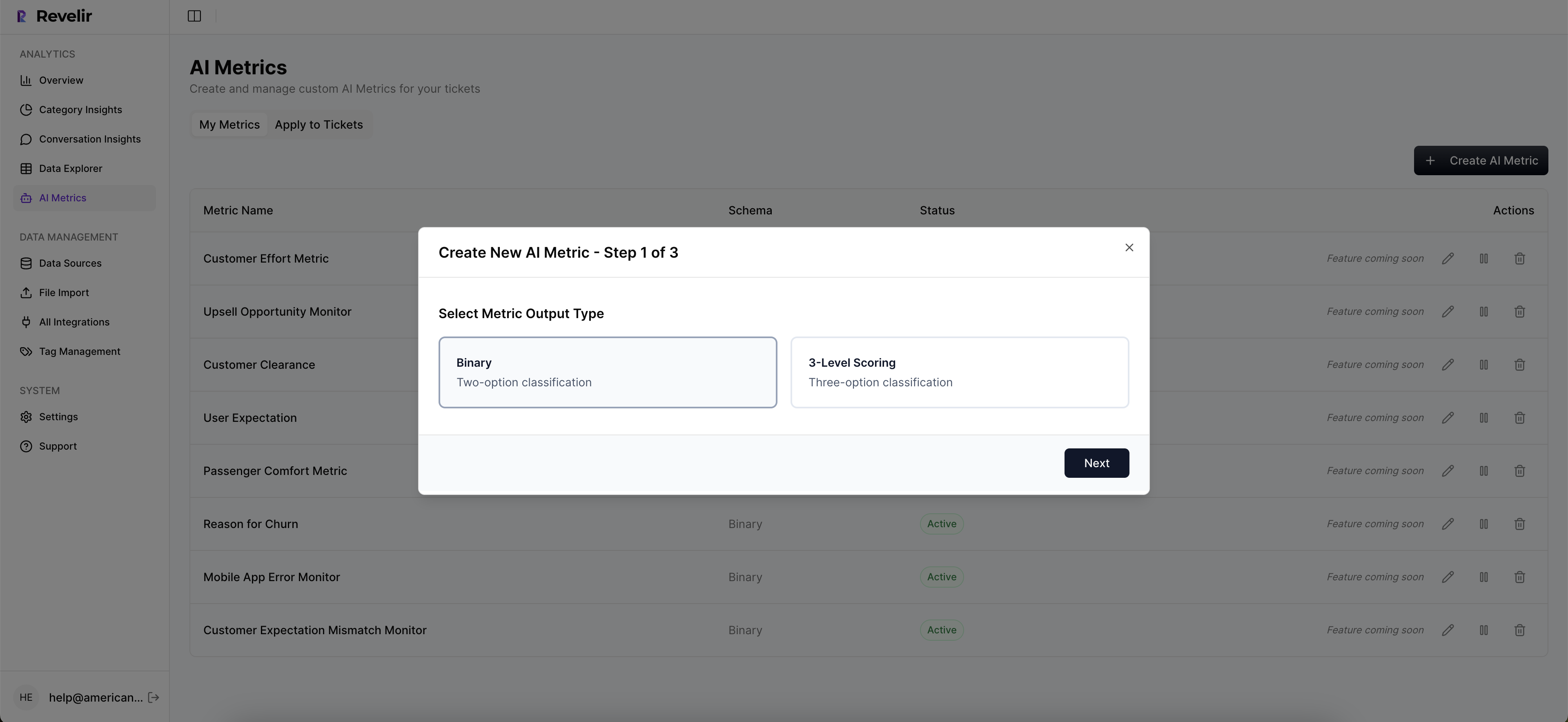
If you want a lightweight starting point before you evaluate vendors, Learn More and map your top three recurring issues, the customer segments they hit, and whether you can actually trace each claim to a quote today. That exercise alone usually reveals what you should buy.
Frequently Asked Questions
How do I choose the right alternative to SupportLogic?
To choose the right alternative, start by assessing your team's specific needs. Identify the key features you require, such as evidence-backed metrics or real-time coaching. Then, compare the alternatives based on their strengths and weaknesses. For example, Revelir AI focuses on providing evidence-backed metrics across all conversations, which can help you defend insights during discussions. Make a list of priorities and see which alternative aligns best with your goals.
What if I need to improve my team's reporting capabilities?
If you want to improve your team's reporting capabilities, consider using a tool that emphasizes evidence-backed metrics. Revelir AI can help you gather data from 100% of conversations, allowing you to create more accurate and reliable reports. Start by integrating the tool into your existing processes and training your team on how to utilize it effectively. This way, you can ensure that your reporting reflects actual customer interactions and insights.
Can I integrate Revelir AI with other tools?
Yes, you can typically integrate Revelir AI with various other tools to streamline your operations. Check if the platforms you currently use offer integration options with Revelir AI. Once you confirm compatibility, follow the integration guidelines provided by both tools to set it up. This can help you enhance your workflow and make the most of the insights gathered from your conversations.
When should I consider switching from SupportLogic?
Consider switching from SupportLogic if you find that your current reporting lacks the evidence or metrics you need to make informed decisions. If your team is struggling to connect insights back to actual conversations, it might be time to explore alternatives like Revelir AI. This tool focuses on evidence-backed metrics, which can provide the clarity and support you need during critical discussions.
Why does my team struggle with customer insights?
Your team might struggle with customer insights if the tools you use don't provide comprehensive data or evidence from conversations. Often, teams rely on anecdotal evidence rather than solid metrics, which can lead to confusion. By using a solution like Revelir AI, you can access evidence-backed metrics across all conversations. This can help your team gain a clearer understanding of customer needs and improve overall service quality.