

Most teams pick the wrong kind of “AI for support” because they mix up two jobs: answering tickets and learning from tickets. One tool is built to automate conversations (containment, deflection, handling workflows). The other is built to turn every conversation into evidence you can use in product and CX decisions, with receipts you can show in the meeting.
Quick Comparison: When To Choose Each Platform
If you’re deciding between Revelir AI and Siena (Idiomatic), start by being honest about the job you’re hiring for. Automation agents reduce handle time and backlog. Evidence engines reduce debate and guesswork by turning 100% of tickets into metrics you can slice, prove, and ship against.
| Product | Primary Role | Best For | Data Coverage | Time To Value | Pricing Model |
|---|---|---|---|---|---|
| Revelir AI | Evidence-backed ticket intelligence | CX, product, and support leaders needing verifiable insights | 100% of tickets (no sampling) with traceability | Minutes to first insights via Zendesk/CSV | Subscription (contact sales; free trial per KB) |
| Siena (Idiomatic) | Autonomous ecommerce support agent | Mid-market/enterprise DTC brands prioritizing automation/containment | Operational coverage across channels; analytics secondary | Pilot via sandbox; rollout by workflow | Hybrid, sales-led (contact sales) |
| SentiSum | Support-led VoC with alerts and NLU Q&A | Teams needing automated tagging, anomaly alerts, and Q&A | Omnichannel (tickets, calls, reviews, surveys) | Configuration-dependent | Subscription (commonly $3,000+/mo, contact sales) |
| SupportLogic | Support experience and agent quality | Large orgs needing predictive escalations and AutoQA/coaching | Frequent refresh; enterprise deployment | Project-based implementation | Custom enterprise pricing |
Key Takeaways:
- If you need fewer tickets tomorrow, Siena (Idiomatic) is aimed at ecommerce automation, while Revelir AI is aimed at explaining why tickets happen.
- If leadership keeps asking “prove it,” Revelir AI’s evidence-backed traceability is built for that, not just trend charts.
- If you want alerting plus a VoC-style layer across sources, SentiSum leans that way, with pricing that usually fits bigger programs.
- If you’re running a large support org and care about coaching and QA workflows, SupportLogic is built for operations, not lightweight analysis.
Automation Agent vs Evidence Engine: Which One Do You Need?
An automation agent is the right choice when your priority is handling conversations end to end with minimal human involvement. An evidence engine is the right choice when your priority is turning conversations into structured metrics and quotes you can trust in product and CX decisions. A simple way to sanity check it is this: if your first question is “can we deflect this,” you’re in automation land, and if your first question is “what’s driving this,” you’re in evidence land.
You can also run a quick thought experiment. Let’s pretend your contact volume jumps 18% this month and CSAT dips. If you only have automation, you might contain some of the volume, but you still don’t know what changed. If you only have analytics, you can diagnose the why, but you might still need an agent strategy to reduce the load. The trick is not picking “AI,” it’s picking the job.
Automation Isn’t Analytics
Automation and analytics overlap in the sales pitch, but they don’t behave the same in the real world. Automation is about resolution, routing, and containment. Analytics is about measurement, root cause, and being able to point to the exact conversations that make the trend real.
This is where teams get burned. They buy an automation tool, then a month later they’re still building a slide deck full of cherry-picked screenshots because nobody trusts the high-level numbers. Or they buy analytics, then realize they also need an automation strategy because the queue is still on fire.
If you’re trying to decide which comes first, ask one question: what’s more painful right now, backlog and handle time, or decision-making without evidence? Different answer, different tool.
Why This Comparison Matters
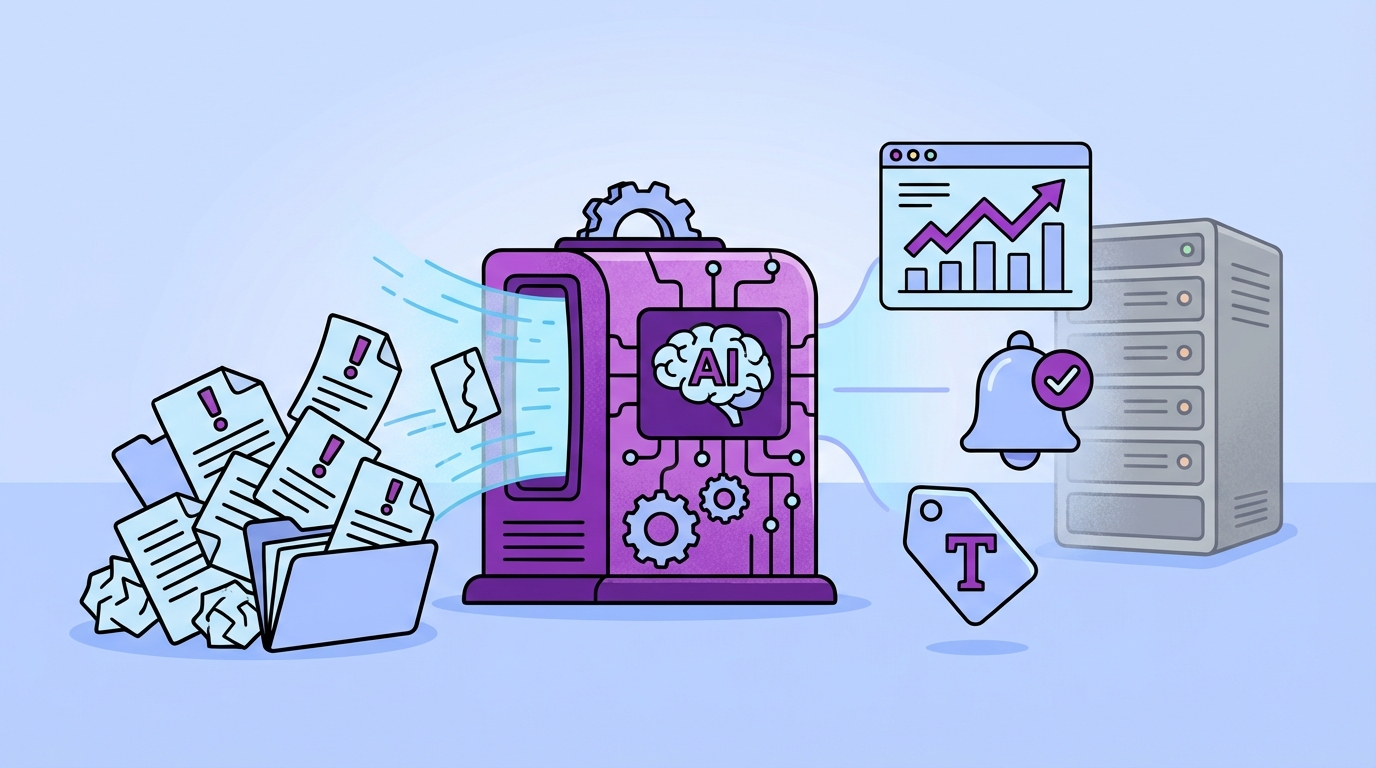
This comparison matters because “support AI” has split into very different product categories, and the wrong pick wastes quarters. Automation-first tools are designed to reduce tickets by responding. Analytics-first tools are designed to reduce wasted effort by showing what’s happening across 100% of tickets and why it’s happening. A concrete example is churn risk: an automation agent can resolve a ticket, but an evidence engine can show a pattern of frustration across a segment and tie it to quotes you can act on.
It’s usually not the tech that fails. It’s the decision process around it. Nobody’s checking whether the tool you bought actually answers the questions leadership keeps asking, and then the team gets stuck doing manual analysis on top of an expensive system.
Sampling And Score-Watching Hide Real Costs
Sampling feels responsible until it quietly becomes policy. You review 10% of tickets, you watch NPS and CSAT, and you assume you’ve got a handle on what’s going on. Then a churn driver shows up in the 90% you didn’t read.
Let’s pretend you handle 1,000 tickets a month. If you sample 10% and spend three minutes per ticket, that’s about five hours to get a partial view. To review 100% at the same pace is 50 hours. That’s the trap. You either burn people out, or you accept blind spots, and either way you end up debating anecdotes in the meeting.
Score-watching has the same issue. A dip in sentiment is a signal, not a diagnosis. Without drivers, tagging, and a clean path back to source conversations, you’re stuck guessing what to fix, and engineering time is too expensive for guesses.
Siena (Idiomatic) Overview
Siena (Idiomatic) is positioned as an AI customer service solution focused on automation, with an ecommerce tilt and a strong emphasis on handling routine requests across channels. Their own materials focus on when and how to deploy AI in customer service and what it takes to do it safely in production (Siena (Idiomatic) product overview and positioning). A quick scan of user feedback also shows it’s being evaluated as an AI agent product, not as a deep analytics layer (Siena (Idiomatic) reviews on G2).

If you’re a DTC brand buried in WISMO, returns, and subscription changes, this category of tool can be a very rational buy. The main caution is simple. Don’t expect an automation agent to become your evidence layer for product decisions unless it’s explicitly built for that.
Where Siena Excels
Siena’s strength is that it’s built around doing the work, not just reporting on it. That shows up in how it’s discussed: AI for customer service timing, production readiness, and operational rollout are front and center (Siena (Idiomatic) product overview and positioning). Third-party writeups also frame Siena as an automation-focused product, which is consistent with the category it’s in (Third‑party comparison: Yuma vs Siena).
In practice, this tends to map well to ecommerce support where the business case is straightforward: reduce repetitive work, keep responses on-brand, and contain volume across channels.
A few areas where Siena is a logical fit:
- High-volume ecommerce workflows, where automation can handle repeatable intents like order status and returns (Siena (Idiomatic) product overview and positioning)
- Teams evaluating AI agents as a primary lever for lowering ticket load, not as a research layer (Siena (Idiomatic) reviews on G2)
- Orgs that want to think carefully about rollout timing and safety, since Siena publishes directly on hallucination risk and practical mitigation in support contexts (Siena’s approach to preventing hallucinations)
Where Siena Falls Short
Siena’s limitations are mostly about category fit, not quality. An automation agent is designed to reply, route, and resolve. It’s not designed to be your system of record for “what’s driving negative sentiment among enterprise customers” with a clean trail back to source tickets.
If your world looks like this, Siena can feel like the wrong tool:
- Your leadership keeps asking “show me where that came from,” and you need every metric tied back to the original conversations
- Your product team needs driver rollups, cohort cuts, and a stable tagging system for roadmap decisions, not just operational containment
- You want to pivot across 100% of tickets, not a subset, and validate patterns quickly by drilling into examples
Same thing with pricing and packaging. Siena is sales-led and positioned for mid-market and enterprise deployments, so budgeting often looks like a scoped program, not a self-serve “start small” motion (Siena Terms of Service).
Pricing And Value
Siena’s value tends to show up when automation meaningfully reduces ticket volume or handle time, because that’s where the ROI is easiest to count. Their go-to-market is contact sales, which is normal for this type of deployment, but it means you should expect pricing to vary with scope and rollout complexity (Siena Terms of Service).
If you’re a smaller SaaS team mainly trying to understand why customers are angry, or why churn risk is rising, this kind of platform can be overkill. You’ll end up paying for automation capabilities you may not fully use.
How Revelir AI is Different: Siena is built to automate replies, while Revelir AI is built to measure and explain what’s happening inside your tickets. Revelir AI processes 100% of conversations, then lets you pivot in Data Explorer and validate patterns by drilling into Conversation Insights, with every metric traceable back to the source tickets.
SentiSum Overview
SentiSum is a support-led VoC platform that emphasizes automated tagging, dashboards, and alerts, with messaging that often targets teams replacing heavier VoC stacks. It’s commonly described in the context of VoC alternatives and comparisons, which signals a broader analytics posture across feedback sources (SentiSum alternatives page). You’ll also see SentiSum referenced in VoC tool roundups, which reinforces that positioning (SurveySparrow VoC tools roundup citing SentiSum).
If you want a VoC-style layer and you expect to invest time in configuration, this category can make sense. If you want fast, audit-ready answers tied to quotes without a lot of setup overhead, you’ll want to scrutinize the workflow details.
Where SentiSum Excels
SentiSum’s core promise is about making feedback explorable at scale, across sources, with tagging and surfaces like dashboards and comparisons against other approaches. Their library pages are explicitly written to win “alternative to X” evaluations, which usually means they’re selling into broader VoC buying motions (SentiSum comparison guide).
That tends to be attractive when:
- You’re trying to unify multiple feedback channels into a single view, not just support tickets (SurveySparrow VoC tools roundup citing SentiSum)
- Your team wants alerting and monitoring for spikes and emerging themes, and you’re comfortable tuning what “spike” means for your business (SentiSum alternatives page)
- You have an insights function that expects to live in dashboards and recurring reporting cadences
I’ll add a nuance people skip. VoC tools can be genuinely useful, but they often turn into a small internal program. Someone has to own taxonomy, alert tuning, stakeholder requests, and ongoing cleanup. If nobody owns it, adoption gets weird.
Where SentiSum Falls Short
The big tradeoff with VoC-style platforms is usually cost and complexity, not capability. SentiSum is frequently discussed in an enterprise pricing context, including comparisons where it’s framed as a premium solution (SentiSum alternatives page). If you’re a smaller team, that can be a hard sell unless the value is immediate and obvious.
There’s also a common “trust” failure mode. You get a dashboard that says “billing is trending up,” and the exec asks, “based on what.” If the workflow to validate and attach evidence is clunky, your team goes right back to screenshot hunts and manual doc building. That’s the headache you’re trying to avoid.
A few risks to watch for:
- Longer time-to-value if you need significant setup, integration, or alert configuration before insights are reliable (SentiSum comparison guide)
- Budget pressure if you’re not ready to run this as a formal VoC program (SurveySparrow VoC tools roundup citing SentiSum)
- Stakeholder trust issues if insights feel like black-box clusters without quick drill-down to concrete examples
Pricing And Value
SentiSum is typically positioned for teams that can afford a dedicated VoC layer and want ongoing monitoring and reporting, not just one-off analysis. Their own library frames the product in “enterprise alternative” terms, which is usually a pricing signal even when a public number isn’t shown (SentiSum alternatives page).
If you’re running support and product with a smaller team, the value equation often comes down to this: will you actually use the breadth of omnichannel VoC features, or do you just need trustworthy ticket intelligence that’s fast to validate?
How Revelir AI is Different: SentiSum leans toward VoC dashboards and broader ingestion, while Revelir AI is built around audit-ready ticket metrics tied back to the exact conversations. You can filter by Sentiment, Churn Risk, or Effort in Data Explorer, then click straight into Conversation Insights to validate what the chart is claiming.
SupportLogic Overview
SupportLogic is an enterprise support experience platform that focuses on operational signals, predictive insights, and quality workflows for large support orgs. They describe a “data cloud” foundation and talk about refresh cadence and platform-level capabilities, which is consistent with enterprise deployment patterns (SupportLogic Data Cloud). They also publish on RAG and knowledge operations, which points to an operational support posture rather than a lightweight analytics add-on (SupportLogic precision RAG and knowledge ops).
If you have 100+ agents and you’re measured on escalations, quality, and operational rigor, this kind of platform can be the right hammer. But it’s a bigger hammer than most teams need.
Where SupportLogic Excels
SupportLogic’s strength is support operations at scale. The product messaging and architecture cues lean toward enterprise concerns like data layers, refresh cadence, and operational workflows (SupportLogic Data Cloud). That usually translates into a platform you deploy with intention, not a tool you casually try.
This tends to be compelling when:
- You need predictive or operational signals that leadership will fund, because the cost of escalations is high
- You care about quality management and coaching, not just understanding top issues
- You want platform-level thinking around knowledge operations and support workflow design (SupportLogic precision RAG and knowledge ops)
If you’re small, you might look at this and think, “we’ll grow into it.” Sometimes that’s true. A lot of the time, it’s just expensive shelfware.
Where SupportLogic Falls Short
The downside of enterprise SX platforms is usually time-to-value and implementation effort. Even if the software is strong, it often comes with a project: integrations, stakeholder alignment, data work, change management. If you need answers this week for a product decision, that’s a real risk.
And if what you actually need is “turn tickets into structured metrics we can slice and prove,” you may not want to buy a platform built primarily for agent operations, QA, and coaching.
A few practical constraints to consider:
- Project-based rollout patterns are common for enterprise platforms, which can delay insight delivery (SupportLogic Data Cloud)
- You may need IT or ops capacity to maintain integrations and data flows over time
- The tool can be more than you need if your immediate goal is roadmap insight and root-cause clarity, not coaching workflows
Pricing And Value
SupportLogic is positioned as enterprise software with custom pricing, and the value typically makes sense when the cost of support failure is high and the org is large. The way they talk about platform foundations and knowledge ops is consistent with that enterprise posture (SupportLogic precision RAG and knowledge ops).
If you’re mid-market and trying to prove what’s driving churn risk or negative sentiment using ticket evidence, you might not need an enterprise SX stack to get there.
How Revelir AI is Different: SupportLogic is built for support operations and quality workflows, while Revelir AI is built for evidence-backed analysis across 100% of tickets. Revelir AI’s metrics (Sentiment, Churn Risk, Effort) and Drivers rollups are designed to be shared with product and leadership, with traceability back to the exact conversations.
Feature Grid: Analytics Depth vs Automation Scope
This feature grid summarizes the core difference: Revelir AI is analytics-first with evidence-backed traceability, Siena is automation-first, SentiSum is VoC-style analytics with alerts and dashboards, and SupportLogic is SX and quality at enterprise scale. Use it to match the platform to the job you need done this quarter, not the job that sounds cool on a roadmap.
| Capability | Revelir AI | Siena (Idiomatic) | SentiSum | SupportLogic |
|---|---|---|---|---|
| 100% Ticket Processing (No Sampling) | Yes, full-coverage processing | Focus on automated handling; analytics not 100% ticket analysis | Yes, automated tagging at scale | Frequent refresh; analytics on support data |
| Evidence-Backed Traceability to Source Quotes | Yes, link every metric to conversations | Not the core focus | Dashboards and alerts; traceability varies by workflow | Analytics with case insights; focus on operations |
| Hybrid Tagging (Raw + Canonical) | Yes, discovery plus stable reporting | Not a tagging/taxonomy platform | Yes, automated tagging | Yes, analytics themes for SX |
| Drivers (Root-Cause Groupings) | Yes, leadership-ready rollups | Policy/rule-based automation emphasis | Root-cause analysis supported | Escalation/churn drivers via SX analytics |
| AI Metrics (Sentiment, Churn Risk, Effort, Outcome) | Yes, stored as columns for filtering | Automation confidence thresholds; not analytics-first | Yes, sentiment and risk surfacing | Yes, predictive signals and sentiment |
| Custom AI Metrics (Domain-Specific Classifiers) | Yes, define and persist custom labels | Automation/playbooks, not custom analytics metrics | Emphasis on tagging/alerting; custom options vary | Focus on QA/coaching and SX signals |
| Data Explorer (Pivot-Style Slicing) | Yes, column management plus drill-downs | Not core | Dashboards; NLU assistant | Dashboards; ops views |
| Analyze Data (Grouped Reporting + Charts) | Yes, interactive tables plus linked tickets | Not core | Executive dashboards and anomaly alerts | Enterprise dashboards for SX |
| Zendesk Integration | Yes, direct import, continuous processing | Yes, strong helpdesk integration | Yes, native integrations | Yes, enterprise integrations |
| CSV Ingestion | Yes, fast pilots/backfills | Not primary path | Yes, data import supported | Yes, enterprise ETL/ingestion |
| API Export of Structured Metrics | Yes, bring insights to BI | Automation platform focus | Yes, data export options | Yes, enterprise data access |
| Autonomous Agent/Containment | No, analytics-first | Yes, ecommerce automation | No, analytics/alerts/Q&A | Partial, agent assist and coaching |
| AutoQA & Coaching | No, outside scope | No, automation focus | No, not core | Yes, AutoQA and coaching |
Why Revelir AI for Evidence‑Backed Ticket Intelligence
Revelir AI is the better fit when you need defensible answers from tickets, not just faster ticket handling. It processes 100% of conversations (no sampling), computes metrics like Sentiment, Churn Risk, and Customer Effort as filterable columns, and keeps every rollup tied back to the source conversations. A practical example is a sentiment spike: you can filter to negative sentiment, group by Driver, then click straight into the conversations that produced the chart.
This is the part I like, because it matches how real teams operate. You start with top-down patterns, then you validate bottom-up with actual tickets. No hand-wavy “trust the model” moment.
Core Differentiators
Revelir AI is built around a few mechanics that remove the usual analytics failure modes, especially trust and time. It’s not trying to be an agent. It’s trying to be the measurement layer that settles arguments.

What it does, concretely:
- Full-coverage processing across 100% of tickets so you don’t miss the weird stuff that never makes it into a sample.
- AI tagging and metrics engine that turns raw tickets into queryable fields like Sentiment, Churn Risk, frustration signals, and product feedback.
- Evidence-backed traceability so every metric and chart can be traced back to the exact conversation and quote.
- Drivers and root-cause rollups that turn messy ticket text into categories leadership can understand without losing the underlying detail.
- Data Explorer and Analyze Data so you can filter, group, chart, and then drill down into Conversation Insights to validate.
Honestly, this is where most tools break. They tell you what’s happening, but they can’t prove it fast enough to survive a skeptical room.
If you want to see what that workflow looks like in your own data, See how Revelir AI works.
Best‑Fit Use Cases
Revelir AI is a strong fit when the questions you’re answering are cross-functional and high-stakes. Support alone can’t fix them, and dashboards alone can’t justify them.

Common patterns where Revelir AI fits:
- Diagnose negative sentiment with root cause by filtering Sentiment = Negative, grouping by Driver, and validating with Conversation Insights.
- Find issues impacting high-value customers by filtering by customer segment (for example, enterprise plan), then slicing by Churn Risk or Sentiment.
- Locate high-effort conversations by filtering Customer Effort = High, then grouping by Driver to see what’s creating friction.
- Turn product feedback into a pipeline by capturing unsolicited feedback tags and sharing evidence-backed examples with PMs.
- Create leadership-ready reporting where every number has a trail back to real tickets, so prioritization conversations don’t stall.
You might be thinking, “we can do some of that in spreadsheets.” Sure. For a month. Then it collapses under volume, and you’re back to sampling.
Getting Started
Getting started with Revelir AI is designed to be quick, because long implementations kill momentum. You can bring in past tickets via CSV ingestion for a fast backfill, or connect Zendesk to start continuous processing, then use Data Explorer to slice metrics and drill into Conversation Insights for validation.

A simple first-week plan that works:
- Pick one executive question, like “what’s driving negative sentiment right now?”
- Run analysis by Sentiment and group by Driver.
- Click into the biggest driver and read the actual conversations to confirm it’s real.
- Share a short brief with three quotes attached, not a 20-slide deck.
If you want to get hands-on, Get started with Revelir AI (Webflow).
Conclusion: Choosing Between Automation and Analytics
You should choose Siena (Idiomatic) when the business problem is ticket volume and you want an ecommerce-focused automation agent that can take work off your team’s plate. You should choose analytics-first tooling when the business problem is trust, prioritization, and understanding what’s driving sentiment, churn risk, and effort across all conversations. A simple example is a roadmap debate: automation might reduce contacts, but it won’t automatically give product a defensible “why” with quotes attached.
Here’s the clean way to decide. If you’re worried about backlog, containment comes first. If you’re worried about making the wrong product bets because your evidence is weak, measurement comes first.
Want to pressure test this against your own ticket data without a long rollout? Learn More.
What I’d do next, in your shoes: pick one question you’re tired of arguing about, run it against 100% of tickets, and bring the receipts to the next meeting. That’s usually when the conversation changes.
Frequently Asked Questions
How do I choose between Revelir AI and Siena?
To choose between Revelir AI and Siena, start by identifying your primary needs. If you're looking for evidence-backed insights to improve customer experience, product decisions, or support strategies, Revelir AI is the way to go. It offers comprehensive coverage of 100% of tickets, providing traceable insights that can help you make informed decisions. On the other hand, if your focus is on automating support tasks to reduce ticket volume, Siena might be more suitable. It’s designed for ecommerce automation, which can help streamline operations but may not provide the same depth of insights as Revelir AI.
Can I integrate Revelir AI with my existing tools?
Yes, you can integrate Revelir AI with existing tools like Zendesk or through CSV uploads. The integration process is typically quick, allowing you to start gaining insights in just a few minutes. To set it up, ensure you have access to your ticketing system and follow the integration instructions provided by Revelir AI. This will enable you to leverage the platform's capabilities for analyzing all your tickets without sampling, giving you a complete view of customer interactions.
What if I need insights from previous tickets?
Revelir AI is designed to provide insights from 100% of your tickets, which means you can analyze historical data effectively. If you have past tickets stored in a compatible format, you can import them into Revelir AI. This will allow you to trace issues and trends over time, helping you understand customer behavior and improve your support strategies. Make sure to review the data import guidelines to ensure a smooth process.
When should I consider switching to Revelir AI?
Consider switching to Revelir AI if you find that your current system doesn't provide the depth of insights you need for decision-making. If you're often guessing about customer needs or struggling to justify changes in your product or support strategies, Revelir AI can help turn every ticket into valuable evidence. It’s particularly beneficial for CX and product leaders who require verifiable insights to guide their decisions.
Why does Revelir AI focus on ticket intelligence?
Revelir AI focuses on ticket intelligence because it aims to provide evidence-backed insights that can drive better decision-making in customer experience and product development. By analyzing 100% of tickets, it helps leaders understand the underlying reasons behind customer interactions, which can lead to improved strategies and outcomes. This approach reduces the guesswork and debate often associated with customer feedback, making it easier to implement changes based on solid evidence.