
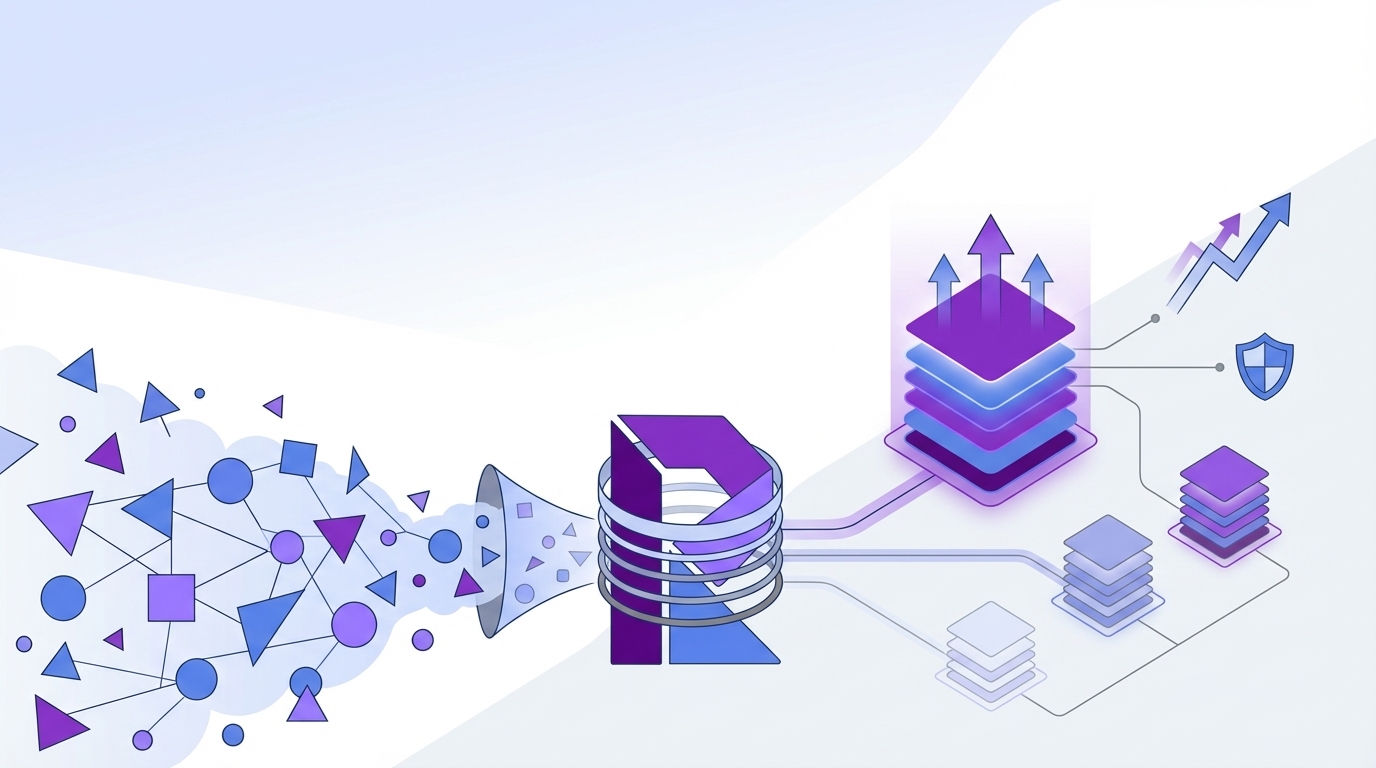
How to Prioritize Customer Support Issues Without Guessing
Most teams say they want to prioritize customer support issues better. What they actually do is react to noise. They follow the loud queue, the angry escalation, or the executive-forwarded complaint. That's not a system. That's improvisation. And if you're trying to prioritize customer support issues with samples, sentiment dashboards, and a few ticket reviews, you're probably seeing fragments instead of the real pattern.
Key Takeaways:
- To prioritize customer support issues well, you need full conversation coverage, not samples.
- Support volume alone won't tell you what to fix first.
- Scores can flag a problem, but drivers and traceable evidence explain the cause.
- The best way to prioritize customer support issues is to combine ticket-level detail with grouped analysis.
- Product, CX, and ops teams need proof they can trace back to actual conversations.
- If you can't connect a chart to the exact tickets behind it, trust breaks fast.
Why teams struggle to prioritize the right support issues
Most teams fail to prioritize customer support issues for one simple reason: the inputs are weak. They have dashboards, sure. But they don't have a reliable way to turn messy conversations into something they can sort, compare, and defend in a planning meeting. So they default to volume, escalations, and whoever is shouting the loudest.
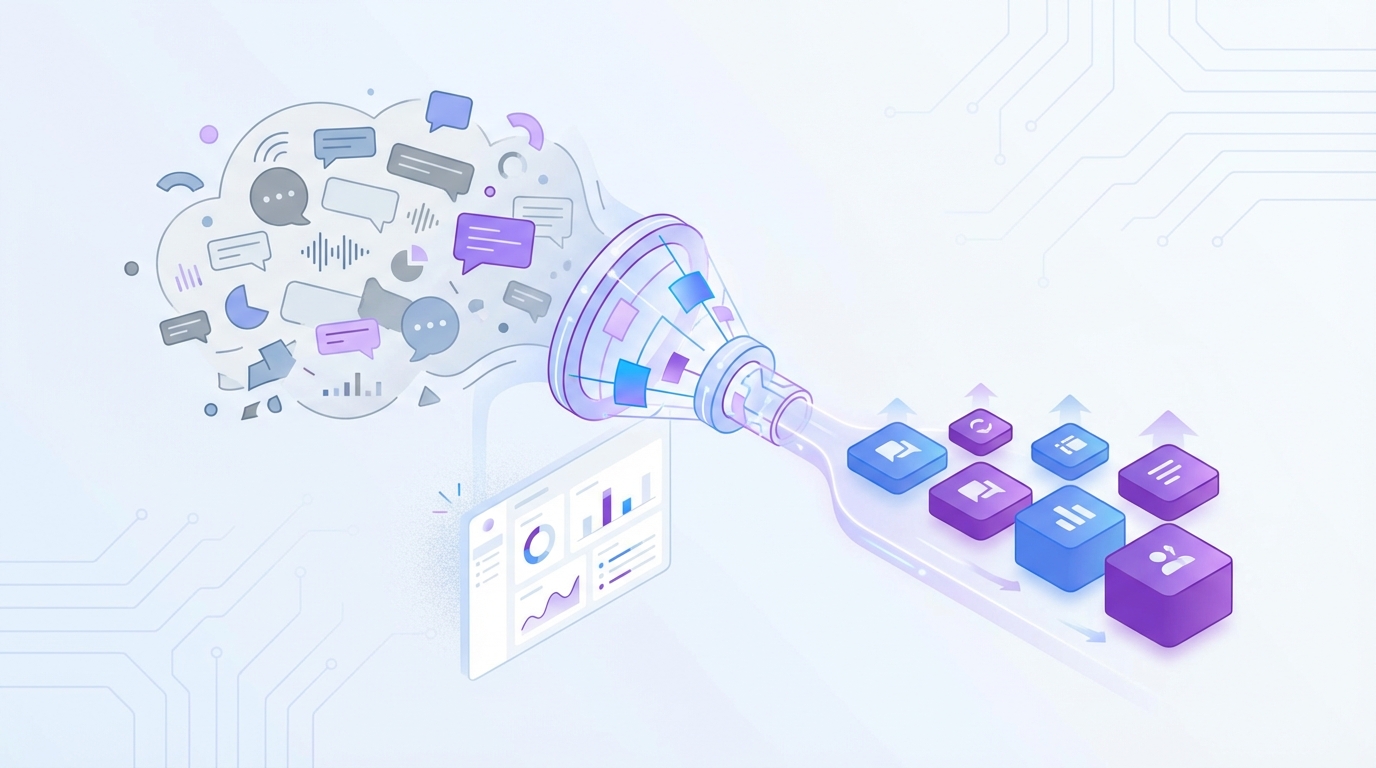
Volume feels useful, but it hides the real problem
Ticket count is a weak proxy for urgency. A high-volume issue might be annoying but easy to solve later. A lower-volume issue tied to churn risk, high customer effort, or a valuable segment can matter a lot more. If you want to prioritize customer support issues well, volume alone won't get you there.
Let's pretend you have 400 billing tickets and 90 onboarding tickets. Most teams rush to billing first. But what if those onboarding tickets are coming from new enterprise accounts, carrying negative sentiment, and ending unresolved? Very different story. Nobody's catching that if the process stops at queue totals.
Sampling creates false confidence
Sampling feels responsible, but it usually creates more confidence than clarity. You read 50 tickets, maybe 100, and assume you've found the pattern. What you really have is a partial read shaped by timing, reviewer bias, and luck. That's a rough foundation for product or staffing decisions.
Then the debate starts. One leader says the sample is too small. Another says the wrong tickets were reviewed. Someone else brings in anecdotes pointing the other way. Now the room is arguing about whether the evidence is real instead of deciding what to fix first.
Scores don't explain why customers are upset
CSAT, NPS, and basic sentiment can show movement. Useful, yes. Enough to prioritize customer support issues? Usually not. Scores tell you that something is wrong. They rarely explain what caused the frustration, which issue clusters together, or who is getting hit hardest.
If you've ever been in a review where someone asks, "Okay, but what's driving this?" you already know the problem. The number is there. The reason behind the number isn't. That's where prioritization breaks.
What makes support issue prioritization so messy
The real obstacle isn't lack of effort. It's unstructured support data. Free-text conversations are packed with signal, but they don't naturally turn into decision-ready inputs. If you want to prioritize customer support issues consistently, you have to structure what customers are actually saying.
Support data is rich, but messy
Support conversations contain the stuff leaders actually need: friction, churn language, repeat complaints, feature confusion, workarounds, and unsolicited product feedback. Good signal. Messy format. That's the issue.
In practice, this is where teams get stuck for months. They know the value is buried in tickets, but every attempt to organize it becomes a manual taxonomy project or another export into BI. The dashboard may look clean in the end, but only because somebody spent a lot of time forcing raw text into rows and columns.
Manual tagging breaks under pressure
Manual tags sound fine right up until volume rises or teams get busy. Then five agents use five labels for the same issue. One person writes "login failure." Another uses "can't sign in." Someone else doesn't tag it at all. Now your issue count is shaky before the meeting even starts.
Same thing with spreadsheet rollups. They create the appearance of structure, not durable trust. Most of the time, the underlying data is inconsistent, stale, or too shallow to answer follow-up questions. That's why leaders end up asking for screenshots and raw tickets anyway.
Black-box outputs create a trust problem
AI can process text at scale. That's clearly useful. But if nobody can trace the output back to original conversations, trust disappears the second the stakes go up. Product leaders want to know which customers said this. CX leaders want direct quotes. Execs want proof.
That's why traceability matters so much. If you can't move from aggregate metric to source ticket, the analysis becomes one more thing the room has to accept on faith. Few teams are comfortable with that, and honestly, they shouldn't be.
The cost of getting support priorities wrong
When teams can't prioritize customer support issues correctly, the cost shows up everywhere. Time gets wasted. Fixes get delayed. Product decisions drift. Leadership trust takes a hit. Bad prioritization doesn't stay in the support queue; it spreads into roadmap, retention, and ops.
You waste cycles on the wrong fixes
When teams struggle to prioritize customer support issues, they tend to overreact to visible pain and underreact to systemic pain. A loud issue gets immediate attention. A broad but quieter issue keeps hurting customers in the background. That's expensive.
Escalations pull engineering into one-off incidents. PMs chase edge cases. Support managers keep reshuffling staffing around whatever feels hottest that week. Meanwhile, the root driver stays untouched because nobody grouped the data clearly enough to see it.
Product teams lose the "why" behind the signal
Most product teams already have usage data, bug reports, and roadmap requests. What they often don't have is a clean explanation for why support volume is rising and what customers actually experienced. Without that layer, support issue prioritization gets distorted.
A spike in tickets could mean a broken flow. It could mean confusing messaging. It could mean a segment-specific issue. It could mean high effort during onboarding. Those are different problems with different fixes. If you collapse them into one bucket, you risk solving the wrong thing.
Leadership stops trusting the story
This is the part people rarely say out loud. Once a team shows a chart it can't defend, trust drops. Maybe quietly. But it drops. Then every insight gets challenged, every summary needs backup, and every recommendation becomes harder to land.
What we've seen over and over is that the blocker usually isn't missing data. It's missing credibility. Big prioritization calls need evidence, not hand-waving.
A better framework to prioritize customer support issues
To prioritize customer support issues well, you need a system that turns every conversation into structured, reviewable evidence. Not just a score. Not just a sample. A full picture you can filter, group, inspect, and defend. That's what makes support issue prioritization calm instead of chaotic.
Start with full coverage, not a sample
If you want a real prioritization model, start with 100% of support conversations. Otherwise you're arguing with uncertainty before analysis even begins. Coverage matters because patterns often sit in the long tail.
A recurring complaint in a specific segment may never show up in a small review set, but it can still create churn risk or high customer effort. Full coverage gives you a better basis to prioritize customer support issues using the actual dataset, not a guess.
A practical process looks like this:
- Ingest all available conversations from your helpdesk or exported ticket history.
- Classify each conversation into consistent fields you can compare.
- Review grouped patterns across issue type, segment, sentiment, effort, and risk.
- Drill back into source tickets before making a call.
Discover how leading teams turn support conversations into prioritization evidence
Turn free text into structured signals
You can't rank what you haven't structured. That's why the next step is converting raw conversation text into usable fields. Sentiment is one layer. Effort is another. Churn risk matters. Outcome matters. Then you need issue labels and higher-level drivers that explain the why.
This is where a lot of teams get it wrong. They stop at a score. But a score doesn't tell you whether the root issue is billing confusion, onboarding friction, account access, or performance complaints. To prioritize customer support issues accurately, you need both specific signals and grouped context.
What tends to work best is a layered model:
- Granular issue labels to catch emerging themes
- Normalized categories for reporting
- Higher-level drivers that make patterns easy to explain
- Business-specific metrics tied to your own language and goals
Rank issues by impact, not noise
Once the data is structured, it gets much easier to prioritize customer support issues based on damage instead of volume. That damage might show up as negative sentiment, high effort, unresolved outcomes, churn risk, or concentration in a high-value segment.
This changes the conversation fast. Instead of saying, "We had 200 tickets about X," you can say, "This issue is concentrated in new customers, carries high effort, and appears in a growing share of negative conversations." That's a much better prioritization input.
Validate before you escalate
No model should replace judgment. It should focus judgment. Before you push an issue into roadmap or staffing decisions, validate the pattern by reading the underlying conversations. That keeps the process grounded.
Critics of automation aren't entirely wrong here. You still need the ticket-level view. The difference is that manual review should validate the pattern, not create the pattern from scratch. That's how you prioritize customer support issues with both scale and nuance.
Build one language across CX and product
Prioritization breaks when each team uses different labels for the same problem. Support says one thing. Product says another. Ops uses a third label in a dashboard. Then alignment slows down because people are debating vocabulary instead of deciding what to do.
A better system creates shared language. Specific issues roll up into broader drivers. Drivers connect to customer impact. Customer impact connects to action. That's when support data starts helping teams prioritize customer support issues in product reviews and leadership meetings.
For a broader read on why sampled feedback can mislead decision-making, McKinsey has written about the value of combining large-scale customer signals with operational action in CX programs here. And for teams thinking about trust in AI analysis, NIST's work on explainable and accountable AI is worth reading here.
How Revelir AI helps teams prioritize customer support issues with evidence
Revelir AI turns messy support conversations into evidence-backed metrics teams can actually use to prioritize customer support issues. It processes 100% of ingested tickets, structures each conversation into analyzable fields, and links every metric back to source tickets and quotes. That's the part that makes the analysis usable in the room.
Full coverage and structured signals in one place
Revelir AI processes 100% of ingested conversations through Full-Coverage Processing, so teams aren't relying on a sample and hoping it's representative. Through the AI Metrics Engine, each conversation can be structured into signals like Sentiment, Churn Risk, Customer Effort, and Conversation Outcome.

The Hybrid Tagging System adds another layer that matters a lot in real teams. Raw Tags catch specific emerging issues, while Canonical Tags normalize those issues for reporting. Drivers group patterns into broader themes that make sense in leadership reviews. So if you're trying to prioritize customer support issues, you can move from scattered complaints to a clearer issue hierarchy.

Analysis you can defend in the room
Data Explorer gives teams a pivot-table-like workspace to filter, group, and inspect tickets with columns for metrics, tags, drivers, and custom fields. Analyze Data lets you summarize those metrics by dimensions like Driver, Canonical Tag, or Raw Tag, then inspect grouped results interactively.
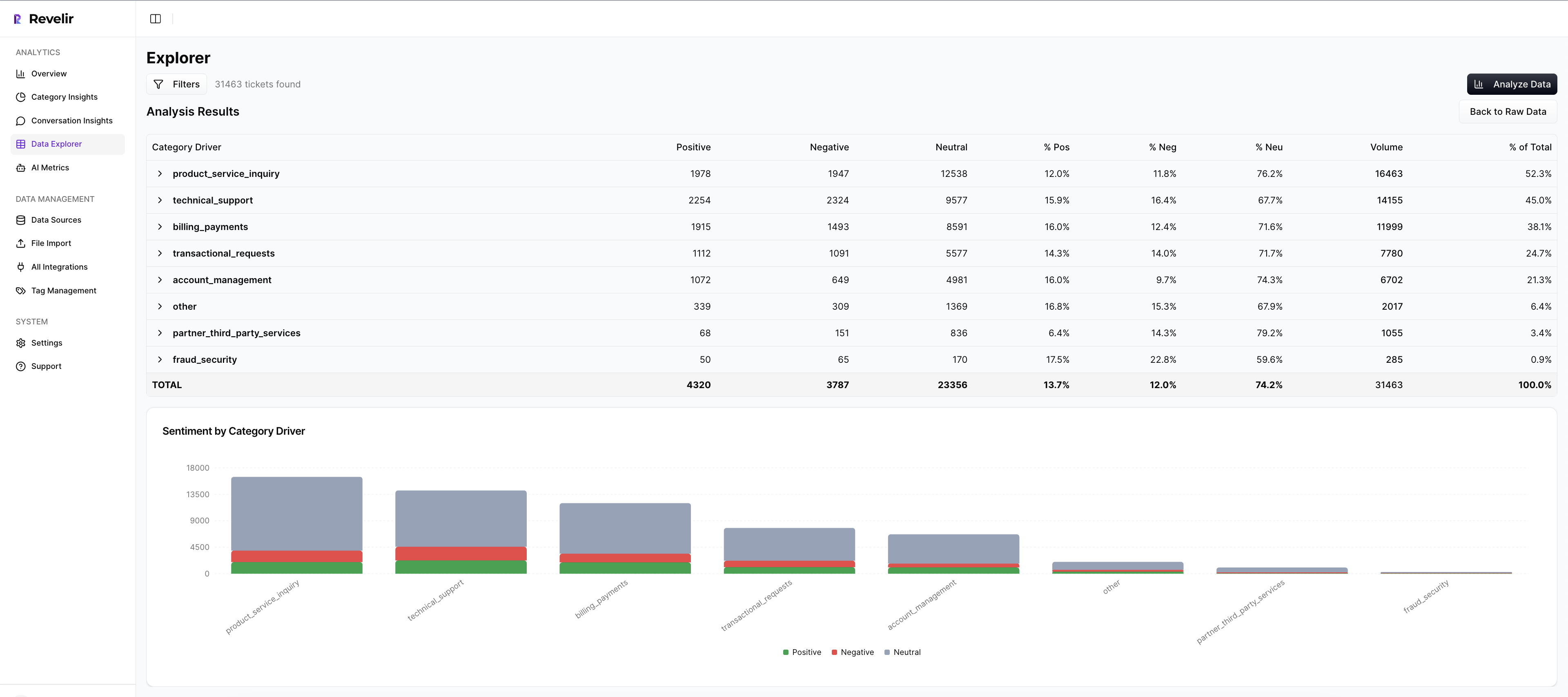
Then comes the trust piece. Evidence-Backed Traceability and Conversation Insights let you drill from the aggregate view straight into original conversations, transcripts, summaries, assigned tags, drivers, and AI metrics. Nobody has to take the model on faith. You can show the tickets behind the chart.
Start prioritizing support issues with traceable analysis in Revelir AI
Revelir AI also supports Custom AI Metrics, which matters if your business doesn't fit generic labels. You can define metrics in your own language, then use them across filtering and analysis. And getting started doesn't require a major system change. Teams can connect through Zendesk Integration or use CSV Ingestion for a pilot or backfill.
What better support prioritization looks like in practice
To prioritize customer support issues well, you need coverage, structure, and proof. That's really it. Once you have those three things, the work gets calmer. Fewer debates. Fewer reactive decisions. Better product and CX calls. This is what effective support issue prioritization looks like when the data is actually usable.
It's usually not that teams are ignoring customer problems. It's that the signal is trapped in text, and nobody's checking the full pattern. When you can see what's breaking, who it's affecting, and why it matters, it's much easier to prioritize customer support issues with confidence.
Ready to transform how your team prioritizes customer support issues? Get started today
Conclusion
Most teams don't have a prioritization problem. They have an evidence problem. If the process relies on samples, loose tags, and charts nobody can defend, the wrong issues rise to the top.
The better path is straightforward: capture full conversation coverage, structure the signal, group issues by impact, and keep every conclusion traceable back to source tickets. That's how you prioritize customer support issues without guessing, and that's how support data becomes useful far beyond the queue.
Frequently Asked Questions
How do I ensure all support tickets are analyzed?
To ensure all support tickets are analyzed, you can use Revelir AI's Full-Coverage Processing feature. This processes 100% of ingested tickets without relying on sampling, which helps eliminate blind spots. Start by integrating your helpdesk system, like Zendesk, to automatically pull in all historical and ongoing tickets. If you're not ready for integration, you can also upload your ticket data via CSV. This way, you can capture every conversation, ensuring that your analysis is comprehensive and reliable.
What if I need to customize the metrics for my business?
If you need to customize metrics for your business, Revelir AI offers Custom AI Metrics. You can define specific classifiers that align with your unique needs, such as 'Upsell Opportunity' or 'Reason for Churn.' This allows you to tailor the metrics to your business language and goals. Once set up, these custom metrics can be used across filtering and analysis, providing you with insights that are directly relevant to your operations.
How do I validate patterns before escalating issues?
To validate patterns before escalating issues, use Revelir AI's Conversation Insights feature. This allows you to drill down from aggregate metrics directly into the original conversations. By reviewing the underlying tickets, you can confirm that the identified patterns are accurate and grounded in real customer feedback. This step is crucial for ensuring that your decisions are based on solid evidence rather than assumptions.
When should I use the Data Explorer feature?
You should use the Data Explorer feature whenever you need to filter, group, or inspect your support tickets in detail. It acts like a pivot table, allowing you to view every ticket alongside key metrics like sentiment, churn risk, and effort. This is particularly useful during prioritization meetings, as it helps you present clear, evidence-backed insights that can drive decisions on what issues to address first.
What if my team struggles with inconsistent tagging?
If your team struggles with inconsistent tagging, consider implementing Revelir AI's Hybrid Tagging System. This system combines AI-generated Raw Tags with human-aligned Canonical Tags, ensuring that all issues are categorized consistently. You can refine your tagging taxonomy over time, allowing Revelir to learn from your mappings for future tickets. This helps improve the accuracy and reliability of your issue categorization.