

Support leaders keep asking the same thing: what are the common customer experience questions we should actually be able to answer from our ticket data? Fair question. Most teams have plenty of data already. The problem is that the answers are buried in support conversations, and nobody's checking at the level you need if you're trying to make a real product or CX decision.
Let's pretend you walk into a weekly review and someone asks why churn risk feels higher this month, which issues are creating the most effort, or whether onboarding complaints are getting worse for new customers. You probably have opinions. Maybe a few screenshots. Maybe a CSAT trend. But common customer experience questions like these need evidence, not vibes.
Key Takeaways:
- Common customer experience questions usually sound simple, but they break weak reporting setups fast
- Ticket volume and survey scores rarely explain why customers are frustrated
- Sampling support tickets creates blind spots that can hide churn risk, effort, and product issues
- The best way to answer common customer experience questions is to analyze 100% of conversations, not a subset
- CX and product teams need metrics tied back to real tickets and quotes, or the room starts debating the data
- Drivers, tags, and custom metrics make common customer experience questions answerable in business language
- Tools like Revelir AI fit best after you've defined what questions your team needs answered consistently
Why common customer experience questions usually go unanswered
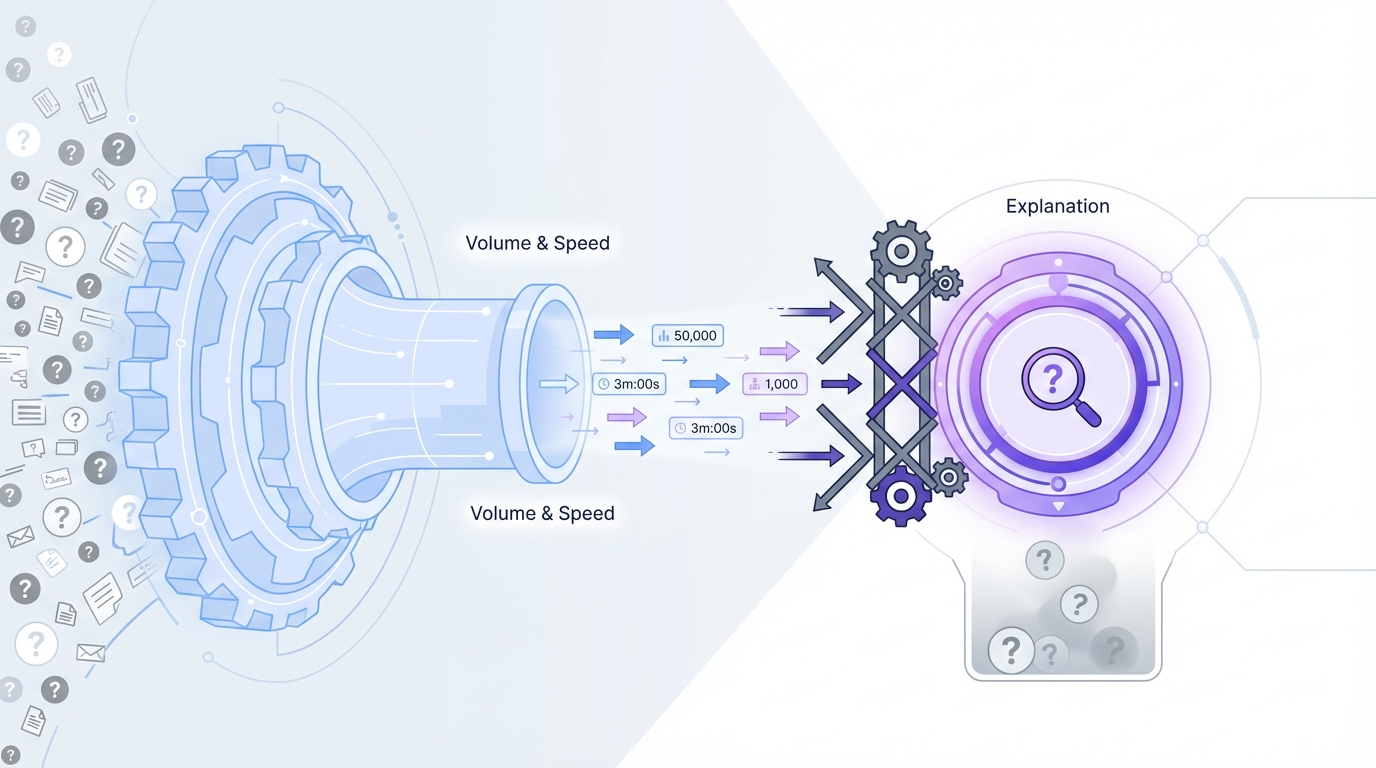
Common customer experience questions go unanswered because most reporting systems were built for volume and speed, not explanation. They can tell you how many tickets came in or how fast agents replied. They usually can't tell you what is breaking, who is affected, or why the same complaint keeps showing up. That's the gap.
Dashboards answer the easy questions
Most support dashboards are fine for operational tracking. You can see backlog, first response time, ticket volume, maybe CSAT if enough people filled out a survey. That's useful. It's just not enough.
The moment a product leader asks, "Which billing issue is creating the most frustration for enterprise customers?" the room gets quiet. Same thing with, "Are onboarding complaints actually rising, or are we just noticing them more?" Standard dashboards aren't built for that. They summarize activity. They don't extract meaning from free text.
That distinction matters more than people admit. A team can look very data-driven on paper and still be guessing on the questions that shape roadmap, retention, and escalation planning. I've seen this a lot. The reporting looks polished right up until someone asks a real question.
Support conversations hold the real signals
Support tickets are where customers explain the problem in plain language. They mention friction, confusion, churn risk, repeated bugs, broken flows, weird edge cases, and expectations that weren't met. That's where the actual story lives.
A lot of common customer experience questions come straight out of those conversations:
- Why are customers frustrated right now?
- Which issues are affecting high-value accounts?
- What is driving repeat contacts?
- Which product areas create the most effort?
- Are negative experiences isolated or widespread?
You can't answer those well from score-only systems. McKinsey has written about the limits of relying on narrow feedback signals alone. And Gartner has also pointed to the need for broader experience measurement across customer journeys. The pattern is clear. The deeper signal usually sits in unstructured feedback.
The questions are common, but the answers aren't easy
This is the part people miss. Just because a question is common doesn't mean it's easy to answer. In fact, common customer experience questions are usually the ones that expose a broken measurement setup fastest.
If your team can't move from "what happened" to "why it happened," you're stuck. You end up with partial truth, partial confidence, and a lot of meetings that feel longer than they should. That gets expensive fast. And yeah, it also gets tiring for the people expected to make decisions off that mess.
The real problem is not ticket volume, it's missing structure
The real problem is missing structure inside support data. Teams assume they need more dashboards, more reviews, or more tagging discipline. Usually, they need a better way to turn free text into something measurable and defensible. That's the reframe.
More tickets are not the root issue
A lot of leaders look at rising support volume and think, "We need better staffing" or "We need better triage." Sometimes that's true. But volume by itself isn't the root issue. The root issue is that every ticket contains meaning your team can't quantify consistently.
It's usually not that you lack customer input. You have too much of it, and it's trapped in a format that's hard to compare. Free text is rich, but messy. One customer says "billing bug." Another says "charged twice." Another says "refund still missing." Humans can see the connection. Most dashboards can't.
So the team creates workarounds. Manual tagging. One-off spreadsheet reviews. A doc with examples before the product meeting. This works for a while. Then the volume grows, the taxonomy drifts, and trust in the data starts to crack.
Sampling creates false confidence
Sampling sounds responsible. It feels like analysis. But for common customer experience questions, sampling is often the mistake that makes smart teams feel informed when they aren't.
If you review 10 percent of tickets, you're making a bet that the unseen 90 percent won't change the story. That's a risky bet when customer issues cluster by segment, timing, product area, or agent workflow. Small patterns can hide in the gaps. Early churn signals especially.
The critique isn't theoretical. The National Institute of Standards and Technology has published widely on the importance of transparency and reliability in AI and data systems. Different domain, same core lesson. If people can't understand how an output was formed, trust drops. Sampling does something similar. It produces answers that are hard to defend under scrutiny.
Scores don't explain the why
CSAT, NPS, and simple sentiment tracking all have a place. They can tell you whether something shifted. They usually can't tell you why it shifted.
That's the part that breaks cross-functional work. A CX leader sees lower satisfaction. A product manager asks what's driving it. An ops lead asks whether the issue is broad or concentrated in one segment. If all you have is a score trend, you don't have a next step. You have a signal without a diagnosis.
That's why common customer experience questions often sound more qualitative than quantitative. People don't just want to know if sentiment is down. They want to know what's behind it, which customers feel it most, and what fix should happen first. Without structure, the conversation stalls there.
The cost of weak answers gets bigger than most teams expect
Weak answers to common customer experience questions create real business cost because they slow decisions, distort priorities, and let the loudest anecdote win. A vague insight doesn't just feel unsatisfying. It changes what gets funded, fixed, and ignored.
Bad prioritization starts with partial evidence
When teams can't answer common customer experience questions cleanly, they start prioritizing by volume, recency, or executive memory. That's a dangerous mix. The most frequent complaint isn't always the most damaging one. The noisiest issue isn't always the one tied to churn risk or high effort.
A common pattern looks like this:
- A few ugly tickets get shared in Slack
- Leaders assume the issue is widespread
- The team scrambles on the wrong fix
- A quieter but broader problem keeps growing
Nobody does this on purpose. That's what makes it expensive. Weak evidence feels strong in the moment, especially when a customer quote is emotional or recent. But if you can't test the pattern across all conversations, you risk overreacting to one story and missing the one that actually matters.
Meetings get slower and trust gets thinner
You've probably seen this. Someone presents a customer insight. Another person asks where it came from. Then somebody else asks how many tickets were reviewed, what time period was included, or whether enterprise accounts were separated from SMB. Now you're not discussing the issue anymore. You're discussing whether the analysis is credible.
That's the hidden tax. Not just bad answers. Debate around the answers.
And once that trust starts slipping, everything slows down:
- Product asks for more proof
- CX pulls more examples manually
- Analysts rebuild slices in spreadsheets
- Leadership waits longer to commit
Same thing with roadmap reviews. Same thing with escalation reviews. Same thing with churn postmortems. If the metrics aren't tied to source conversations, people keep circling the evidence instead of acting on it.
It wears teams down
This part doesn't get discussed enough. It's frustrating to know the signal is in the tickets and still not be able to pull it out fast enough. You start to feel like you're doing customer intelligence with duct tape.
Support leaders don't want another debate about whether ten reviewed tickets are "representative." Product teams don't want a beautiful chart that falls apart the second someone asks for examples. Nobody wants to walk into a leadership review with a conclusion they can't defend. That's a rough place to operate from, especially when the business expects confidence.
How to answer common customer experience questions with a better system
You answer common customer experience questions by structuring support conversations into measurable signals, keeping full coverage, and preserving a path back to the original ticket. That's really the whole model. The trick is doing it consistently enough that the answer holds up in the room.
Start with the questions leadership keeps asking
The best analysis starts with actual business questions, not whatever fields happen to exist in your helpdesk. That sounds obvious. Most teams still start backwards.
Write down the common customer experience questions that keep repeating:
- What is making customers most frustrated this month?
- Which issue is affecting the highest-value accounts?
- What is creating the most customer effort?
- Which drivers are pushing churn risk up?
- Are onboarding problems rising for new customers?
That list becomes your operating lens. It tells you what structure you need. It also keeps the work grounded in decisions, not reporting theater.
In my experience, teams get better results once they stop asking for "more insights" and start asking for a repeatable way to answer the same 10 or 15 hard questions every month. That's usually where clarity starts.
Turn free text into repeatable categories and signals
Once the questions are clear, the next move is structure. You need more than manual tags and less than a black box you can't explain. The ideal setup captures granular themes while also rolling them up into categories leadership can use.
That usually means a few layers working together. Fine-grained issue labels. Broader categories. Metrics that describe sentiment, effort, risk, or outcome. Maybe a business-specific classifier if your team needs one. Without that, every review becomes a custom analysis project.
A strong structure should let you:
- Spot emerging themes
- Group related issues cleanly
- Compare patterns across segments
- Separate signal from noise
- Reuse the same logic over time
This is where a lot of teams go wrong. They either stay too loose and anecdotal, or they force everything into a rigid taxonomy too early. You need enough flexibility to catch new patterns and enough consistency to report them.
Keep 100% coverage or accept blind spots
If the goal is trustworthy answers, full conversation coverage matters. Not because it's philosophically nice. Because it removes the representativeness fight before it starts.
Sampling invites second-guessing. Full coverage changes the conversation. Now you can ask better follow-up questions. Which segment is affected? Which issue is rising fastest? Is the pattern isolated to one workflow or spread across the base? Those are the questions that move teams toward action.
Honestly, this surprised a lot of people the first time they made the shift. They expected faster reporting. What they got was less argument. That's a much bigger gain than it sounds.
Make every metric traceable to a real conversation
This is the part I care about most. If your metric can't lead back to the original ticket or quote, it won't hold up when the stakes rise.
Every answer to a common customer experience question should be testable against source material. Not eventually. Right away. You should be able to say, "This billing driver rose among high-risk conversations last month," and then click into the actual tickets behind it.
That traceability does three things:
- It builds trust across CX, product, and leadership
- It makes it easier to validate surprising patterns
- It stops black-box outputs from becoming a new problem
Some teams prefer simpler score dashboards, and that's valid if all they need is broad trend monitoring. But if the goal is prioritization, not just observation, traceability becomes hard to avoid.
Review by driver, segment, and change over time
One-off insight pulls are useful. A repeatable review system is better. To answer common customer experience questions consistently, you need a rhythm.
Look across:
- Drivers that explain why issues are happening
- Segments that show who is affected
- Time windows that show whether a pattern is growing or fading
- Risk and effort indicators that tell you what matters first
That combination is what turns support from a reactive function into an intelligence source. Not magic. Just better structure and better discipline.
If you want a closer look at how this kind of workflow can sit on top of your existing support stack, See how Revelir AI works.
What this looks like when the system is built right
When the system is built right, common customer experience questions stop feeling like special projects. They become normal operating questions you can answer quickly, with evidence. That's the real shift. Speed matters, sure. Confidence matters more.
You move from score watching to diagnosis
A healthy review process doesn't stop at "sentiment dropped" or "ticket volume rose." It moves into diagnosis. Which driver changed? Which canonical tag is climbing? Which customer segment is seeing higher effort? Which conversations show churn risk?
That's a much stronger place to operate from. You're not just narrating trends. You're explaining them.
Let's pretend your support volume spikes after a release. The old way says tickets are up and CSAT is softer. The better way says account access issues rose 34 percent among new customers, effort increased inside those conversations, and the quotes point to one broken step in setup. Now you have something a product team can act on.
Your review process gets a lot less political
When answers are tied to full coverage and source tickets, reviews get cleaner. People can still disagree on priorities. That's normal. But they spend less time arguing over whether the insight itself is real.
That changes the tone in the room. Product trusts CX more. CX doesn't need to over-prepare with twenty backup screenshots. Analytics teams don't have to rebuild the same slices from scratch every week. It's just a better operating model.
I've seen leaders underestimate this part. They think the win is the dashboard. It isn't. The win is being able to make a claim and have the evidence right there behind it.
Customer intelligence starts feeding product decisions
This is where it gets interesting. Once common customer experience questions are answerable on a repeatable basis, support data stops being just support data. It becomes decision input for product, operations, and retention.
You start seeing:
- Recurring friction before it becomes a bigger retention problem
- Segment-specific issues that broad metrics hid
- Repeated effort drivers that training alone won't fix
- Clearer links between customer pain and roadmap work
That doesn't mean every ticket becomes a product request. It means the signal gets strong enough to prioritize with less guesswork. That's a better use of support data than just counting it.
How Revelir AI makes those answers defensible
Revelir AI makes common customer experience questions easier to answer because it turns support conversations into structured, traceable metrics without relying on sampling. It sits on top of your existing support data, processes the full dataset, and gives CX and product teams a way to move from raw ticket text to evidence they can actually use.
Full coverage, structured signals, and traceability
Revelir AI processes 100% of ingested tickets through Full-Coverage Processing, so you're not building conclusions from a subset and hoping it's representative. That matters when you're trying to answer common customer experience questions about frustration, effort, churn risk, or product issues across segments.

From there, Revelir AI applies its AI Metrics Engine to compute structured fields like Sentiment, Churn Risk, Customer Effort, and Conversation Outcome. It also uses the Hybrid Tagging System, combining AI-generated Raw Tags with Canonical Tags your team can shape around its own reporting language. Drivers add another layer, so you can roll granular issues into broader themes that leadership can understand quickly.

And this is the part that tends to change the conversation fast: Evidence-Backed Traceability links aggregate numbers back to the original conversations and quotes. So if a review gets tense, you don't have to defend a black box. You can validate the claim directly.
A practical workflow for answering the hard questions
Revelir AI gives teams a practical way to work through common customer experience questions, not just collect metrics. In Data Explorer, you can filter, group, sort, and inspect every ticket with columns for sentiment, churn risk, effort, tags, drivers, and custom metrics. If you need grouped analysis, Analyze Data summarizes those metrics by dimensions like Driver, Canonical Tag, or Raw Tag, with tables and charts that link back to the underlying tickets.

When you need to validate a pattern, Conversation Insights gives you ticket-level drill-downs with transcripts, AI-generated summaries, assigned tags, drivers, and metrics. If your team already lives in Zendesk, Revelir AI can ingest historical and ongoing tickets through the Zendesk Integration. If you want to start with exports, CSV Ingestion gives you another path. And if you need the structured output somewhere else later, API Export is available.
So the practical shift is pretty simple. What used to be a manual review cycle with spreadsheets, sampled tickets, and too much debate becomes a workflow where common customer experience questions can be answered with full coverage, business-specific metrics, and source-level proof.
Get started with Revelir AI (Webflow)
The better question is whether your current answers are good enough
Common customer experience questions are not the problem. Every serious CX or product team has them. The problem is answering them with partial evidence, score-only summaries, or sampled reviews that nobody fully trusts.
If you want support data to shape priorities, not just decorate slides, you need answers tied to 100% of conversations, structured in a way your team can use, and traceable back to real tickets. That's the bar now. If your current process can't clear it, that's probably the first thing to fix.
Want a closer look at what that can look like in practice? See how Revelir AI works
Frequently Asked Questions
How do I analyze customer feedback effectively?
To analyze customer feedback effectively, start by using Revelir AI's Data Explorer. This tool allows you to filter and group support tickets based on various metrics like sentiment and churn risk. By examining the full dataset rather than just a sample, you can uncover patterns that might indicate underlying issues. Additionally, utilize the AI Metrics Engine to compute structured fields that help you understand customer effort and outcomes, making it easier to identify areas needing improvement.
What if I need to track specific customer issues over time?
If you want to track specific customer issues over time, use the Analyze Data feature in Revelir AI. This tool allows you to summarize metrics by dimensions like driver or tag, helping you see trends in customer feedback. You can also set up custom AI metrics to focus on specific issues relevant to your business. By maintaining full coverage of all tickets, you ensure that your insights are based on comprehensive data rather than sampling, which can miss critical trends.
Can I integrate Revelir AI with my existing support system?
Yes, Revelir AI can integrate with existing support systems like Zendesk. This integration allows you to import historical and ongoing tickets automatically, ensuring that your analysis is always up-to-date. Once integrated, Revelir AI processes all tickets through its Full-Coverage Processing, meaning you won't miss any critical insights from your customer conversations.
When should I consider using AI-generated summaries?
You should consider using AI-generated summaries when you need to quickly validate patterns in customer feedback. These summaries capture the gist of each ticket, making it easier to share representative examples during team discussions. By leveraging these summaries, you can streamline your review process and focus on actionable insights rather than getting bogged down in individual ticket details.
Why does sampling tickets create blind spots?
Sampling tickets creates blind spots because it relies on a small subset of data, which may not accurately represent the overall customer experience. Critical insights can be missed, especially if issues cluster by segment or timing. By using Revelir AI's Full-Coverage Processing, you analyze 100% of conversations, ensuring that every customer interaction is considered. This comprehensive approach allows you to make more informed decisions based on complete data.