
32% of support teams say ticket volume is rising, but volume isn’t the hard part anymore. Ingesting the data wrong is.
You can analyze 100% of conversations and still get bad answers if your ingestion layer is sloppy, partial, or impossible to trace back later. Best practices for ingesting support data sound boring on paper. In real life, they decide whether product and CX trust the output at all.
Key Takeaways:
- Best practices for ingesting support data start with source discipline, not dashboards.
- If you can’t trace a metric back to the original conversation, don’t use it in a leadership meeting.
- Sampling at ingestion creates blind spots you usually don’t notice until a high-stakes issue blows up.
- A clean ingest model should preserve transcript context, timestamps, tags, and customer metadata together.
- If your team is still exporting CSVs with different column logic every week, that’s not a workflow. It’s drift.
- Good ingestion supports two jobs at once: reliable analysis now and flexible re-analysis later.
- If you want a closer look at what a cleaner ingest layer can support, Learn More.
Why bad ingestion breaks customer insight before analysis even starts
Bad ingestion breaks customer insight because it quietly strips away the context you need to trust what comes later. A metric can look clean in a dashboard and still be wrong if the underlying ticket data came in incomplete, inconsistent, or flattened beyond recognition.
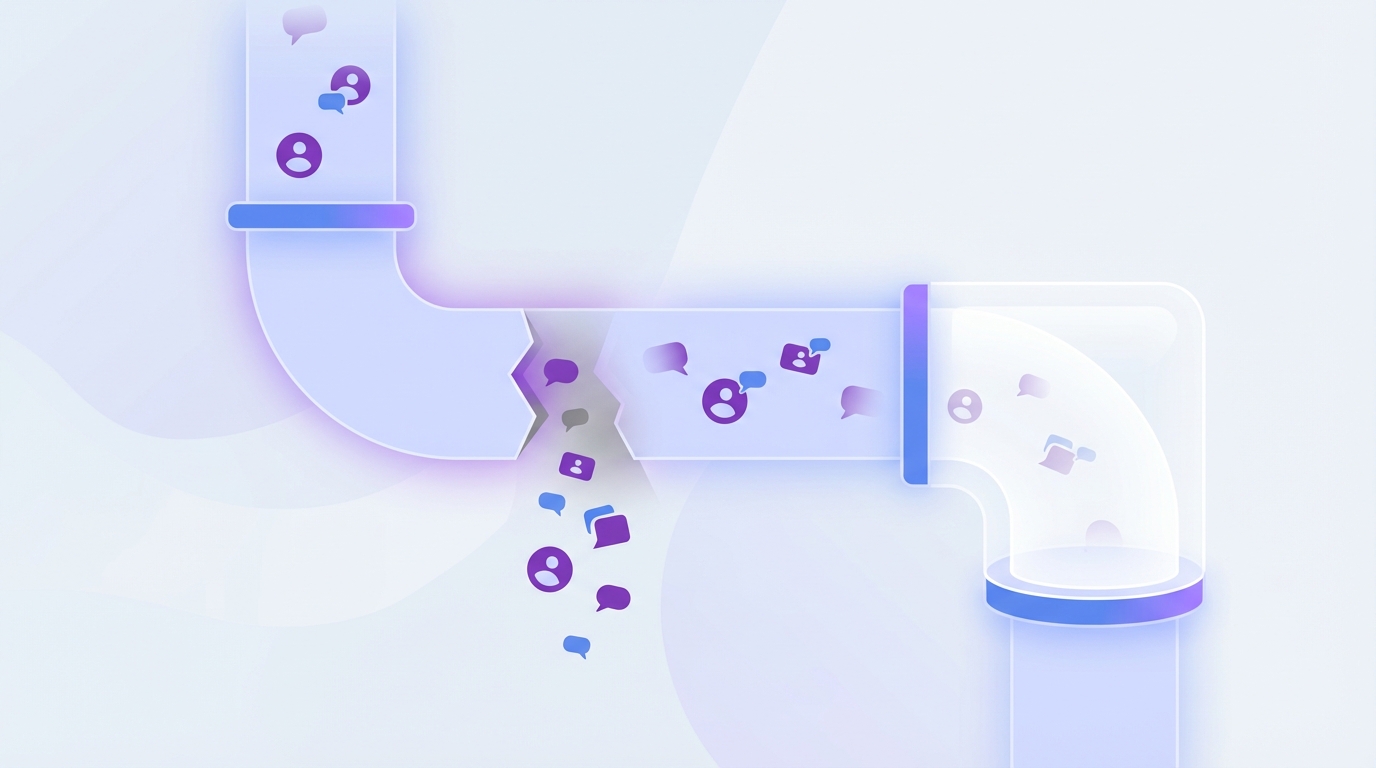
A lot of teams think the real work starts once the data is in. It usually starts earlier. The ingest layer is where you decide what counts as a conversation, which fields stay attached, how updates flow in, and whether you’re preserving enough structure to answer harder questions later.
Picture a support lead at 8:14 AM on Monday. She exports 5,000 tickets from Zendesk, drops the file in Slack for ops, ops standardizes column names in Google Sheets, somebody removes long transcript fields because the sheet keeps freezing, and by Wednesday the team is debating whether “billing confusion” is actually rising or just tagged differently this week. Nobody’s checking the chain of custody on the data. They’re already arguing over outputs.
Support data, in other words, behaves less like a dashboard feed and more like legal evidence. Break the chain once and every conclusion after that gets easier to challenge. Not because the team is careless. Because the ingest model turned living conversations into thin rows with no memory.
That’s the hidden problem. Most “insight” projects fail long before the model or dashboard. They fail when ingestion turns rich conversations into thin rows.
The false confidence trap: partial data looks more complete than it is
20,000 rows can still hide the one pattern that matters. Partial data is dangerous because it still looks official, even when it excludes merged tickets, missing message bodies, agent replies, or status changes that completely change interpretation.
This is where sampled workflows really hurt. A 10% pull sounds efficient until one churn-risk pattern lives mostly in escalations, VIP accounts, or weekend tickets that never made the cut. If your ingest misses the edge cases, your analysis gets calmer while reality gets worse. That’s not efficiency. That’s a blind spot with a chart on top.
There’s a fair case for lighter ingest when a team is just testing a hypothesis. That’s valid. But the moment the output will shape roadmap priorities, staffing, or executive updates, the rule needs to harden: if the decision affects money, trust, or retention, ingest everything.
The Transcript Fidelity Rule
Bold claim: transcript fidelity matters more than schema neatness. Best practices for ingesting support conversations need one simple rule: preserve transcript fidelity above convenience.
That means the full conversation text, message order, timestamps, existing tags, requester context, and status fields should stay connected as one analyzable record. Same thing with “cleaning” data too early. Teams often normalize away the very clues they need later.
Rewritten text fields, collapsed threads, and stripped metadata make downstream analysis tidier but weaker. You can’t diagnose customer effort from a summary line. You need the mess. Or at least the right parts of the mess.
The short version is this: if ingestion loses evidence, analysis becomes storytelling. So what does preserving evidence actually require?
The real goal of ingesting support data is preserving evidence
The goal of ingesting support data isn’t just getting it into a system. It’s preserving evidence in a form you can trust, revisit, and defend when someone asks the obvious follow-up: “Show me the tickets.”
That changes how you think about best practices for ingesting. You stop asking, “Did the file load?” and start asking, “Did the original meaning survive?” Those are very different standards.
A lot of support and product teams are still working from score habits. CSAT down. Ticket volume up. Sentiment shaky. Fine. But scores don’t explain anything on their own. What moves decisions is evidence you can drill into, patterns you can segment, and source conversations that hold up when leadership starts pushing back.
Use the 4-Layer Ingest Model
Four layers decide whether your ingest is reusable or disposable. I think of it as the 4-Layer Ingest Model because most broken setups lose one of these first: transcript, metadata, taxonomy, and time.
Transcript is the actual conversation. Metadata is who, when, what queue, what status, what account, what channel. Taxonomy includes existing tags or categories you may want to compare against machine-applied labels later. Time is what lets you see change, sequence, recurrence, and before/after effects. If one layer is missing, analysis gets narrower fast.
Let’s pretend you only ingest subject lines, final status, and a manually assigned tag. You can count volumes. Maybe trend a bucket or two. You can’t inspect churn cues, detect customer effort, understand escalation paths, or compare what users said against what agents tagged. The file loaded. The signal didn’t.
Traceability is a data requirement, not a reporting nice-to-have
A product manager sees a slide that says onboarding frustration is up 18%, then asks the question every serious stakeholder asks next: which customers, what kind of onboarding issue, and is this actually new? If the analyst needs two days of exports and screenshots to answer, the room has already moved on.
Traceability should be built at ingest, not added as a presentation layer later. If a chart can’t link back to the exact tickets and quotes behind it, your team will eventually stop trusting it.
This is where black-box approaches lose the room. The better rule is simple: if a data point will be used in a meeting, it should be one click away from the underlying conversation. If not, treat it as directional only.
Store for re-analysis, not just first-pass reporting
What looks useful for one dashboard often becomes useless three months later. Support data changes value over time, which is why best practices for ingesting should optimize for re-analysis, not just the first report you plan to build.
A transcript you ingest today for sentiment might need to be re-checked next quarter for onboarding friction, cancellation intent, refund confusion, or a custom metric nobody had named yet. If your ingest preserves enough structure, you can re-read the same ticket set through a new lens without starting over. If your ingest was built only for one report, you’ll be back in export hell by next quarter.
Honestly, this catches teams off guard. They think the hard part is getting data in once. The expensive part is realizing they can’t reuse it. Which is exactly why the next question isn’t theoretical anymore: what are the best practices for ingesting without creating cleanup debt?
Best practices for ingesting support data without creating cleanup debt
Best practices for ingesting support data come down to one thing: keep the original signal intact while making the dataset stable enough to analyze repeatedly. If your process creates a cleanup project every week, it isn’t a process yet.
This is the teaching part people usually skip. They jump from “our exports are messy” straight to “we need a dashboard.” But the better move is to set ingest rules that reduce ambiguity before anyone starts slicing trends, especially when evaluating best practices for ingesting.
Start with source-of-truth rules before you ingest anything
Before you change a pipeline, diagnose what kind of ingest mess you actually have. Ask four questions: Do two people export the “same” report and get different row counts? Can you explain what counts as one conversation in under 30 seconds? Are transcript fields ever removed for file size? Can leadership trace one metric back to one ticket without analyst intervention? If you answer yes to two or more, you’re not dealing with a dashboard problem. You’re dealing with a source-of-truth problem.
One support platform should be your primary source for historical and ongoing ingestion, even if you combine sources later. If Zendesk is the operational system, use that as the anchor. If you’re testing from older exports, document exactly what the CSV includes and what it doesn’t.
That sounds obvious. It isn’t. I’ve seen teams compare one CSV with customer replies only against another export that includes full thread history, then wonder why churn language “spiked.” The spike was in the export logic.
Your first checklist is boring on purpose:
- Define the system of record.
- Define what counts as a conversation.
- Define which metadata fields must stay attached.
- Define refresh cadence.
- Define what gets excluded, and why.
If you can’t answer those five questions in one page, don’t trust the trendline yet.
Keep raw fields intact before mapping anything
Contrast matters here: raw-first pipelines age well, mapped-first pipelines age badly. Raw fields should land first. Mapping comes second.
When teams map too early, they flatten nuance. A messy raw tag like billing_fee_confusion might later roll up into Billing, but you still want the original specificity preserved. Same thing with ticket text. If you summarize before storage, you lose the ability to validate, challenge, or reinterpret the finding later.
A useful rule here is the 80/20 preservation threshold. Preserve at least 80% of original useful fields before you start normalization. If you’re dropping more than 20% of the source detail for convenience, you’re probably cutting into future analysis.
Separate ingestion from interpretation
What came in is a different question from what it means. Mixing the two is how cleanup debt gets baked into the pipeline.
A support ops team might ingest transcripts, timestamps, existing tags, and account fields. Later, analysis layers can classify sentiment, churn risk, customer effort, or issue drivers. That separation is healthy. It gives you a clean base table and a flexible analysis layer on top.
Critics might say this creates more work up front, and they’re not entirely wrong. There is some discipline involved. But the payoff is huge. If interpretation changes, you don’t have to rebuild the ingest. You just rerun the logic on a stable input set.
Use the Replay Test before you trust the pipeline
Here’s a practical diagnostic most teams never run: the Replay Test. Take 50 tickets from different segments and dates. Ingest them. Then ask three questions.
- Can you recover the full original conversation?
- Can you see the key context fields without joining five files?
- Can a second person explain why a ticket landed in a category without guessing?
If the answer to any of those is no, your ingest isn’t production-ready.
This works because it tests for operational trust, not technical completion. A pipeline can succeed in ETL terms and still fail the human trust test. Support leaders don’t care that the job ran. They care that the answer stands up.
Build around 100% coverage when stakes are high
If you’re making product, staffing, or retention decisions, 100% coverage should be the default. Sampling is a cost-control move, not a truth-preservation move.
There are exceptions. A tiny pilot. A one-week experiment. A schema backfill. Fine. But once the question becomes “what’s really driving effort or churn risk across the customer base,” sampling starts to undercut the entire point, especially when evaluating best practices for ingesting.
Think of it like QA in a contact center. If one supervisor reviewed 12% of calls and declared agent quality solved, nobody would buy it. Same thing here. The critical signal is often in the conversation nobody expected to matter.
Design taxonomy after ingest, not instead of ingest
Categories help you report; they do not rescue a weak ingest. Taxonomy is useful only after the raw support data is preserved well enough to support the rollups.
A lot of teams get excited about categories first. Billing. Onboarding. Account access. Useful, sure, but only after the raw data survives intact. If not, your taxonomy becomes a decorative layer sitting on top of missing evidence.
The healthier pattern is:
- Ingest full conversations and metadata.
- Preserve raw tags or source categories.
- Apply or refine higher-level categories.
- Revisit mappings as new themes emerge.
That last step matters. New issues show up in support before they show up anywhere else. A rigid taxonomy hides that. An adaptive one catches it.
Set an ingest freshness threshold
Seven days is the outer limit for support data used in active CX or product decisions. If your refresh is older than that, label the output as lagging.
Under 24 hours is strong for operational insight. Two to seven days still works for trend analysis. Beyond that, people start making current decisions from old conditions without realizing it.
Best practices for ingesting aren’t just about completeness. They’re about timing. Late truth is still expensive.
If you want to see what a cleaner support data foundation looks like in practice, See how Revelir AI works.
How Revelir AI handles support data ingestion and analysis for Best practices for ingesting
Revelir AI handles support data ingestion by pulling conversations from Zendesk or CSV, processing 100% of those tickets, and preserving the link between structured metrics and the original conversation evidence. That matters because the whole point of ingesting support data is being able to trust what you analyze later.
Revelir AI sits on top of the tools teams already use. You don’t need a new helpdesk. You need a cleaner intelligence layer.
Ingest without ripping apart your current workflow
Revelir AI supports direct Zendesk integration for historical and ongoing ticket import, including transcripts, tags, requesters, agents, timestamps, and metadata. If a team wants to start with exports, CSV ingestion works for pilots, historical backfills, or testing and applies the same tagging and metrics pipeline within minutes.
That setup matters more than it seems. A lot of the cleanup debt we talked about comes from ad hoc exports with changing logic. Revelir AI gives teams a steadier input path, which means fewer debates about whether the dataset itself shifted under the analysis.
Keep the raw detail while making it analyzable
Once tickets are ingested, Revelir AI applies its Hybrid Tagging System with raw tags and canonical tags, plus Drivers for higher-level grouping. The AI Metrics Engine structures signals like Sentiment, Churn Risk, Customer Effort, and Conversation Outcome into fields teams can filter and analyze. Custom AI Metrics let teams define classifiers in their own business language, which is a big deal if “risk” or “friction” means something very specific in your world.
Same thing with validation. Data Explorer gives you a pivot-table-like workspace to filter, group, sort, and inspect tickets with those fields side by side. Analyze Data summarizes metrics by dimensions like Driver, Canonical Tag, or Raw Tag. Then Conversation Insights and evidence-backed traceability let you drill straight into the underlying tickets and quotes.
That’s the shift. You go from “we think billing is hurting retention” to “here are the exact conversations, segments, and drivers behind that pattern.”
What strong ingestion makes possible next
Strong ingestion gives you something most teams don’t actually have: a support dataset you can trust when the stakes go up. Not just a dashboard. Not just a score. Evidence.
That’s why best practices for ingesting matter so much. The ingest layer decides whether you’re doing customer intelligence or just moving messy files between systems. Get that layer right and everything downstream gets sharper. Miss it, and you’ll spend months cleaning, debating, and second-guessing.
It’s usually not the model that breaks trust first. It’s the data coming in. And once trust breaks, nobody wants to act on the output.
Frequently Asked Questions
How do I ensure complete data ingestion from Zendesk?
To ensure complete data ingestion from Zendesk, start by integrating Revelir AI directly with your Zendesk account. This connection allows Revelir AI to pull in all relevant ticket data, including transcripts, tags, and metadata, without missing any details. Make sure to regularly check that new or updated tickets are being ingested automatically. This way, you maintain a full coverage of conversations, which is crucial for accurate analysis later.
What if my team struggles with inconsistent tagging?
If your team is facing issues with inconsistent tagging, consider using Revelir AI's Hybrid Tagging System. This system generates Raw Tags automatically for each conversation, capturing specific signals like 'billing_fee_confusion.' You can then create Canonical Tags that align with your organization's language for reporting. This hybrid approach helps maintain consistency and clarity in your tagging process, making it easier to analyze data effectively.
Can I analyze historical support data with Revelir AI?
Yes, you can analyze historical support data using Revelir AI by uploading CSV exports from your helpdesk. Simply export the tickets you want to analyze and upload them via the Data Management section. Revelir AI will parse the data, applying its tagging and metrics pipeline to ensure you have a structured dataset ready for analysis. This allows you to gain insights from past conversations and trends.
How do I trace metrics back to original conversations?
To trace metrics back to original conversations, use the Evidence-Backed Traceability feature in Revelir AI. Every aggregate number you see in your analysis is linked directly to the source conversations and quotes. This means you can easily drill down into the underlying tickets to validate your findings and provide transparent insights during discussions with stakeholders.
When should I consider re-analyzing support data?
You should consider re-analyzing support data whenever there are significant changes in customer feedback or product updates. Revelir AI allows you to preserve the structure of your ingested data, so you can revisit the same ticket set through a new lens without starting over. This is especially useful for identifying new patterns or issues that may arise after a product change or during a peak support period.