

Most teams start with keywords and tags, then wonder why search breaks during crunch time. It’s usually because language drifts faster than your taxonomy. Misspellings, new feature names, internal nicknames, keywords miss them. Embeddings don’t. They capture meaning, not spelling, so “login loop,” “can’t sign in,” and “2FA dead end” live together even if the words don’t match.
You still need tags for leadership reporting. That’s not controversial. But for triage, dedupe, and quick pattern-finding, a semantic layer changes the game. If you’ve been burned by fragile keyword rules or messy label hygiene, you’re not alone. We’ve seen the same headache in every scaled queue.
Key Takeaways:
- Use embeddings for discovery and retrieval; keep canonical tags for reporting and communication
- Pick the right unit to embed (ticket vs. message) based on the job
- Quantify storage, latency, and re-index costs before you scale
- Preserve traceability: store ticket_id and link back to transcripts
- Validate clusters weekly with quick transcript reviews and saved views
- Blend vector search with filters or BM25 for precision when stakes are high
Why Keyword Rules Break at Scale for Support Search and Triage
Keyword rules decay because language changes faster than your tags. Embeddings measure meaning, so near-duplicates and variant phrasing cluster together even when the words don’t match. Think “payment failed,” “card declined,” and “charge blocked”, same pain, different words, one result.
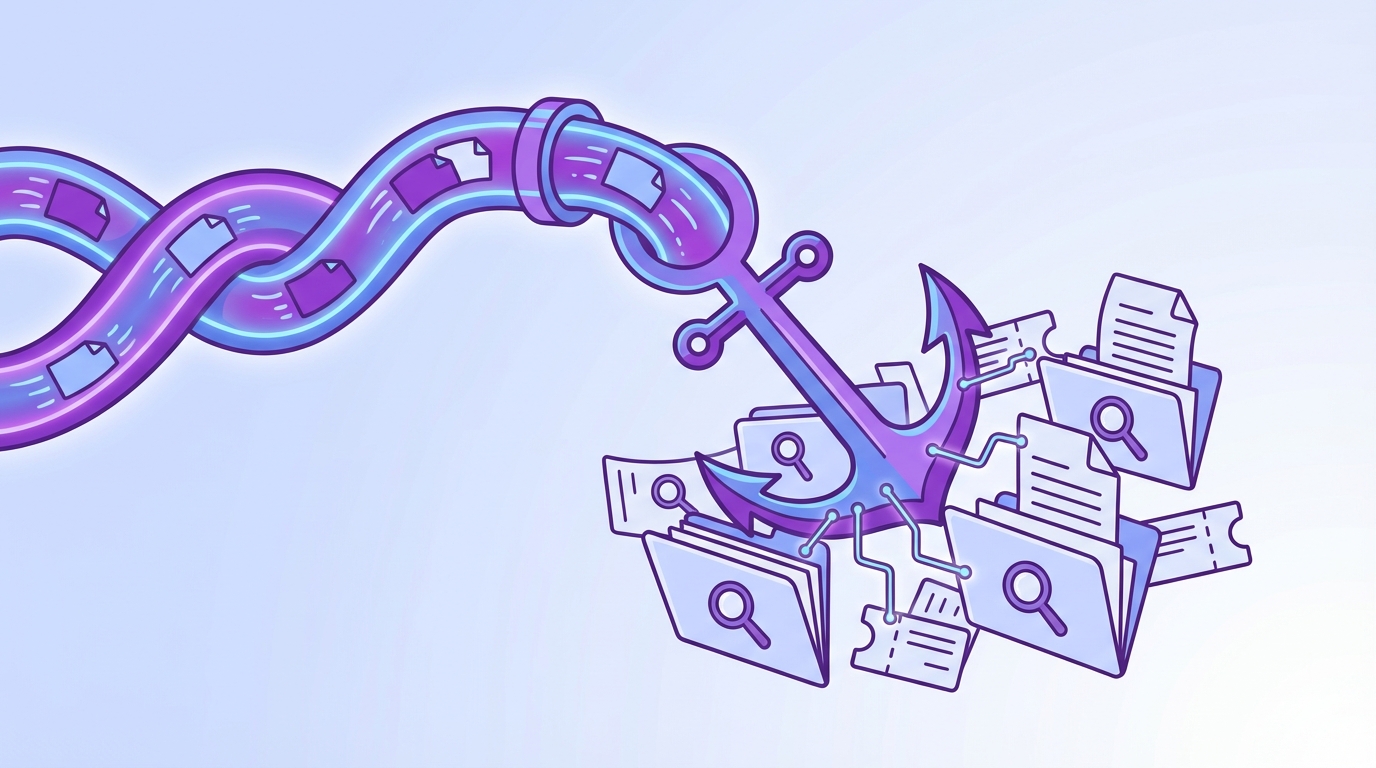
Dense vector search makes this possible by comparing tickets in a high‑dimensional space and ranking neighbors by similarity. Libraries like FAISS: Billion‑Scale Similarity Search show how to do this fast at scale. In practice, agents find related tickets quicker, and analysts see patterns without hand-tuning keyword lists every week.
Consider a spike in “account lockout” complaints. With keywords, you’ll miss typos and aliases; with embeddings, phrasing variants stay together. Less rework. Fewer false negatives. Better triage.
The gap between taxonomy and language drift
Taxonomies are stable by design. Customer language isn’t. Synonyms, misspellings, and new product terms creep in daily, and nobody’s checking every keyword rule after each release. That’s how recall gaps appear and stay hidden.
We prefer a split: use embeddings for discovery and retrieval, and maintain canonical tags for leadership views. The two layers support different jobs. One catches variation and drift. The other communicates clearly and consistently. You need both.
When we made that mental switch, search got calmer. Less whack‑a‑mole. More confidence in what surfaced.
What is different about semantic similarity for CX?
Support tickets are short, messy, and multi‑turn. That mix breaks pure keyword matching. Semantic similarity shines here because it reads intent. It groups short fragments from the same incident and flags “sounds like this” even when the words don’t line up.
That matters in triage. It matters even more in de‑duplication. You still roll issues up under business‑aligned categories for reporting, but the retrieval layer should be semantic. It’s faster to find the right examples. It’s easier to show the full cluster to a PM and say, “Here’s the pattern, with quotes.”
Why tags are not enough by themselves
Tags create clarity for stakeholders. They don’t guarantee discovery. New issues appear before tags exist, and inconsistent labeling creates blind spots. A semantic layer complements the tags you rely on for communication.
So do both. Let embeddings catch new phrasing and cross‑tag patterns. Keep canonical tags clean for dashboards. Then validate with transcripts so your insight holds up under scrutiny.
Ready to see what this looks like in a live workflow? See How Revelir AI Works.
The Core Unit of Meaning and Model Choice Defines Your Outcomes
Choosing the right “unit” to embed, ticket, message, or turn, affects recall, speed, and noise. For dedupe and triage, ticket‑level vectors usually work best since they capture context. For FAQ or snippet search, embed messages or turns to avoid pulling extra noise.

Ticket‑level embeddings reduce misses when issues span back‑and‑forth replies. Message‑level vectors excel when you need tight matches to short intents. Test both on a validation set. Compare recall for known duplicates and measure latency before you commit. A small pilot beats guesswork.
Let’s pretend you’re matching refund loops. Ticket‑level embeddings catch both “refund denied” and “agent reopened refund” in one vector. For an FAQ like “How to reset 2FA,” message‑level embeddings find the precise answer line faster. Context matters.
Should you embed turns, messages, or whole tickets?
Start with the job. For de‑duplication and incident triage, embed the whole ticket. You’ll capture context across replies, which raises recall on near‑duplicates that differ in wording. For FAQ and knowledge search, embed turns or messages to tighten precision.
Be pragmatic. Build a labeled set of known duplicates and critical searches. Run side‑by‑side tests. Track p50 and p95 latency, storage use, and hit quality. If one approach makes reviewers grumble, don’t ship it. You’ll pay that cost daily.
Choosing an embedding model without overfitting
Favor off‑the‑shelf sentence transformers with strong generalization. Sentence‑BERT‑style models are a solid baseline. Only fine‑tune when you have clean positive/negative pairs and a stable taxonomy. Then watch for distribution collapse, if every cosine score bunches together, you’ve likely over‑fit to narrow phrasing.
One more check we like: sample clusters and read the transcripts. If the top hits “feel” right, you’re in range. If a few are always off, adjust. It’s okay to be opinionated here.
The Hidden Costs of Poor Indexing and Duplicate Drift
Index choices have real cost. Storage, latency, and re‑index time add up fast at volume. If you ignore this, you’ll burn budget and patience. So quantify it. Then design around it.
At 10M tickets with 768‑dim vectors in float32, vectors alone run ~30 GB before metadata and index overhead. Weekly re‑indexing can chew hours and spike I/O. As k grows, p95 latency drifts up. Patterns from HNSW and IVF research show how recall and speed trade off, plan for it.
We’ve seen teams save days per quarter by sizing this early instead of after the bill arrives. It isn’t glamorous. It’s necessary.
Let’s pretend you manage 10 million tickets
Do the math before you scale. 10,000,000 vectors × 768 dims × 4 bytes ≈ 30.7 GB. Add metadata, index structures, and replicas, and you’re north of that. Re‑embedding after a model change can hammer CPU and saturate disk. Re‑indexing weekly? You’ll feel it.
Latency budgets tighten as traffic grows. ANN structures like HNSW or IVF help, but you trade recall for speed. That might be fine for exploratory search. It’s risky during an escalation. Design with tiers, not hope.
How duplicates inflate queues and create frustrating rework
Duplicates hide in small phrasing changes. Without semantic grouping, the same incident floods triage with near‑identical tickets. Agents solve the same issue again and again. That’s handle time up, morale down.
Cluster first. Route once. Link duplicates to a canonical resolution and keep a representative transcript handy for training and retros. The result isn’t abstract. It’s fewer loops, cleaner queues, and faster fixes.
Why does auditability break without stable IDs?
If your vector store doesn’t carry stable IDs and timestamps, you can’t prove where results came from. Trust erodes fast. Product leaders will ask, “Show me the ticket.” If you can’t hop from kNN results to the exact transcript and quote, adoption stalls.
So store ticket_id, created_at, and a source pointer in metadata. Keep it boring and consistent. Your future self will thank you during postmortems.
Still dealing with this pain manually? Stop keyword whack‑a‑mole. Start semantic search with Revelir. Learn More.
When Search Fails During An Escalation, Everyone Feels It
Escalations expose weak search. A few misses and the room loses confidence. You scramble through exports. Leadership wants proof. You don’t have it handy. Embeddings help recover those tickets by meaning, but evidence closes the loop.
Picture one incident across five tickets with three spellings. A semantic layer pulls them together. Then you show quotes. Debate ends, action starts. Simple.
A short story, five tickets, one incident, three spellings
You get a priority escalation. Keywords miss two tickets due to typos and one because an agent used an old feature name. The incident owner scrambles. The timeline slips. We’ve all been there.
A semantic index pulls the group together anyway. “Payment loop,” “billing stuck,” “double charge” all cluster. You click through, grab the quotes, and align the room in minutes. That’s the difference: not perfect, but fast and defensible.
Who pays the price when triage stutters?
Support burns cycles. PMs get anecdotes instead of patterns. Customers wait. Over a quarter, those minutes become days. And the fix? Often small. A copy tweak, a policy change, a guardrail. You just need to see the full cluster and validate with real transcripts to get moving.
We’re not 100% sure why this still surprises teams, but it does. Evidence is the unlock.
Build The Pipeline That Holds Up In The Room, End To End
A good semantic pipeline starts boring: clean inputs, sensible defaults, and audit paths. Then you tune. The goal isn’t fancy. It’s trust and speed. Build it so you can explain it on a Zoom without a deck.
Start with preprocessing and a clear choice of embedding units. Use an index you understand. Blend vector search with filters when precision matters. And bake in a weekly validation loop so quality doesn’t drift.
Preprocess conversations for embeddings
Normalize before you embed. Strip system noise, anonymize PII in a consistent way, and capture attachment text when it matters. Decide on ticket‑level vs. turn‑level embeddings ahead of time and stick to it for apples‑to‑apples comparisons.
Store message_index, ticket_id, language, timestamps, and a snapshot of canonical tags as metadata. That’s your audit trail. Later, when you’re debugging clusters, you’ll want to click into the exact transcript and see the tag state at that time. Future you will need it.
For mixed‑language threads, detect language per message and embed consistently. Then sanity‑check clusters by sampling a few tickets. If cross‑lingual matches “feel” wrong, adjust.
Select embeddings and dimensionality wisely
Start with a proven sentence transformer. Measure cosine similarity on known duplicates and near‑misses. If recall is weak on domain terms, fine‑tune with contrastive pairs created from confirmed duplicates. Keep an eye on score distributions before and after. If everything bunches together, you’ve over‑fit.
Keep dimensions moderate to control memory. Not every queue needs the heaviest model. In CX, “makes sense when I read it” beats a microscopic lift on a benchmark. One trick that helps: compare hit quality against a small human‑labeled set each sprint.
Choose a vector store and index settings for 100K to 10M tickets
At 100K–1M vectors, FAISS HNSW or IVF on a single node is plenty. Beyond that, consider a managed option like Milvus or Pinecone for scaling and ops. HNSW parameters (M, efSearch) trade recall for latency; tune with real traffic, not a toy set. For hybrid precision, combine dense retrieval with filters or BM25 scoring.
Shard sensibly, by time or product area, so re‑indexing doesn’t stall. And always persist metadata with ticket_id so you can jump from a result to the transcript without hacks.
How Revelir AI Anchors Your Semantic Pipeline to Verifiable Evidence
Revelir AI doesn’t replace your vector index. It makes your findings defensible. Every metric and tag links back to the exact conversation and quote, so when your kNN says “these five tickets belong together,” you can prove it in seconds. That’s the gap most teams miss, traceability.
Revelir AI processes 100% of conversations and enriches them with AI Metrics (Sentiment, Churn Risk, Customer Effort) and a hybrid tagging layer (raw + canonical). In Data Explorer, you pivot by driver, tag, or metric; in Conversation Insights, you open transcripts, summaries, and quotes. Together, that’s your audit path from cluster to evidence.
Evidence-backed traceability you can audit in seconds
Revelir AI keeps the source visible by default. From any grouped view, you click the count, “19 churn‑risk tickets,” “36 negative sentiment under Billing”, and jump straight into Conversation Insights. Full transcript. AI summary. Tags and metrics. Exact quotes you can drop into a doc.


That’s how you de‑risk semantic triage in leadership meetings. The cluster makes the case, and the quotes make it stick. We were skeptical at first, but once you show three representative lines, the debate shifts from “Is this real?” to “What do we fix first?”
Validate clusters with Data Explorer and Analyze Data
After you group duplicates in your own index, pivot inside Data Explorer to see if semantic clusters align with business categories. Compare sentiment, effort, and churn risk across segments with Analyze Data. If something looks off, refine thresholds or tweak hybrid weights, then click into tickets to verify the change made sense.

This is the weekly loop teams actually run: top‑down patterns, bottom‑up validation. It’s fast because the evidence is one click away. And it scales because Revelir AI processes 100% of tickets without sampling.
Ready to anchor your semantic search with evidence you can show the room? Get Started With Revelir AI.
Conclusion
Keywords and tag rules aren’t enough once language drifts and queues scale. A semantic layer recovers recall, but it only earns trust if you can trace results back to the exact words customers said. Build the pipeline with that in mind: clean inputs, the right embedding unit, a sane index, and an audit path.
Revelir AI supplies the proof. 100% coverage, evidence‑backed metrics, and one‑click drill‑downs so your clusters hold up in the room where decisions get made. That’s the difference between searching and knowing.
Frequently Asked Questions
How do I set up Revelir AI with my helpdesk?
To set up Revelir AI with your helpdesk, start by connecting your data source. You can integrate with platforms like Zendesk or upload a CSV file of your recent tickets. Once the connection is established, Revelir will automatically ingest your support conversations, including ticket metadata and transcripts. After that, verify the basic fields and timelines to ensure everything is in order. This setup allows Revelir to apply its AI metrics and tagging system effectively, giving you actionable insights from day one.
What if I want to customize AI metrics in Revelir?
You can customize AI metrics in Revelir by defining metrics that align with your business language. For example, you might want to create a metric for 'Customer Effort' or 'Upsell Opportunity.' To do this, navigate to the settings in Revelir and specify the parameters for your custom metrics. This allows you to capture the specific signals that matter to your team, ensuring that your analysis reflects your unique operational context.
How do I validate insights from Revelir AI?
To validate insights from Revelir AI, use the Conversation Insights feature. This allows you to drill down into specific tickets associated with the metrics you’re analyzing. You can view the full transcripts, AI-generated summaries, and the assigned tags. By reviewing these details, you can ensure that the patterns identified by the AI align with real customer conversations. This step is crucial for confirming that the insights are accurate and actionable.
Can I track changes in customer sentiment over time?
Yes, you can track changes in customer sentiment over time using Revelir's Data Explorer. Start by applying filters for specific date ranges to isolate the periods you want to analyze. Then, use the Analyze Data feature to group sentiment by relevant dimensions, such as canonical tags or drivers. This will help you visualize trends and understand how sentiment shifts in response to product changes or customer experiences.
When should I refine my tagging system in Revelir?
You should refine your tagging system in Revelir when you notice inconsistencies or when new patterns emerge in customer conversations. Regularly review your raw and canonical tags to ensure they accurately reflect the current issues your customers face. This can be done during your monthly analysis sessions, where you can also adjust mappings and create new tags as necessary. Keeping your tagging system updated helps maintain clarity and reliability in your reporting.