

Batch exports feel safe because they’re familiar. You run a job, push a CSV, and tell yourself the data team will handle the rest in the morning. But CX doesn’t live on a morning schedule anymore. Your most actionable signals show up mid-conversation, not tomorrow at 9:00 a.m.
And when those signals arrive late, they quietly degrade trust. You see noisy duplicates in CRM, mysterious spikes in BI, and alerts that wake people up for non-incidents. The problem isn’t a lack of insight. It’s slow, lossy delivery to the systems that actually do the work—CRM, ops tools, and analytics. Let’s fix that.
Key Takeaways:
- Replace daily CSVs with streaming CX events so teams act in minutes, not days
- Preserve evidence links to transcripts so every CRM update and BI tile is auditable
- Use idempotency keys and upserts to kill duplicates and noisy backfills
- Enforce per-ticket ordering; allow cross-ticket parallelism for throughput
- Standardize a canonical event schema that includes sentiment, churn risk, driver, and evidence_url
- Choose transport that fits your SLA: webhooks for simple, pub/sub for scale, CDC for analytics
- Monitor end-to-end latency, consumer lag, and dead letters with published SLAs
Stop Letting Batch Exports Hide Your Most Actionable CX Signals
Batch exports hide your most actionable signals because they show up after the moment to act. A 24–48 hour delay turns live churn cues into stale “FYIs” that nobody owns. Sub-minute delivery means CSMs, product, and ops can respond while customers are still engaged—before a small issue becomes a renewal problem.

Why Daily CSVs Blindside Revenue Teams
Daily CSVs turn real-time conversations into next-day summaries. That sounds fine until you realize churn cues, competitive mentions, and frustration spikes are time-sensitive. You’re handing your team a rear-view mirror and asking them to pass defensive driving. Sales and success run on near real time. They need signals in minutes, not tomorrow morning.
It’s usually the second-order effects that hurt most. Batch pushes encourage manual triage and ad hoc edits, which introduce drift between systems. Nobody’s checking that a “churn risk: yes” field in CRM lines up with the conversation that triggered it. Same thing with BI tiles—they light up on a schedule, not when reality changes.
There’s a better way. Stream the smallest useful signal, fast. According to NICE’s overview of streaming data integration for contact centers, continuous pipelines shorten the path from detection to action and reduce operational friction across teams. That’s the point: shorten the loop.
What Sub-Minute Latency Changes For CX
Sub-minute delivery gives CSMs a window to intervene while a customer is still clicking around, not stewing overnight. Outreach stops feeling reactive and starts feeling like service. Product can validate a release impact within the hour. Ops can escalate login loops before they snowball into backlogs and weekend pages.
You’ll see the cultural shift first. Conversations become “we saw it, we acted,” not “we saw it, we logged it.” Managers stop asking, “Why didn’t we catch this?” and start asking, “What did we do when we did?”
Here’s the practical bit: reduce payload size, send only the canonical fields that matter downstream, and include an evidence link for context. The payload stays lean; the context is one click away. That balance speeds delivery without sacrificing trust.
Why Webhook-Only Setups Stall At Scale
Webhooks are fine until they’re not. Direct webhook fan-out to multiple consumers drops events during spikes, retries create duplicates, and ordering gets messy. Now you’re juggling per-consumer backoff, dedup, and error handling. That’s not a pipeline; it’s a stress test.
A message bus or managed pub/sub absorbs bursts and centralizes delivery guarantees. You publish once, and consumers catch up at their own pace. Ordering can be enforced per ticket or account. Retries become standard, not bespoke. The blast radius shrinks when one consumer misbehaves.
Ready to see what evidence-backed CX signals look like, end-to-end? See How Revelir AI Works.
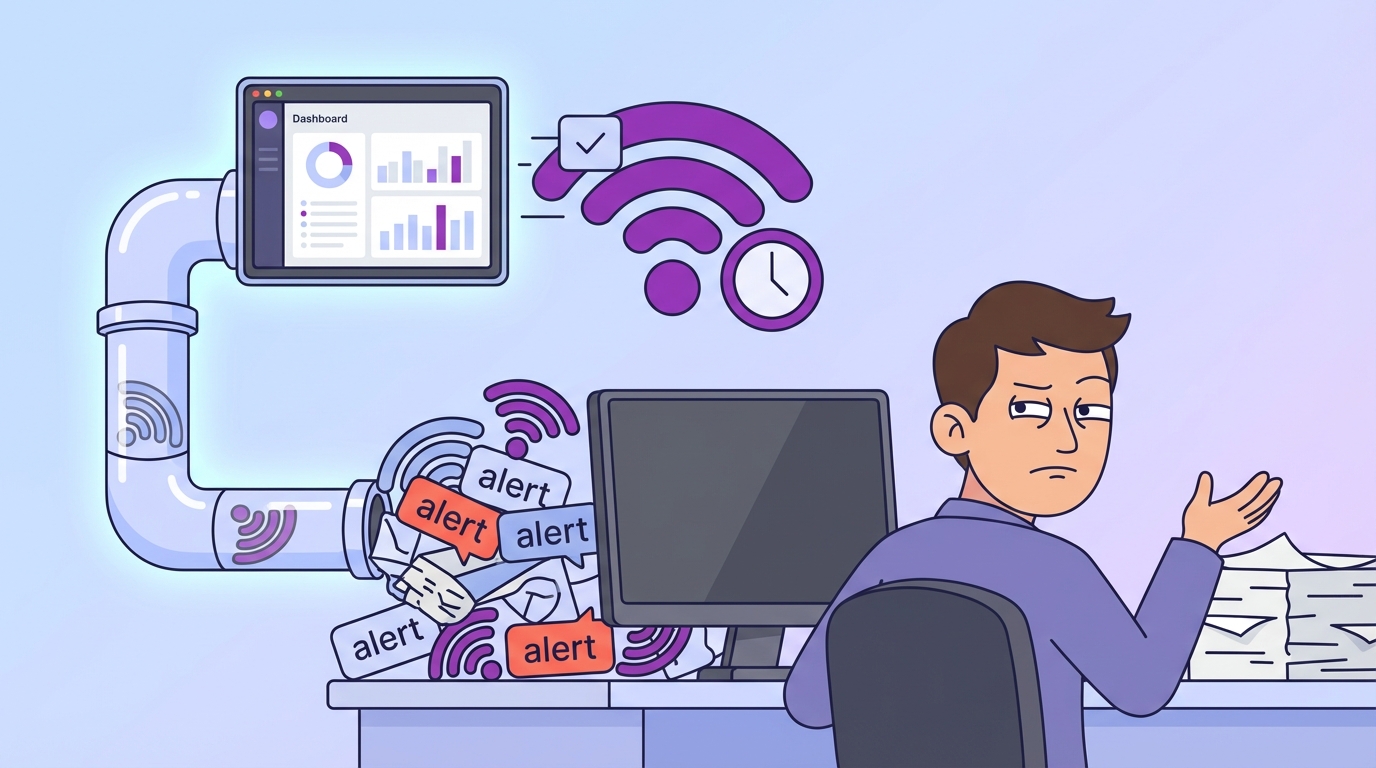
The Real Bottleneck Is Delivery To Systems Of Action, Not Insight Generation
The real bottleneck isn’t insight generation—it’s getting trustworthy signals into the systems where people act. Metrics without a clear link to evidence invite debate. When every field can be traced back to the exact quote and transcript, decisions move faster and stick.
What Traditional Approaches Miss About Evidence And Trust
Static dashboards and survey scores tell you something moved. They rarely tell you why. Without drivers and quotes, you end up in meeting theater—lots of opinions, little action. Executives ask, “Where’d this come from?” If the answer is a spreadsheet, the room stalls.
Evidence-backed links change the conversation. When a churn risk flag in CRM points to the exact conversation, stakeholders self-serve proof. There’s no “trust me,” just “see for yourself.” That’s how you shorten approval cycles and cut rework. You remove subjectivity from prioritization and turn insights into owned actions.
We see this daily: teams are not short on data; they’re short on auditable, structured signals that stand up to scrutiny. Traceability is the linchpin.
The Taxonomy Bridge From Raw Tags To Canonical Tags
Raw tags are great for discovery. They surface emerging themes humans wouldn’t think to label. But leadership needs stable, business-aligned fields. Canonical tags and drivers provide that structure without killing nuance. You map raw tags to canonical categories once; the mapping compounds.
Downstream, that stability matters. CRM owners want a single “Driver” field, not 200 tag variants. BI teams want a clean dimension that holds across quarters. Product wants a driver name they can triage across squads. If you’re aligning fields by hand each month, you’re wasting cycles. Build the bridge: raw tags roll up to canonical tags, which roll up to drivers. Then stream the canonical fields downstream.
Who needs what? Keep it simple:
- CRM: account identifiers, churn risk flag, sentiment, canonical tag, driver, evidence_url
- BI: the full metrics set with timestamps, idempotency_key, version, source IDs
- Ops: a minimal subset for routing, with links back for context
If you need a pattern to follow, look at Salesforce’s guide to CRM integration and shape your event schema to match how CRM objects actually behave.
Duplicates, Bad Ordering, And Noisy Updates Drain Hours And Credibility
Data quality isn’t academic. Duplicates inflate forecasts and create cleanup debt. Bad ordering causes fields to regress. Noisy updates numb the team. Idempotency keys, upserts, and per-entity ordering are the boring, necessary controls that save hours and protect credibility.
Idempotency Keys And Why Upserts Beat Blind Updates
Blind updates are how duplicates multiply. If your consumer retries without an idempotency key, the downstream system can’t tell whether it’s a repeat or a new fact. You’ll get double-writes, split histories, and awkward “why is this deal in two stages?” conversations.
Use idempotency keys per conversation version—say, ticket_id + revision timestamp. Store processed keys so retries become no-ops. Upsert semantics in CRM and your warehouse turn “create or update” into deterministic behavior. You reduce the blast radius of network flakiness and consumer restarts.
It’s a simple discipline: generate the key, pass the key, persist the key. Your future self will thank you.
What Is The Real Cost Of A Bad Duplicate?
Let’s pretend 2% of 200,000 monthly events double-write to CRM. That’s 4,000 cleanup tasks. At three minutes each, you’re spending 200 hours per month on frustrating rework that adds zero value. And it doesn’t stop there—duplicates corrupt forecasts and erode confidence in your data program.
You feel it first in the pipeline review. “Which one is real?” That question stalls deals and burns time. Finance loses patience. Sales ops starts building one-off scripts. The system gets noisier, not cleaner.
The compounding effects are real:
- Forecast accuracy drops, pushing leadership to second-guess automation
- Stakeholders stop trusting alerts, delaying action when it actually matters
- Analysts spend cycles reconciling instead of investigating
Keep Ordering Where It Matters, Relax It Where It Does Not
Not every event needs strict ordering. But some absolutely do. Enforce per-ticket (or per-account) ordering so sentiment or churn flags don’t regress. Across unrelated tickets, relax ordering to maintain throughput. You don’t need a global serial queue. You need partitioned guarantees that align with how your users think.
Partition by ticket or account. Route each partition to a single consumer instance at a time. That preserves correctness without turning your pipeline into a bottleneck. Parallelize the rest. It’s a pragmatic middle path: correctness where it counts, speed everywhere else.
Still handling dedup manually after the fact? There’s a faster route. Tighten upstream controls and let systems do the boring work so humans can focus on decisions. See How Revelir AI Works.
When Signals Arrive Late, People Stop Believing The Data
Late signals create noise, then skepticism, then disengagement. The 3 a.m. pages, the missed renewal flags, the alerts nobody trusts anymore—these are delivery problems masquerading as analytics problems. Sub-minute streaming with evidence links turns alarms into action.
The 3AM Page That Didn’t Need To Happen
Overnight batches love to manufacture “incidents.” A backfill lands, a BI tile spikes, and on-call gets paged for a ghost. At 3 a.m., nobody’s checking context. They silence the alert and go hunting. Hours lost. Morale dented. Next time, they’ll hesitate before responding.
Real-time pipelines with evidence links let responders verify patterns quickly. If an alert points to an exact transcript, the human can sanity-check in one click. No detective work. No guessing. You turn pages back into work, not whack-a-mole.
AI in CRM has the same dependency: timely, connected signals. As IBM’s perspective on AI CRM makes clear, value shows up when insights are delivered where people act, in time to matter.
How Do You Rebuild Trust After Noisy Alerts?
First, stop the noise. Tighten deduplication at the source. Reduce fields in alerts so they’re readable. Always include a link to the exact transcript for verification. People forgive false positives when they can audit them quickly.
Second, close the loop. Give recipients a simple way to flag false positives, then tune the taxonomy or routing accordingly. Publish streaming SLAs and weekly lag reports so everyone sees progress. Transparency rebuilds confidence; you’re showing your homework, not asking for trust.
Then put quality gates around schema changes and consumer lag. You’ll catch “drift” before it becomes a 2 a.m. surprise.
A Practical Pattern For Streaming CX Signals With Near Real-Time Guarantees
A practical approach starts with a canonical event schema, chooses transport that fits your SLA, and treats operations like an SRE problem. Keep payloads small, preserve traceability, and measure the pipeline end to end. That’s how you move from nightly data to live signals.
Design A Canonical CX Event Schema With Traceability
Standardize your event contract so every downstream team gets what they need without bespoke glue. Include identifiers, core metrics, and a path back to the evidence. Keep it compact but complete. Then version it, and communicate changes like a product.
Here’s the gist of what to include after you’ve aligned definitions across teams:
- event_id, occurred_at, ticket_id, account_id
- sentiment, churn_risk, effort
- canonical_tag, driver, custom_metrics
- evidence_url, source_system, idempotency_key, version
Raw tags are great for discovery in BI; stream canonical fields to CRM and ops. The evidence_url keeps your payload lean while preserving auditability. No long transcripts in the event, just a verified link back to context.
Choose A Transport Fit For Your Team And SLA
Pick the simplest transport that meets your delivery guarantees. Webhooks work for low volume and a single consumer with quick retries and backoff. If you’ve got multiple consumers, bursts, or stricter guarantees, move to pub/sub—Kafka, Cloud Pub/Sub, or a managed equivalent. For analytics-first replication, change data capture (CDC) from your processing store is often the cleanest path to your warehouse.
The goal isn’t fancy plumbing; it’s reliable signals. Even chat-focused platforms highlight the importance of timely fan-out and durable delivery in AI workflows—see GetStream’s overview of AI integration patterns for a glimpse of common transport trade-offs.
Monitor SLAs, Dead Letters, And Reconciliation Like An SRE
What you don’t measure will drift. Track end-to-end latency from “event occurred” to “consumer applied.” Watch consumer lag and error rates per consumer group. Use dead-letter queues for poison messages, and schedule reconciliation jobs against your source of truth.
Alert on schema drift and contract violations, not just system errors. Publish a versioned schema and change timeline. You’re running a product—treat the contract like one. That’s how you keep the pipeline predictably boring, which is the highest compliment in ops.
How Revelir AI Supplies Evidence-Backed Signals Your Pipeline Can Trust
Revelir AI turns messy support conversations into structured, evidence-backed metrics you can stream to the tools that matter. You get full coverage—100% of conversations processed—plus sentiment, churn risk, effort, canonical tags, drivers, and custom AI metrics that map one-to-one into your event schema. No guesswork. No sampling.
Full-Coverage Metrics You Can Map One-To-One
Revelir AI processes every conversation, not a sample. Each ticket is enriched with AI Metrics like Sentiment, Churn Risk, and Customer Effort, then organized with canonical tags and drivers for stable reporting. Because the fields are business-aligned, you can push them straight into CRM, ops, and BI without monthly cleanup rituals.

That consistency reduces blind spots and speeds detection. When a driver spikes—say, Account Access or Billing—you’ll see it across your entire population, not a thin slice. More signal, less argument.
Evidence Links That Make Every Update Auditable
Every aggregate in Revelir links to the exact conversation and quote behind it. That traceability is built-in. Include those evidence URLs in your events, and every CRM flag or BI tile becomes provable in one click. When stakeholders ask, “Where did this come from?” you don’t debate—you show them.

This is what shortens approval cycles and keeps initiatives moving. It also cuts the rework that follows disputed insights. You’re not just sending numbers; you’re sending receipts.
Export And Custom Metrics, Ready For Your Bus And BI
Revelir AI gives you multiple ways to use the data you already trust. In the product, Data Explorer lets teams pivot quickly and validate patterns. For pipelines, Revelir’s Analytics and API Export provide the structured fields you need—sentiment, churn risk, effort, canonical tags, drivers, and any Custom AI Metrics you’ve defined (like Reason for Churn or Upsell Opportunity).

From there, your pipeline is straightforward: enrich with your account metadata, attach idempotency keys and version, and publish to your message bus or CDC into your warehouse. The result maps directly to the rational costs we discussed earlier—fewer duplicates, stable ordering, faster action, and fewer late-night surprises. Want to see the metrics and evidence in your own data? Learn More.
Conclusion
Batch exports aren’t evil. They’re just slow. And slow breaks trust when decisions are time-sensitive. The fix isn’t “more dashboards.” It’s streaming evidence-backed CX signals into the systems where your teams act—CRM, ops, BI—with idempotency, ordering, and traceability baked in.
Do that, and the noise drops. The 3 a.m. pages fade. CSMs reach out earlier. Product validates faster. Most importantly, your data holds up in the room because every number points back to the words customers actually said. That’s how you move from reports to results.
Frequently Asked Questions
How do I set up Revelir AI with my helpdesk?
To set up Revelir AI with your helpdesk, start by connecting your helpdesk API, such as Zendesk. This allows Revelir to automatically ingest your support tickets. Once connected, historical tickets will be imported, and ongoing updates will sync seamlessly. You can also upload CSV files if you prefer to start with a manual import. After that, you can define your canonical tags and enable core AI metrics like sentiment and churn risk. This setup typically takes just a few minutes, allowing you to see insights quickly.
What if I need to analyze specific customer segments?
If you want to analyze specific customer segments, you can use the Data Explorer in Revelir AI. Start by applying filters based on customer attributes like plan type or sentiment. For instance, filter tickets by 'Plan = Enterprise' and then run an analysis to see sentiment or churn risk. This will help you identify patterns specific to high-value customers and understand their unique challenges. The ability to drill down into individual tickets ensures you can validate insights with real conversation data.
Can I create custom metrics in Revelir AI?
Yes, you can create custom metrics in Revelir AI that align with your business needs. This feature allows you to define specific metrics, such as 'Upsell Opportunity' or 'Reason for Churn.' Once defined, these metrics will be applied consistently across your support tickets, providing you with tailored insights. This flexibility ensures that the data you analyze is relevant and actionable for your team, helping you prioritize effectively based on what matters most to your business.
When should I validate AI outputs with Conversation Insights?
You should validate AI outputs with Conversation Insights whenever you notice discrepancies or want to ensure the metrics align with actual customer experiences. For example, if you see a spike in negative sentiment for a specific category, click into the Conversation Insights to review the underlying tickets. This step helps confirm whether the AI classifications make sense and allows you to pull real examples for further discussion. Regular validation is key to maintaining trust in the insights generated by Revelir AI.
Why does my team need full coverage of support conversations?
Full coverage of support conversations is crucial because it ensures you capture all relevant customer signals without missing critical insights. By processing 100% of your tickets, Revelir AI eliminates the biases associated with sampling and provides a complete view of customer sentiment, churn risk, and feedback. This comprehensive approach allows your team to make informed decisions based on reliable data, ultimately improving customer experience and reducing churn. It’s about transforming every conversation into actionable insights.