

Support analytics buying decisions usually go sideways for one reason: the demo looks clean, but your real workflow is messy. You have edge cases, weird ticket volumes, and stakeholders who want proof, not vibes. This guide compares Revelir AI vs SentiSum in that real-world context, with sourced notes on SentiSum and clear guidance on where each fits.
Revelir AI Vs SentiSum: What Matters Most For Support Analytics
Revelir AI and SentiSum both help teams turn support conversations into structured insights, but they optimize for different ways of working. SentiSum leans into VoC breadth, alerting, and natural-language exploration (Kyo), while Revelir AI leans into evidence-backed analysis across 100% of conversations. If you’re deciding between them, the question is whether you want conversational discovery or verifiable, quote-anchored analytics.

| Criteria | Revelir AI | SentiSum | Best Fit |
|---|---|---|---|
| Core approach | Ingests support conversations, applies AI metrics and tags, and enables deep, evidence-backed exploration via Data Explorer and Analyze Data. | AI-native VoC and support analytics hub with automated tagging, anomaly/churn signals, and Kyo natural-language Q&A. (AI-Native VoC) | Revelir AI for verifiable analysis; SentiSum for teams wanting Q&A, alerts, and broader VoC scope. |
| Data coverage | Analyzes 100% of your support conversations (positioning and workflow emphasis). | Omnichannel VoC positioning across multiple feedback sources. (AI-Native VoC) | Equal if you focus on tickets; SentiSum if you need broader VoC sources. |
| Exploration workflow | Hands-on exploration with Data Explorer and Analyze Data, with traceability back to conversations. | Natural-language Q&A via Kyo plus dashboards and tagging workflows. (AI-Native VoC) | Revelir AI for auditability; SentiSum for conversational discovery. |
| Alerting and real-time signals | Not specified publicly in the provided materials. | Positions anomaly detection and alerts as a core workflow. (AI-Native VoC) | SentiSum if alerts are central to how you run CX. |
| Pricing model | Not publicly listed. | Sales-led, positioned for mid-market to enterprise. (Medallia Alternative) | Depends on budget and procurement model. |
Key Takeaways:
- Teams that need audit-ready proof for product prioritization tend to prefer evidence-backed exploration over chat-style Q&A workflows.
- SentiSum is positioned as an AI-native VoC hub with omnichannel inputs, Kyo Q&A, and alerting, which helps exec reporting. (AI-Native VoC)
- Revelir AI is strongest when you want full coverage, structured metrics, and a repeatable way to validate insights in real conversations.
- If you run on alerts, SentiSum’s anomaly focus can fit well, but you’ll want to pressure-test noise and tuning overhead. (AI-Native VoC)
Snapshot: Who Each Tool Serves
Revelir AI typically fits teams who live in support conversations and need to prove what’s true, quickly, with quotes attached. It’s for CX, Product, and Ops leaders who are tired of arguing about anecdotes and want a consistent measurement layer. SentiSum is usually a fit for orgs that want broader VoC coverage plus executive-friendly workflows like Q&A and alerting. (AI-Native VoC)
If you’re a PM, you probably care about “what broke, for who, and how often,” and you need examples you can paste into a Jira ticket without getting laughed out of the room. If you’re running CX, you care about trend detection, churn signals, and keeping leadership updated without a weekly fire drill. Both tools play in that world, they just pick different defaults.
A practical way to think about it:
- Revelir AI leans into structured exploration (Data Explorer, Analyze Data) and validation in underlying conversations.
- SentiSum leans into guided discovery (Kyo Q&A) and ongoing monitoring (alerts and anomaly detection). (AI-Native VoC)
And yes, you can make either one work outside its “default.” You just pay for it in process.
The Hidden Time Tax Of Support Analytics (And How To Avoid It)
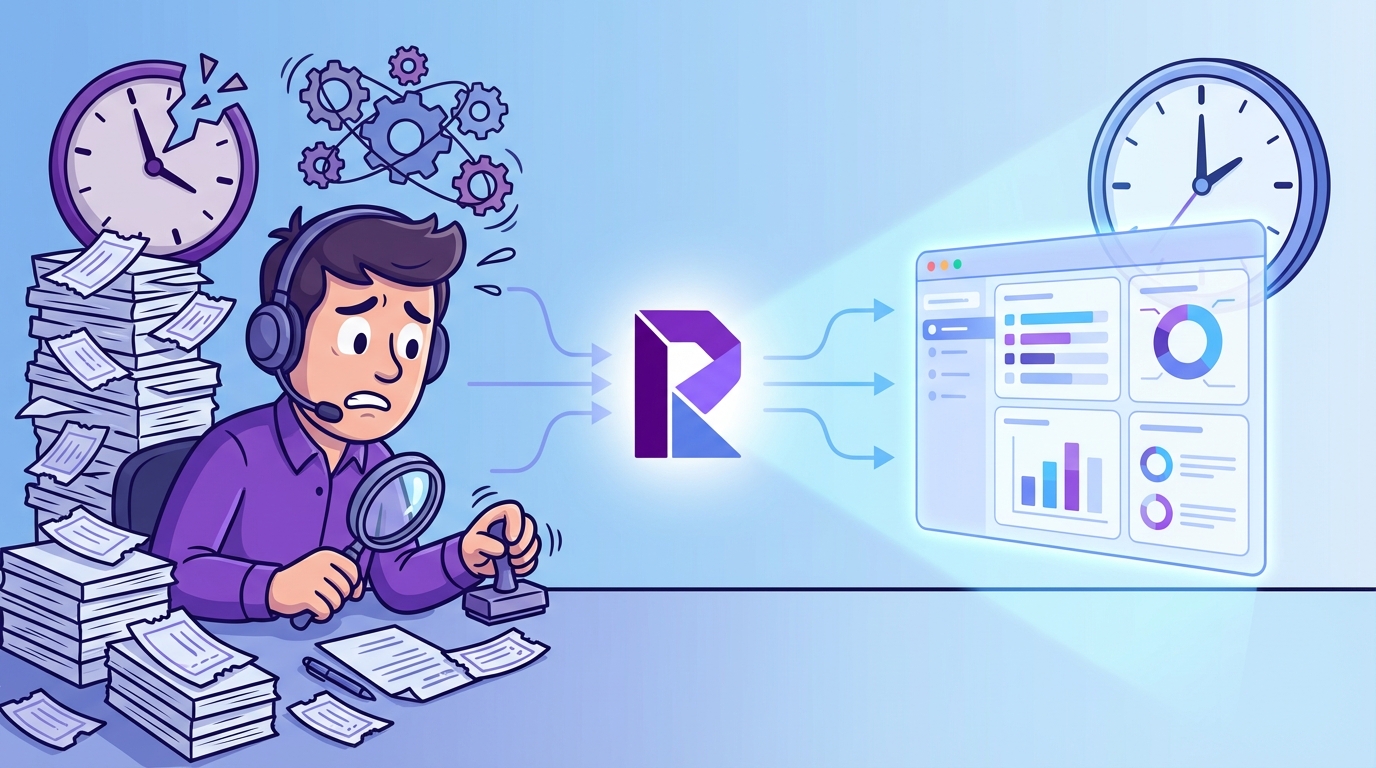
The biggest cost in support analytics isn’t the tool subscription, it’s the ongoing time tax of sampling, delayed detection, and frustrating rework. Most teams either manually tag a subset of tickets or rely on top-line scores, then scramble when stakeholders ask “show me the proof.” You avoid this by measuring every conversation and keeping traceability from metrics back to the original quotes.
Where Support Analytics Breaks (Sampling, Lag, And Rework)
Sampling is the first crack. It’s usually framed as “we’ll review 10% weekly and stay on top of themes.” But nobody’s checking how often that 10% misses the real issue. And once you miss it, you’re not just late, you’re late with confidence.
Lag is the second crack. If your insights depend on a monthly readout, or a quarterly VoC deck, you’re basically driving using the rearview mirror. That’s fine for strategy. It’s bad for churn signals and sudden product regressions.
Rework is the third crack, and it’s the one that burns teams out. Here’s what it looks like in practice:
Let’s pretend you ship a billing change on a Tuesday. By Friday, support volume is up, sentiment is down, and your PM is asking “is this real or just a loud minority?” Your analyst pulls a sample, tags it, builds a chart, and sends a summary. Then someone asks for the raw tickets. Then someone disagrees with the interpretation. Now it’s a debate, not a decision.
The time tax shows up as:
- Manual tagging that turns into a second job
- Meetings spent debating representativeness
- “Can you pull another cut?” requests that never end
- A constant worry that you’re missing early churn signals
One interjection. This is why “we have dashboards” doesn’t calm anyone down.
What To Evaluate Beyond Demos: Coverage, Accuracy, Actionability
The easiest demo win is a pretty dashboard. The hard part is whether the system holds up when your team starts asking annoying questions. You know the ones.
First, coverage. If the system isn’t looking at 100% of conversations, you’re choosing blind spots. Sometimes that’s okay. Usually it’s not, especially when ticket volume spikes.
Second, accuracy you can validate. Models get things wrong. The real issue is whether your team can quickly confirm what’s true without turning it into a manual research project.
Third, actionability. You don’t just need themes, you need “what’s driving it,” “who it’s affecting,” and “what to do next.” Otherwise you end up with a nice taxonomy and no leverage.
When you evaluate tools, push on specifics:
- Can you isolate negative sentiment for a specific cohort, then see the top drivers?
- Can you click from a chart to real examples fast?
- Can you segment by plan tier, region, language, product area, or whatever matters to your business?
- Can you export structured metrics into your BI environment without rebuilding the logic?
SentiSum positions itself around AI-native VoC workflows and “decision intelligence” for customer feedback. (AI-Native VoC) Revelir AI positions around evidence-backed metrics from support conversations with traceability, so stakeholders can verify without endless back-and-forth.
A Quick Story: When Alerts Help, And When They Distract
Alerts can be a gift. Alerts can also be a headache.
Imagine you’re running support ops. You get a spike alert at 9:12am. “Login issues up 38%.” Great, you can escalate quickly. That’s the dream.
Now imagine you get twelve alerts a day. Some are noise. Some are duplicates. Some are “technically true” but not meaningful. You end up tuning the system like it’s a musical instrument, and only one person on the team knows how it works.
SentiSum leans into anomaly detection and alerting as part of its positioning. (AI-Native VoC) That can be valuable if your operating model depends on catching spikes quickly. The trade is that alerting systems usually require careful configuration, ongoing tuning, and agreement on what “actionable” means.
Revelir AI doesn’t lead with alerting in the provided materials. Its center of gravity is exploration and validation: you filter, group, analyze, then click into conversations to verify what’s driving the metric shifts.
If your org is reactive by necessity, alerting matters a lot. If your org is argument-prone, evidence and traceability matter more.
SentiSum In Context: Strengths, Limitations, And Value
SentiSum is positioned as an AI-native VoC and support analytics platform focused on automated tagging, trend detection, and natural-language Q&A through Kyo. It’s built for teams who want to unify feedback and surface what’s changing without reading thousands of tickets. If your priority is breadth plus executive-ready outputs, SentiSum is a credible option to evaluate. (AI-Native VoC)
Key Strengths (From Public Materials)
SentiSum’s public materials emphasize three things: AI-native VoC positioning, automation of classification work, and faster insight discovery through Q&A and dashboards. That’s a sensible bundle, because it matches how leaders actually consume insights. They want answers, not an analytics tutorial.
One strength is automated tagging and theming, positioned to reduce manual effort for support and insights teams. (AI-Native VoC) The value here is straightforward: if you’re currently relying on agents to tag tickets, consistency is usually all over the place, and your taxonomy becomes a political negotiation.
Another strength is the “ask questions in natural language” motion through Kyo, which SentiSum describes as part of its AI-native approach. (AI-Native VoC) That can be a big deal for exec stakeholders who won’t open a dashboard but will ask, “what’s driving churn risk this week?”
SentiSum also highlights anomaly detection and surfacing emerging issues quickly, which matters if you’re dealing with fast-moving product changes or incident-driven spikes. (AI-Native VoC)
If you want the strengths summarized cleanly:
- AI-native VoC positioning and unified feedback narrative (AI-Native VoC)
- Automated tagging to reduce manual classification work (AI-Native VoC)
- Kyo natural-language Q&A for faster discovery and reporting (AI-Native VoC)
- Anomaly detection and alerts to catch spikes earlier (AI-Native VoC)
Notable Limitations To Weigh
SentiSum’s likely limitations are less about “can it work” and more about operational fit. This is usually where teams get surprised after the contract is signed.
First, pricing transparency. SentiSum is positioned as a sales-led platform, not a self-serve product, which can make early-stage evaluation and budgeting harder. (Medallia Alternative) If your procurement process is heavy anyway, this might not matter. If you’re trying to move fast, it often does.
Second, setup complexity tends to come with alerting and broad VoC scope. The more sources you ingest and the more alert conditions you define, the more time you spend configuring and aligning on definitions. SentiSum’s content frames it as a robust VoC approach, which usually implies enablement and ongoing tuning. (AI-Native VoC)
Third, if you care about auditability, you’ll want to test the workflow for “show me where this came from.” SentiSum talks about AI-native analysis and insights, but the way evidence is presented can vary by platform and workflow. So you should validate it directly in a trial or demo, with your own tickets. (AI-Native VoC)
A fair limitations checklist to pressure-test:
- How much configuration is required before insights are credible in your environment?
- How noisy are alerts in week two, not day one? (AI-Native VoC)
- How easily can you go from a dashboard tile to representative customer quotes?
Pricing And Value Considerations
SentiSum is commonly positioned for mid-market and enterprise teams, and it uses a contact-sales motion rather than public self-serve pricing. (Medallia Alternative) In practice, that means your “price” is usually tied to volume, sources, and scope, not just a clean per-seat number you can predict.
If you’re comparing it to building something internally, the value case is often about speed and consistency. You’re buying a system that’s designed to continuously classify, monitor, and answer questions across large volumes of text. (AI-Native VoC)
But here’s the nuance people skip. A higher-priced platform can still be the cheaper decision if:
- Your team is already spending 20 to 40 hours a month on manual tagging and readouts
- Leadership demands weekly updates and you can’t staff for it
- You’re missing churn signals until it’s too late to act
It can also be the wrong decision if you don’t have the operating model to use it. If nobody owns tuning, taxonomy governance, and follow-through, the tool becomes an expensive dashboard.
How Brand is Different: Revelir AI puts traceability at the center by turning 100% of support conversations into structured metrics, then letting you validate patterns by clicking straight into real examples. Instead of leaning on a chat assistant layer, you use Data Explorer and Analyze Data to filter, group, and verify the “why” behind sentiment, churn risk, and effort. That tends to work well when stakeholders demand proof, not summaries.
Why Teams Choose Revelir AI For Evidence-Backed Insights
Teams choose Revelir AI when they need trustworthy support analytics that can stand up in product, finance, or exec conversations without hand-wavy interpretation. It processes 100% of support conversations, generates structured metrics (like sentiment, churn risk, and effort), and keeps every insight anchored to the underlying ticket text. In practice, that means less debate, faster validation, and clearer prioritization.
Core Differentiators You Can Validate
The main differentiator is simple to say and harder to deliver: evidence-backed metrics with full coverage. Revelir AI is built so you can move from “what’s happening” to “show me the actual conversations” without exporting spreadsheets and starting an offline research project.

That matters because most support analytics fails in meetings, not in dashboards. Somebody asks, “how do we know?” And if you can’t answer with traceable source context, you lose momentum.
Revelir AI’s workflow is designed for top-down pattern spotting and bottom-up validation. You can see the driver distribution, then click into the underlying conversations to sanity check what the AI is telling you. That’s what makes the metrics usable across functions, not just interesting.
What teams typically validate quickly:
- Whether the top negative sentiment drivers actually match what’s in the ticket text
- Whether churn risk signals align with real frustration cues and churn mentions
- Whether “high effort” conversations cluster around specific product areas, processes, or cohorts
Getting Started And Time-To-Insight
Revelir AI is designed to get you from raw tickets to usable metrics without a long build phase. You can upload past tickets or connect a helpdesk API, start a 7-day free trial, and see insights quickly, without building classifiers from scratch.

Then the real work starts. Not implementation work. Decision work.
A typical first-week motion looks like:
- Start broad: run an analysis on sentiment grouped by driver or canonical tag
- Go narrow: filter to enterprise customers, or a plan tier, or a region
- Validate: open Conversation Insights, read real examples, confirm it matches reality
- Share: capture insights and next steps with quotes that stakeholders can trust
If you want to see what that flow looks like in your own environment, you can See how Revelir AI works with your own ticket data and your own definitions of “high value” and “high risk.”
How Revelir AI Maps To The Common SentiSum Use Case
If you’re drawn to SentiSum for alerting and Q&A, it’s usually because you want faster answers with less analyst time. That’s a legitimate goal. The question is what you trade to get it.

Revelir AI focuses less on “ask the system a question” and more on “verify the system’s answer.” It gives you a structured dataset of metrics and tags across 100% of conversations, then a repeatable exploration workflow (Data Explorer, Analyze Data, Conversation Insights) to slice, group, and validate.
So if your pain is: “we’re debating anecdotes and nobody trusts the numbers,” Revelir AI leans into that fix. If your pain is: “we need sub-hourly alerts and a conversational interface for execs,” SentiSum’s positioning lines up well, and you should pressure-test its alert noise and evidence workflow. (AI-Native VoC)
Decision Guide: Complete Feature Grid
The fastest way to decide is to map tools to your operating model, not your wishlist. Some teams want omnichannel VoC breadth, anomaly alerts, and a Q&A layer for exec reporting, which is how SentiSum is positioned. Other teams want full coverage, metrics they can defend, and quick drill-down to real tickets, which is where Revelir AI tends to land.
How To Read The Grid For Your Use Case
Start with your “non-negotiable” column. Most teams have one, they just don’t say it out loud.
If you’re a support leader dealing with incident spikes, you probably start with anomaly detection and alerting. If you’re a PM trying to justify a roadmap change, you probably start with evidence traceability and cohort filtering. If you’re an insights lead, you probably start with ingestion scope and taxonomy control.
Then ask a second question: who will actually use this weekly? If it’s only one analyst, a powerful system might be fine. If you need PMs and CX leaders to self-serve, ease of exploration matters more than feature depth.
And yes, you can combine approaches. Plenty of orgs do. The real issue is whether you have the time and discipline to keep multiple systems aligned.
Here’s the broader grid for context (category-level, not a substitute for a live evaluation):
| Feature Category | Revelir AI | SentiSum | SupportLogic | Chattermill | qvasa | Siena (Idiomatic) |
|---|---|---|---|---|---|---|
| Primary focus | Evidence-backed insights from support conversations via AI metrics/tags plus exploration. | VoC plus support analytics with tagging, anomalies, and Kyo Q&A. (AI-Native VoC) | Support experience analytics and risk signals. | Enterprise VoC unification and text analytics. | Zendesk-centric operational dashboards and alerts. | Ecommerce AI agent automation. |
| Conversation ingestion scope | Support conversations (100% coverage stated). | Omnichannel VoC positioning. (AI-Native VoC) | Support systems data cloud. | Broad VoC unification. | Zendesk-only focus. | Support automation channels. |
| Automated tagging/theming | ✓ (AI metrics and tags) | ✓ (AI-Native VoC) | ✓ | ✓ | ⚠️ | ✗ (not core) |
| Sentiment analysis | ✓ | ✓ (AI-Native VoC) | ✓ | ✓ | ✓ | ✗ (not a focus) |
| Natural-language Q&A | Not specified. | ✓ (Kyo). (AI-Native VoC) | (varies by product) | Not positioned as Kyo-style assistant. | ✗ | ✗ |
| Evidence-backed exploration | ✓ (traceable insights with drill-down to conversations) | ⚠️ (validate in demo). (AI-Native VoC) | ⚠️ | ⚠️ | ✗ | ✗ |
| Anomaly detection/alerts | Not specified. | ✓ (AI-Native VoC) | ✓ | ✓ | ✓ | ✗ |
| Churn/escalation risk | ✓ (Churn Risk metric) | ✓ (positioned as a focus). (AI-Native VoC) | ✓ | ⚠️ | ✗ | ✗ |
| Customer effort | ✓ (Effort metric) | Not clearly positioned in provided sources. | ⚠️ | ⚠️ | ⚠️ | ✗ |
| API/data export | ✓ (API export described) | ✓ (positioned as enterprise-ready; validate specifics in sales process). (Medallia Alternative) | ✓ | ✓ | ⚠️ | ✓ |
| Custom taxonomy/metrics | ✓ (custom metrics and taxonomy) | ✓ (positioned around AI-native VoC customization). (AI-Native VoC) | ✓ | ⚠️ | ✗ | ⚠️ |
| Pricing transparency | Not publicly listed. | Contact sales. (Medallia Alternative) | Contact sales. | Contact sales. | Freemium with unclear paid tiers. | Contact sales. |
| Best for | Teams needing verifiable analysis from support conversations. | Mid-market to enterprise teams wanting VoC breadth, alerts, and Q&A. (AI-Native VoC) | Large support orgs focused on support experience ops. | Enterprises unifying multiple feedback channels. | Zendesk ops monitoring. | Ecommerce support automation. |
If you’re actively evaluating tools and want to pressure-test the “evidence-backed” workflow on your own tickets, a reasonable next step is to Learn More and run a few real analyses (negative sentiment drivers, churn risk by plan tier, high-effort clusters) end to end.
Conclusion: How To Decide Without Regretting It Later
The cleanest decision rule is this: pick the tool that matches how your team actually makes decisions under pressure. SentiSum is positioned around AI-native VoC workflows, Kyo natural-language Q&A, and anomaly detection, which can be a strong fit for teams that need breadth and ongoing monitoring. (AI-Native VoC)
Revelir AI is the better fit when you need full-coverage analysis and you expect pushback in the room. It’s built to let you verify patterns in the underlying conversations, not just view a metric.
Ready to see if Revelir AI matches your workflow? You can Get started with Revelir AI (Webflow) and run a real driver analysis on your own support tickets, then click into the conversations to confirm what’s actually happening.
Final thought. Don’t over-index on the demo. Over-index on week three, when the novelty is gone and somebody asks, “show me the evidence.”
Frequently Asked Questions
How do I choose between Revelir AI and SentiSum?
To decide between Revelir AI and SentiSum, consider your team's specific needs. If you want to analyze 100% of your support conversations and prefer evidence-backed insights, Revelir AI is a great fit. It allows you to ingest support conversations, apply AI metrics, and explore data deeply. On the other hand, if your focus is on broader Voice of Customer (VoC) insights and you value features like automated tagging and alerts, SentiSum might be the better choice. Evaluate what’s most important for your workflow before making a decision.
What if I need to analyze conversations from multiple channels?
If you need to analyze conversations from multiple channels, Revelir AI can still be beneficial. While it focuses on 100% of your support conversations, you can integrate it with other data sources to get a more comprehensive view. However, if your primary requirement is to gather insights from various feedback sources, SentiSum excels in omnichannel VoC positioning. Consider your priorities: if detailed analysis of support tickets is key, Revelir AI will serve you well, but for broader feedback, SentiSum may be preferable.
Can I track customer sentiment with Revelir AI?
Revelir AI doesn’t specifically track customer sentiment in the way some other tools might. Instead, it focuses on analyzing support conversations to provide evidence-backed insights. You can use it to understand trends and issues within your support interactions, which can indirectly inform you about customer sentiment. If tracking sentiment is a top priority, you might want to explore additional tools that specialize in that area or consider how Revelir AI fits into your overall analytics strategy.
When should I use Data Explorer in Revelir AI?
You should use Data Explorer in Revelir AI when you want to dive deep into the analysis of your support conversations. This tool is particularly useful for identifying patterns, trends, and specific issues that may arise from customer interactions. If you have a large volume of conversations and need to pinpoint areas for improvement or verify claims, Data Explorer can help you extract actionable insights. It’s ideal for teams looking to back their decisions with solid data analysis.
Why does my team need evidence-backed analysis?
Having evidence-backed analysis is crucial for making informed decisions. It allows your team to understand the real impact of customer interactions and support processes. With tools like Revelir AI, you can analyze 100% of your support conversations, ensuring that your insights are based on actual data rather than assumptions. This approach helps in identifying recurring issues, improving customer service strategies, and ultimately enhancing customer satisfaction.