

Dashboards don’t fail because the numbers are wrong. They fail because nobody agreed what those numbers mean or what to do when they cross a line. You’ve seen it. A red tile blinks, the room debates definitions, and nothing changes by Friday.
We started treating CX signals like service level objectives, not static charts. It forced clarity. What’s the metric? Why does it exist? Who owns it? When does it page someone? Boring on paper, but it’s the difference between commentary and action. If you’ve ever sat through a meeting where the number “looked off,” you know the cost of leaving this loose.
Key Takeaways:
- Turn CX metrics into contracts: define purpose, calculation, owner, thresholds, and alert rules
- Wire alerts into a real incident path with validation steps and a mitigation playbook
- Use 100% coverage and traceable examples to earn trust and speed up decisions
- Quantify costs of ambiguity to build urgency and budget
- Start with sentiment, churn-risk density, and high-effort rate as SLO-style commitments
- Keep a clear owner matrix and postmortem loop to prevent repeat issues
Why Metrics Without Contracts Stall Out
Metrics stall out when teams assume dashboards drive action on their own. They don’t. A metric needs a contract: definition, thresholds, and ownership that trigger real work. When you make that explicit, CX signals behave like SLOs, clear targets with agreed response paths. Stripe-like SRE discipline, applied to tickets.
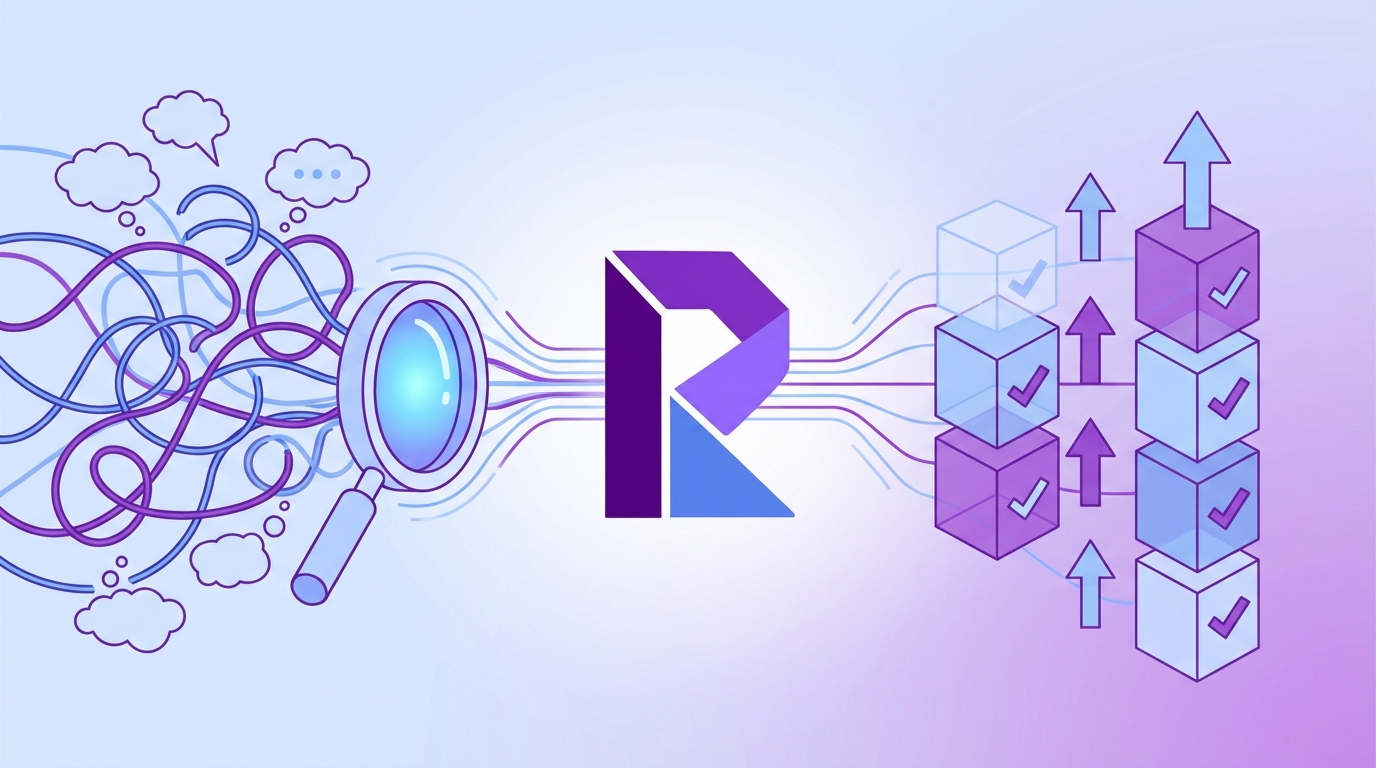
The meeting where numbers die
Dashboards surface a dip in sentiment or a spike in churn risk. The first question should be “who’s on point?” It usually isn’t. Instead, the room debates scope, filters, and whether last week’s campaign skewed volume. I’ve been in that meeting more times than I’ll admit. It’s not that the number’s useless. It’s that nobody agreed on the contract behind it.
A contract changes the conversation. Purpose is written down. Scope is clear (e.g., new customers, last 14 days, Billing driver). The calculation isn’t a mystery. And there’s a trigger that moves you from “we noticed” to “we’re mitigating.” Without it, trends turn into commentary. With it, you’re running an operation, not a panel discussion.
What do teams assume dashboards will do?
Leaders assume a red tile pings the right person and the next steps are obvious. Tiles don’t encode intent. They don’t name owners or thresholds. They don’t tell you if 23% negative sentiment is “OK noise” or “KO, act now.”
Spell it out. Write purpose and calculation. List upstream fields. Set OK and KO thresholds. Name the owner and the responders. Once that’s in place, a red tile is a promise, not just a picture.
Why CX signals should act like SLOs
SLOs work because they’re explicit contracts between a team and a target. Same thing with CX. Convert sentiment share, churn-risk density, and high-effort rate into SLO-like definitions with preagreed thresholds and response rules. You’ll move faster, and you’ll argue less. If you need a model, borrow the clarity from Google’s SRE guide on SLOs. Different domain, same discipline.
Ready to see what this looks like with your own tickets? See how Revelir AI works.
Exposing the Real Root Causes of Missed CX Signals
Missed signals aren’t just bad luck. They come from process gaps: sampling, fuzzy definitions, and ownerless alerts. Fix the foundation and the noise drops. Define contracts that connect metrics to incidents, runbooks, and review cadences. It’s less glamorous than a new dashboard, and far more effective.

What traditional approaches miss
Sampling and score watching feel responsible. They aren’t. You get percentage moves without drivers or quotes. That’s not enough to persuade product to change a workflow. You need traceable evidence and a contract that says, “If X happens in Y segment, Z team validates within 30 minutes.”
We see another miss, no durable layer that codifies meaning. What counts in sentiment? All tickets? Only certain drivers? How is churn-risk density computed, per ticket or per account? Teams rely on tribal knowledge. It works until someone new joins or a board update is due. A one-page contract removes the guesswork.
If you want a quick refresher on common CX metrics and why they matter, this overview of CX metrics and definitions is useful context. Then tighten your definitions to fit your business, not a generic playbook.
The hidden complexity in metric definitions
Even “simple” KPIs hide nuance. Do you include resolved tickets only, or all statuses? Do you filter out known bot noise? What happens when effort fields are null? If you can’t answer those in 30 seconds, you’ll burn time arguing later.
Write the calculation and field lineage into the contract. Make audits possible. When the number moves, the owner should be able to trace it to upstream fields without raising a data ticket. It’s the difference between trust and delay.
The Hidden Costs Draining Your CX Budget
Ambiguity is expensive. You lose hours in meetings, pay an escalation tax on weekends, and watch morale erode as issues resurface. Quantify it. Once you put a price on indecision, contracts stop feeling like paperwork and start feeling like budget protection.
Engineering and CX hours lost to ambiguity
Let’s pretend your weekly standup spends 20 minutes debating whether a spike is real. Eight stakeholders in the room. That’s 160 minutes, nearly three person-hours, without mitigation. Do that across five squads and you’re at 15 hours for the week. At a blended $120/hour, that’s $1,800 gone. No fix shipped.
Now add the rework. Someone pulls a CSV, someone else builds a quick chart, and a third person reads tickets by hand to “get a sense.” Next week, you repeat it because nobody wrote down the contract. The waste is real. The fix is dull: define the metric, set triggers, assign an owner.
The Friday spike that lingers into Monday
Picture churn-risk density jumping for enterprise accounts at 3 pm Friday. No contract. No owner. By Monday, two escalations land and a CSM logs an urgent renewal risk. One missed trigger turns into hours of triage and a nervous account team.
With clear thresholds and alert routes, the right responder starts within minutes. They validate the pattern, check examples, and either mitigate or mute. You avoid the Monday scramble and the weekend stress. PagerDuty’s incident response guide has strong patterns for acknowledgement and escalation behavior, borrow those for CX alerts.
Three paragraphs in, and we haven’t talked tooling. On purpose. The process comes first.
Still resolving this stuff by hand? It doesn’t scale. Learn More.
When No One Owns the Number, People Feel It
When ownership is vague, the symptoms are obvious: Slack threads, competing screenshots, and a hallway conversation that ends with “we’ll circle back.” The emotional cost is real. People work weekends. Postmortems get punted. And the same issue returns two weeks later.
The 3 pm Slack scramble
A red tile appears. Threads explode. Folks paste charts with slightly different filters. Someone reads four tickets and declares a theory. We were guilty of this too. It’s usually a sign you’re missing three basics: a named owner, a known playbook, and a short path from signal to mitigation.
The fix isn’t complicated. The contract names who acknowledges, who validates, who mitigates, and who communicates. The playbook links to a view with examples. And there’s a timebox on each step so people can plan their work, not their panic.
What happens when your biggest customer threatens to leave?
Without evidence-backed context, leadership hesitates. With traceable quotes, the team aligns on the real driver and the fastest mitigation. Trust is the unlock. A contract plus verifiable examples turns “we think it’s billing” into “here are the three quotes driving churn-risk flags under Billing & Payments.” You spend energy fixing causes, not defending charts.
A Practical Framework for CX Metric Contracts
A CX metric contract is a one-page agreement that defines meaning, ownership, thresholds, and response. Keep it short, concrete, and visible. Store it where everyone can find it. Treat edits like change requests with approvals. That’s how you avoid definition drift.
What goes into a CX metric contract?
Write it so a new hire can act on it their first week. Start with why the metric exists and the question it answers. Lay out the calculation and the upstream fields so audits are fast. Define segments clearly, new customers, enterprise tier, specific drivers. Add OK and KO thresholds, and the alert condition that flips you into incident mode.
Then make it real with examples. Include two representative tickets or quotes to show the pattern you care about. Link to the validation steps and the mitigation playbook. And add a review cadence with version notes so you’re not silently changing targets mid-quarter.
- Template fields: Purpose, Owner, Calculation, Upstream Fields, Segments, OK Threshold, KO Threshold, Alert Rule, Validation, Mitigation Link, Review Cadence, Version.
Owner and stakeholder matrix
Ownership isn’t “the analytics team.” It’s a named accountable owner, an on‑call responder, domain SMEs, and a postmortem steward. Write down who acknowledges alerts, who validates, who mitigates, and who communicates status. Include contact routes for business hours and after hours. If a person leaves, update the contract that day.
We like a simple table in the doc: one row per role, with names and backups. It sounds rigid. It’s actually freeing, people know when they’re on the hook and when they’re not.
SLOs and alert rules for key CX signals
Translate your core CX signals into SLO-style commitments. Be specific and time-bound. Include the validation step to prevent false positives, and a hold-the-line rule to avoid alert fatigue. A few patterns we’ve seen work:
- Sentiment: Negative sentiment share above 25% for two days in the New Customers segment triggers validation within 30 minutes and mitigation within 4 hours.
- Churn risk: Density above 8% in Enterprise triggers CSM outreach playbook within 2 hours.
- Effort: High-effort rate above 15% in Billing tags opens an incident ticket with an on-call responder.
If you want tighter terminology for SLO structure and error budgets, the framing from Google’s SRE guide on SLOs maps well to CX.
How Revelir AI Enables Evidence and Accountability
Revelir turns messy support conversations into structured, evidence‑backed metrics you can trust. That matters when alerts fire. Owners need to validate with real examples, group by drivers, and brief product with confidence. Revelir makes that path short and repeatable.
Evidence-backed metrics you can trust
Revelir processes 100% of your conversations, no sampling, and preserves traceability from every chart down to the exact ticket and quote. When a contract triggers, the owner can click straight into Conversation Insights, read the transcript, and verify the signal is real. No black boxes. No debates about representativeness. Just proof you can show in the room.

The cultural shift surprised us more than anything. When each metric links to examples, the debate moves from “is this true?” to “what do we fix first?”
Data Explorer and Analyze Data for owner-ready views
Owners need fast answers. Revelir’s Data Explorer lets them filter by segment, driver, and signal, then group results to confirm the driver behind a threshold breach. Analyze Data summarizes patterns with grouped tables and charts, and every count is clickable. One hop opens Conversation Insights for examples and AI summaries. That makes your contract’s validation step a five‑minute job, not a half‑day project.

Revelir also supports Drivers, Canonical Tags, and out‑of‑the‑box metrics like Sentiment, Churn Risk, and Customer Effort. The point isn’t more charts, it’s a consistent, drillable layer for decisions.
API export and Custom AI Metrics for your stack
Already have alerting and incident workflows in Slack or a paging tool? Keep them. Use Revelir’s analytics and API export to feed structured metrics into the systems where you route alerts and create incident tickets. Link your contract to the exact view or query so anyone can retrace the signal.
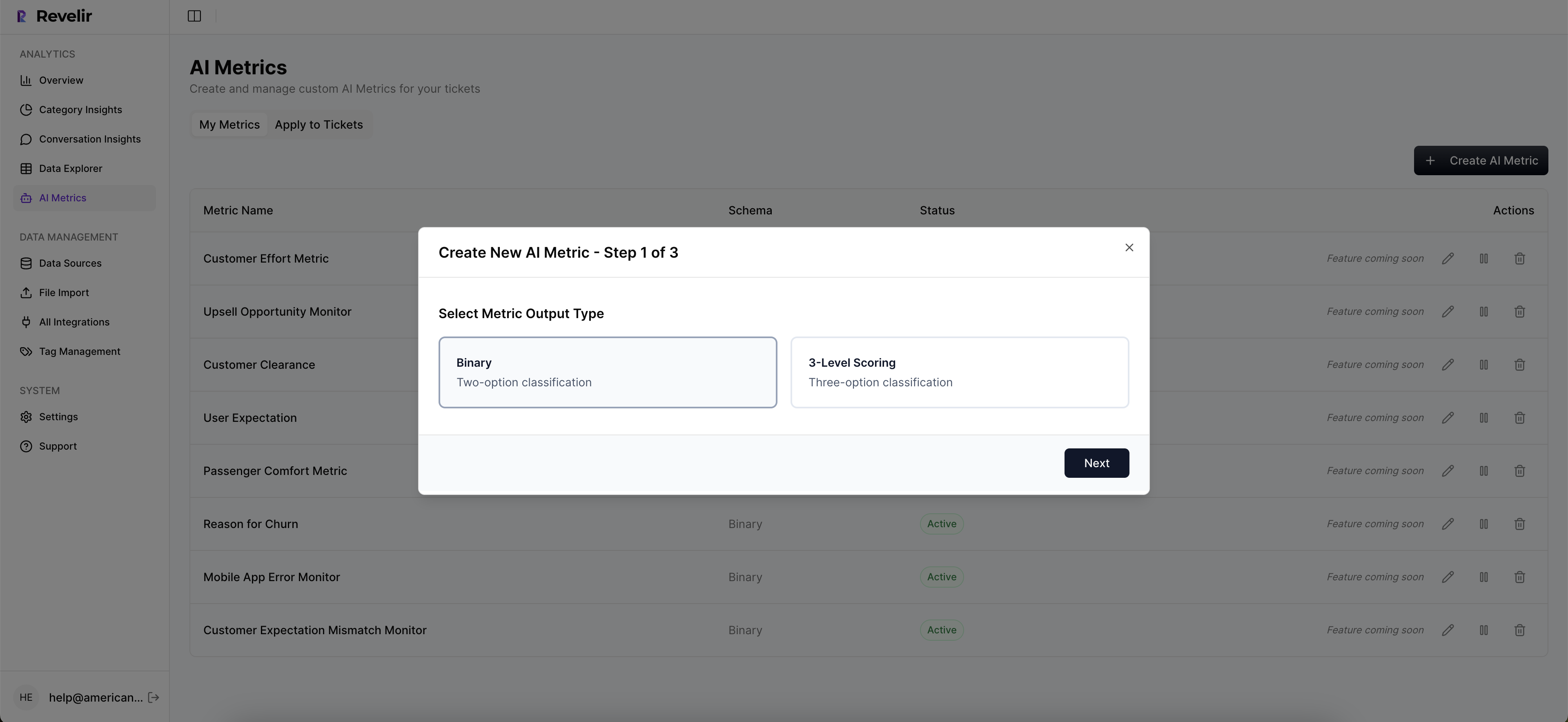
If your contract depends on business‑specific signals, define them as Custom AI Metrics in Revelir. We’ve seen teams score “Reason for Churn” or “Expectation Mismatch” reliably enough that product and finance trust the rollups. When the contract fires, the context is in your language, not a generic tag.
3x faster from “red tile” to “we’re on it” isn’t a slogan. It’s what happens when the evidence, owners, and thresholds live in one flow. Ready to operationalize it? Get started with Revelir AI (Webflow).
Conclusion
Metrics don’t drive action by themselves. Contracts do. Define what the number means, who owns it, when it pages, and how you validate and mitigate. Then back it with evidence you can click into, every time. That’s how you move from dashboard drift to live SLOs for CX. Less debate. Faster fixes. Fewer surprises.
Frequently Asked Questions
How do I define ownership for CX metrics?
To define ownership for CX metrics, start by identifying key stakeholders who will be responsible for each metric. You can use Revelir AI to create a clear owner matrix that outlines who owns what metrics and their responsibilities. This ensures accountability and clarity in decision-making. Next, establish regular check-ins or reviews to discuss metric performance and any necessary adjustments. This collaborative approach helps maintain focus on the metrics that matter and fosters a culture of ownership within your team.
What if my team disagrees on metric definitions?
If your team disagrees on metric definitions, it’s essential to facilitate a discussion to clarify each person's perspective. Use Revelir AI to provide data-backed insights that can help ground the conversation. By analyzing historical ticket data, you can present examples of how different definitions may impact outcomes. Aim to reach a consensus on definitions that align with your business goals and ensure everyone understands the agreed-upon metrics moving forward.
Can I track high-effort conversations with Revelir AI?
Yes, you can track high-effort conversations using Revelir AI. Start by filtering your dataset in the Data Explorer to identify tickets marked with high customer effort. You can analyze these tickets to pinpoint specific issues causing friction. This allows you to prioritize improvements based on real customer feedback, ensuring that your team addresses the most pressing concerns effectively. By linking these insights back to the original conversations, you can validate your findings and make informed decisions.
When should I set up alerts for CX metrics?
You should set up alerts for CX metrics when you identify critical thresholds that require immediate action. For example, if sentiment dips below a certain level or churn risk increases significantly, these are indicators that you need to respond quickly. Use Revelir AI to wire alerts into your incident management process, ensuring that the right team members are notified when metrics cross these thresholds. This proactive approach helps maintain customer satisfaction and prevents issues from escalating.
Why does defining thresholds matter for CX metrics?
Defining thresholds for CX metrics is crucial because it establishes clear guidelines for what constitutes acceptable performance. Without these thresholds, teams may struggle to determine when to take action. By using Revelir AI to set specific thresholds, you can ensure that everyone understands the metrics' significance and what actions to take when they are breached. This clarity helps drive accountability and ensures that your team is aligned on how to respond to customer signals.