

Customer churn risk flags look helpful on a dashboard. Until the renewal slips and you realize nobody owned the response and nobody can prove what happened. We can fix that. Treat churn signals like service boundaries with clear objectives, error budgets, and alerts that route work to the right humans, fast.
If you run CX, product, or success, you have the evidence already. Your support tickets tell you who is frustrated, why, and when risk shows up. The missing piece is an operating model that turns those signals into obligations with response windows and audit trails. That is where SLOs, burn rates, and playbooks come in.
Key Takeaways:
- Define churn SLOs that a lawyer could read. Population, SLI, threshold, window.
- Set an error budget and burn rules, then trigger actions when burn crosses a line.
- Map signals to severity so SEV1 risk gets a page and SEV3 goes to a digest.
- Route alerts by driver, segment, and time zone to named owners. No orphan threads.
- Use runbooks for 0 to 24 hours and 24 to 72 hours so the first touch is never ad hoc.
- Measure response percentiles and error budget burn by segment, then iterate the rules.
- Link every metric to tickets so anyone can click and read the quote behind the chart.
The Hidden Cost Of Treating Churn Flags As Advice Instead Of Service Boundaries
Churn flags should be treated as service boundaries with clear obligations, not vague advice. When you declare objectives, windows, and error budgets, a tripped flag becomes a measurable breach. That is the difference between “we tried” and “we missed the target by 1 percent this week due to routing gaps.”
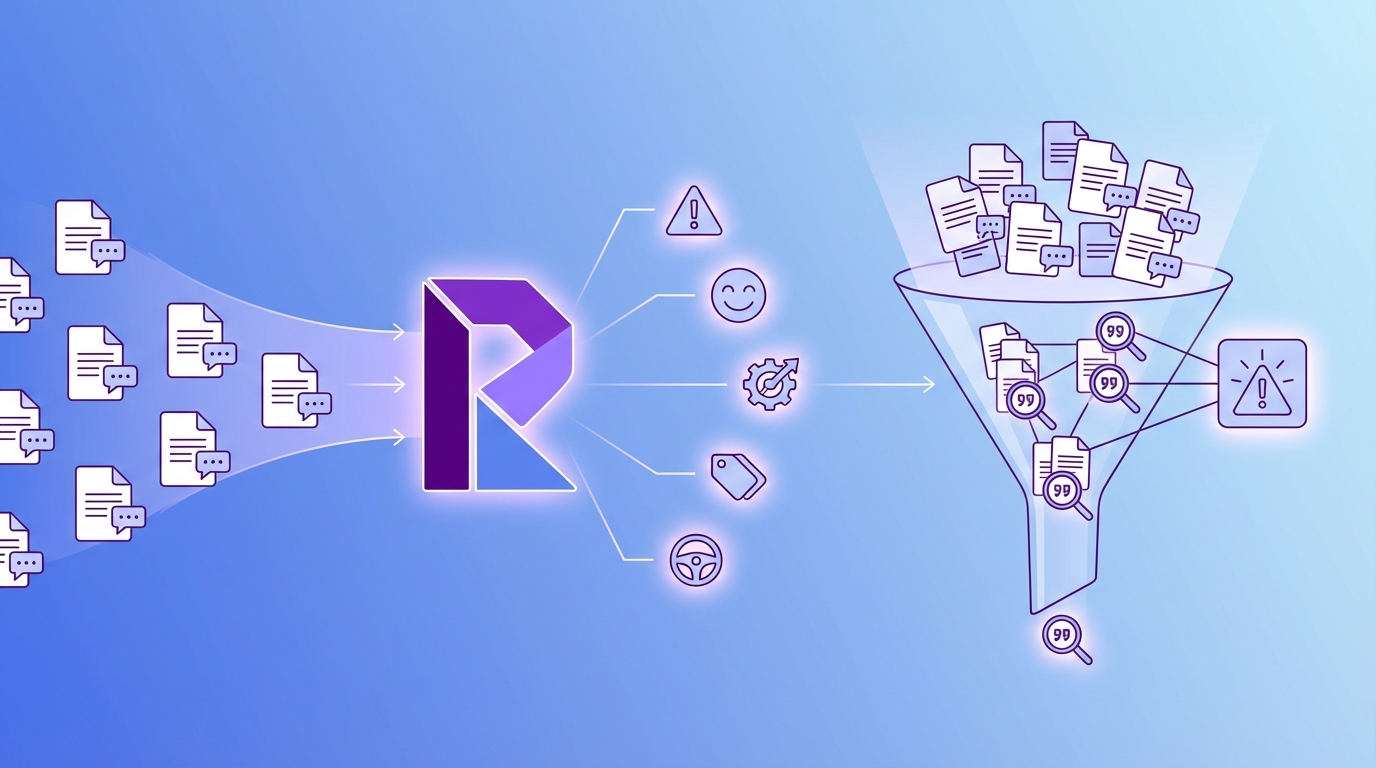
Most Teams Miss The Contract Behind The Signal
A churn signal without an objective is a suggestion. It feels informative, but nobody is on the hook. Write the contract. Define exactly who is in scope, what response is required, and how quickly you expect it. If the signal fires, the clock starts. No wiggle room.
It is usually obvious in hindsight. An enterprise account shows churn risk and negative sentiment on Tuesday. By Friday, there is still no first human touch because the alert went to a quiet channel and nobody’s checking it. The fix is not to “pay more attention.” The fix is a published SLO and a pager.
Same thing with renewals that looked safe until a quiet pattern piled up. If you require a first response within four hours for SEV1 risk, you will see the misses. More importantly, you can prove the pattern and adjust routing with data, not blame.
The Operational Gap Shows Up In Three Places
First, risk tickets age without a human response. Time passes, trust erodes, and escalation risk climbs. Second, noisy alerts bury true risk. Teams learn to mute channels, then the one alert that mattered slips by. Third, decisions are not auditable. Someone says “we reached out,” but there is no linked evidence that stands up in a room.
Close the gap with three simple moves. Declare SLOs so “aging without a touch” is a breach, not a shrug. Reduce noise with severity mapping and burn-rate alerts so the real risks break through. Preserve traceability so anyone can click into the tickets and see the quotes that justify the call. This is how you shift from hunch to evidence.
A quick checklist, then we move on:
- Publish SLOs with population, SLI, target, and window.
- Implement burn-rate alerts so spikes and smoldering issues both surface.
- Link every alert to the exact tickets so audits are trivial.
Why This Matters For Leadership And Renewals
Leaders need a defensible, simple story. “We responded within four hours to 98 percent of high risk enterprise tickets over the last 28 days” is credible. “We tried” is not. Tie SLOs to renewal windows and top tiers so the red light shows up early, before revenue risk hardens.
You can also aim the lens. If error budget burn accelerates two weeks before renewal, that is a visible, shared signal. Sales, success, and product see it at the same time. You stop arguing over anecdotes and start executing on a plan. That shift lowers stress and saves deals.
Ready to make churn signals actionable instead of decorative? See how Revelir AI works. See how Revelir AI works
Define Auditable Objectives And Risk Windows (Churn Risk SLOs & Alerts: Turn Ticket Signals into CSM Workflows)
A churn SLO defines who is covered, how you measure response, the target, and the time window. Use ticket data as the source of truth. When written precisely, anyone can compute compliance and spot breaches without debate or manual interpretation.

What Is A Churn SLO For CSMs?
Write something a lawyer could read and a data analyst could compute. Example: “For Enterprise accounts with churn risk tickets, at least 99 percent receive a first human response in four hours, measured over rolling 28 days.” That sentence locks scope, metric, threshold, and window together.
Precision reduces arguments. Your SLI is time to first human response, not “time to any reply,” which includes bots. Your window is rolling 28 days, not a calendar month that hides early misses. Your population is Enterprise accounts with churn risk tickets, not “high priority,” which means different things to different people.
If SLOs are new for your team, borrow from the reliability playbook. SLOs and error budgets are a crisp way to make promises and manage risk, and they translate well to CX. If you need a primer, the SRE book’s chapter on Service Level Objectives is a solid starting point.
Write The Objective And SLI Precisely
Pick SLIs you can compute from tickets. Keep them simple and verifiable. Three that work well:
- Time to first human response.
- Time to next touch after a customer reply.
- Time to escalation handoff for SEV1 risk.
Define exclusions up front. Business hours only or 24 by 7. Holidays in which regions. Weekend rules for Enterprise vs mid market. State the percentile target and the rolling window so dashboards match on every review. If someone can misread it, they will, so remove ambiguity now.
Let’s pretend you have a strong weekend coverage policy for top tiers. You might set 99 percent within eight hours on weekends and four hours on weekdays. That is fine as long as your data model knows weekend from weekday and your dashboard computes both consistently. The goal is clarity, not heroics.
Set Error Budgets And Risk Windows
Your SLO implies an error budget. If the target is 99 percent, the monthly budget is 1 percent of events that can miss. The budget is not just a report. It is the trigger for action when misses cluster. That is why burn windows matter.
Use both fast and slow windows. A one hour window catches spikes. A 24 hour window catches slow bleed. Publish rules like “if one hour burn exceeds 10 percent of monthly budget, page the on call lead” and “if 24 hour burn exceeds 30 percent, convene a review by end of day.” Leaders see the risk early, not at renewal.
If you are selling this internally, tie it back to revenue. A clear churn SLO with burn rules is not bureaucracy. It is risk insurance that lets you act before the mistake becomes a renewal loss. That is the language executives understand, with or without dashboards like Salesforce’s Customer Churn Overview.
Map Ticket Signals To Severity And Playbooks (Churn Risk SLOs & Alerts: Turn Ticket Signals into CSM Workflows)
Severity turns raw signals into action priority. Blend churn risk, sentiment, effort, and segment into tiers so SEV1 gets a page, SEV2 gets same day outreach, and SEV3 rolls into a digest. Then connect each tier to a playbook you can run without thinking.
Design A Signal-To-Severity Matrix
Start with a simple matrix and test it against recent tickets. SEV1 when churn risk is Yes, sentiment is Negative, and effort is High for Enterprise or Strategic. SEV2 when two of three fire or for mid market accounts. SEV3 when only churn risk is Yes or when the segment is low ARR.
Keep it practical. If you rarely see effort measured for certain channels, do not make it a hard requirement for SEV1. Use what you have, validate the outcome, and refine as your metrics coverage improves. The goal is fewer misses and less noise, not theoretical purity.
Which thresholds actually reduce noise without missing risk? Two tactics help. Use cohort relative thresholds for small populations so one ticket does not page the team unfairly. Use absolute thresholds in high volume queues so a spike does not flood everyone unnecessarily. Add decay so stale risk cools after a defined period.
A quick validation pass helps. Pick the last 30 days of tickets. Apply your matrix. Then click into a sample of SEV1 and SEV2 examples. If it feels wrong, you will see it right away. Adjust the matrix rather than loosening the SLOs. For deeper guidance on setting practical SLOs, Datadog’s overview on establishing service level objectives is useful.
Escalation Playbooks By Severity
Once severity is clear, write the moves. For SEV1, page the on call CSM lead, notify the AE, and open a customer facing plan within four hours. For SEV2, schedule outreach within eight hours and assign a product owner for root cause. For SEV3, bundle the items into a weekly review and decide which ones to uplift.
Do not assume people remember the steps during stress. Link each step to a template so handoffs are consistent. Make the template short and specific. Who contacts whom. What to say. When to follow up. Where to record the next step. This is not overhead. This is eliminating rework and confusion.
Fewer missed renewals and faster saves. That is what Revelir delivers when teams run on evidence. Learn More
What It Feels Like When High‑Value Accounts Slip Past Your SLA
Missed churn SLOs feel like public failures and private frustration. You get late Friday pages, angry email threads, and anxious renewals. The quiet patterns are worse. They drain energy in the background. Without burn alerts, the slow bleed never trips a page, and the cost compounds.
The Late Friday Page That Wrecks Trust
You see the angry email at 6 pm. The account was flagged days ago, but no one owned it. Now the renewal is shaky and an executive is forwarding threads. This is preventable. When SEV1 risk pages a real person with a four hour response window, ugly surprises are rare.
Here is the emotional part nobody mentions. The team starts to dread Fridays. People feel they are always on the back foot. That feeling erodes performance and culture. SLOs with clean routing do not just protect revenue. They protect weekends and morale.
The Slow Bleed That Never Triggers A Page
Not every risk shouts. Login friction, confusing billing, and quiet non usage create a steady drip of dissatisfaction. Without multi window burn alerts, you never see the pattern. The cost is subtle but real. Higher effort. Slower resolutions. More escalations. Burnout follows.
Let’s pretend you have a cohort of new customers whose tickets show moderate effort and neutral sentiment. No single ticket feels scary. Over a month, the error budget burns down quietly. With a 24 hour burn rule and a weekly SEV3 digest, you spot it early and fix the onboarding step before it becomes churn.
You can change the feeling. Give everyone the same dashboard and the same rules. When a risk appears, the next step is obvious. The first touch happens on time. The customer hears a plan, not an apology. Confidence replaces anxiety. That is what a system does.
Build The Operating System For Alerts, Routing, And Runbooks (Churn Risk SLOs & Alerts: Turn Ticket Signals into CSM Workflows)
An operating system for churn risk combines burn rate alerts, routing rules, and runbooks. Use short and long windows to catch spikes and smoldering issues. Deduplicate alerts by account and driver. Route by severity, segment, and time zone to named owners with clear escalation paths.
Alerting Architecture Without Noise
Start with multi window alerts. A one hour window catches bursty spikes. A 24 hour window catches trends that build slowly. Both feed your SLO burn picture. Then deduplicate by account and driver so one underlying issue yields one actionable thread.
Choose channels with intent. Page for SEV1. Send Slack for SEV2. Digest SEV3. Rate limit repeats and require acknowledgment so a human actually owns the thread. Ownership is the difference between “saw it” and “acted on it.” AWS outlines SLO ideas in their CloudWatch Service Level Objectives docs if you need a reference point for alerting mechanics.
Now insert one interjection to keep it real. Do not wire every alert to leadership. That is a mistake. Leaders need summaries and trends. Operators need pages. Keep that boundary healthy.
How Should Alerts Route To CSMs Versus ESRs?
Define ownership by severity and driver. SEV1 routes to the named CSM and an executive sponsor. Technical drivers add the ESR or product duty officer. Commercial drivers add the AE. Include escalation paths for out of office and handoffs across time zones. Publish the rotation and update it monthly.
If you operate globally, build follow the sun coverage with clear local rules. Who takes over at 8 am in London. Who owns weekends for Enterprise. Where do SEV2 items park when both owners are out. A page that bounces between time zones is worse than no page at all.
Runbook Templates For 0–24h, 24–72h, And Weekly
Give teams words and steps. In 0 to 24 hours, acknowledge the customer, share a plan, and schedule a follow up. In 24 to 72 hours, deliver mitigation, confirm impact reduction, and update stakeholders. Weekly, close the loop, capture lessons, and tag the cause so the pattern is searchable later.
Put the templates where alerts point by default. If the runbook is three clicks away, people will improvise and make the same mistakes again. Keep it short, specific, and auditable. The goal is predictable execution under stress, not a binder nobody reads.
Measurement and postmortems matter. Instrument SLO dashboards with response percentiles by segment. Track error budget burn by day and by severity. After any breach, run a brief postmortem that links to the tickets and the alert thread. Record the fix, the follow on, and the taxonomy change, then adjust thresholds if the pattern repeats.
How Revelir AI Powers Evidence‑Backed Churn Risk SLOs And Alerts
Revelir AI processes 100 percent of your support tickets and attaches churn risk, sentiment, effort, tags, and drivers to each conversation. Every aggregate links to the exact tickets and quotes, so a VP can click and read the source. That traceability underpins auditor friendly SLOs and credible postmortems.
Evidence You Can Audit In The Room
You do not need to defend a chart with anecdotes. With Revelir AI, each metric and grouped result links to the conversations behind it. In a review, someone asks “what is actually behind this number,” and you open the exact tickets. That is how trust survives hard conversations about risk.


Auditors, finance, and product leaders care about evidence. They do not want a black box. Revelir’s design makes the source visible by default, so when you say “30 percent of high risk tickets were billing related last month,” you can show the quotes immediately. That is the difference between nods and action.
Target The Right Accounts Fast
Data Explorer lets you slice by churn risk equals Yes, plan tier, and driver in seconds, then click into examples to validate what you see. Save views for weekly reviews so CSMs start with the riskiest segments, not the noisiest threads. This reduces waste and increases confidence during triage.

Want to go further. Group by driver to see concentration. Filter by negative sentiment plus high effort to isolate frustrating workflows that raise risk. The point is speed with accuracy. You are not sampling. You are pivoting across all conversations and then reading the proof.
Revelir also plays well with your existing alerting stack. Export churn risk, effort, sentiment, drivers, and account metadata through CSV or API and feed your paging and messaging tools. Keep Revelir as the evidence layer and let your alerting layer handle delivery. IBM’s overview of Service Level Objective concepts can help align terminology across teams if you need a quick refresher.
Prove the transformation with numbers. If manual triage used to take 20 minutes per risk ticket and you handle 50 per week, cutting noise by half saves more than eight hours. If your 99 percent SLO burned its monthly budget in week two, show how targeted thresholds pulled the burn rate back under control by week three.
Here are the capabilities teams lean on most:
- Evidence backed traceability, every chart links to exact tickets and quotes.
- Full coverage metrics, churn risk, sentiment, effort, tags, and drivers on 100 percent of conversations.
- Pivot and drill workflows, filter by segment, group by driver, click into examples, then return to the view.
- API and CSV export, push structured fields into your alerting and BI tools without inventing a new pipeline.
Want to start with your own data and a standard churn SLO template. Get started with Revelir AI and see the evidence for yourself. Get started with Revelir AI (Webflow)
Conclusion
Treat churn risk as a service boundary, not a suggestion. Declare SLOs with clear SLIs, windows, and error budgets. Map signals to severity and route alerts to named owners with runbooks for the first 72 hours. Measure burn, adjust thresholds, and link every claim to the tickets that created it.
The result is simple. Fewer surprises. Faster, auditable responses. A shared view of risk long before renewal. You stop firefighting and start preventing fires. And when someone asks “why are we confident about this call,” you open the exact conversations and let the evidence do the work.
Frequently Asked Questions
How do I set up churn risk alerts in Revelir AI?
To set up churn risk alerts in Revelir AI, start by defining your churn SLOs, which should include clear objectives and thresholds. Next, use the Analyze Data feature to filter for churn risk tickets, and identify the drivers behind them. You can then create alerts that route these tickets to the appropriate team members based on severity. This ensures that no ticket goes unattended and that your team can respond promptly to high-risk situations.
What if I want to analyze customer effort metrics?
If you want to analyze customer effort metrics, use the Data Explorer in Revelir AI. First, filter your dataset by Customer Effort to isolate high-effort tickets. Then, run an analysis to group these tickets by relevant drivers or categories. This will help you identify which areas are causing friction for customers. You can drill down into specific tickets to see the exact conversations and understand the context behind the metrics.
Can I customize the metrics used in Revelir AI?
Yes, you can customize the metrics in Revelir AI. You can define your own AI Metrics that reflect your business language, such as 'Reason for Churn' or 'Upsell Opportunity.' Once you set these up, they will be applied consistently to your conversations. This customization allows you to focus on the specific metrics that matter most to your organization and helps in making informed decisions based on structured data.
When should I review churn risk tickets?
You should review churn risk tickets regularly, especially after significant changes in your product or policies. It's also wise to conduct reviews weekly or monthly to stay on top of any emerging trends. Use the Analyze Data feature in Revelir AI to track churn risk over time and identify any spikes in tickets. This proactive approach allows you to address potential issues before they escalate and impact customer retention.
Why does Revelir AI emphasize 100% conversation coverage?
Revelir AI emphasizes 100% conversation coverage to ensure that no critical signals are missed. By processing every ticket, Revelir eliminates the bias and delays associated with sampling, allowing teams to detect churn risk and other issues early. This comprehensive approach provides a complete view of customer sentiment and operational challenges, enabling more informed and timely decision-making.