

Speed is only useful if it’s pointed at the right work. AI can route tickets at lightspeed, sure, but if the logic is opaque, you end up moving problems faster, not fixing them. You feel it the moment SLAs creep, reassignments spike, and every Friday turns into a fire drill.
We’ve run enough reviews to see the pattern: the router’s “magic” can’t be explained, so nobody can diagnose misses. You burn cycles on debates, not decisions. The fix isn’t more rules or a bigger team. It’s explainable routing, evidence you can show, reasons you can defend, and a paper trail that survives the postmortem.
Key Takeaways:
- Opaque routing drives avoidable SLA breaches; decisions must carry human-readable reasons and links to tickets
- Speed and control aren’t a tradeoff: use AI raw tags for discovery, canonical tags and drivers for consistent routing
- Quantify misroutes: one bounce often costs 45–75 minutes and compounds into backlog and morale problems
- Build a simple audit path: from aggregated views to ticket lists to transcripts and quotes
- Roll out safely with canaries, acceptance gates, and auto-fallback when SLA metrics regress
- Revelir AI makes this practical with full coverage, evidence-backed drill-downs, and exportable metrics
Opaque Routing Is Why SLAs Spike
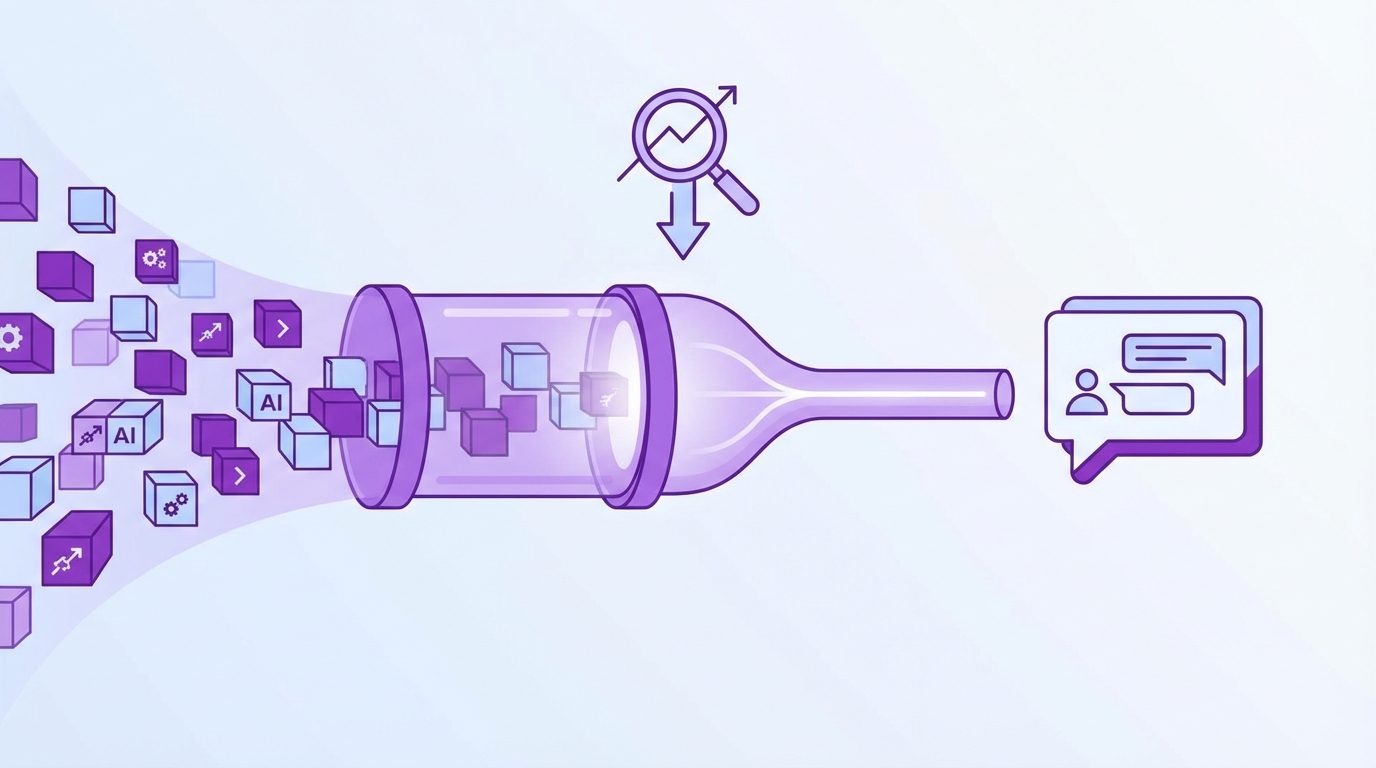
Opaque routing fails because you can’t inspect why a ticket went where it did. Without a visible reason and link to the conversation, you can’t fix systematic misses. Real-world teams need decisions that are auditable under pressure, for example, a billing complaint routed to “General Support” with the exact quote that triggered it.
What Goes Wrong When Routing Is A Black Box?
Black box models look fast at first, then quietly misroute edge cases and new language. You notice it late, when reassignment rates and SLA breaches rise. The core problem isn’t speed; it’s missing reasoning. If you can’t trace a ticket back to the words that triggered a decision, you can’t correct the pattern, only patch symptoms. That’s a slow, expensive loop.
There’s a second-order effect. Without traceability, every miss becomes a meeting. Agents argue from memory. Leaders ask for proof. You end up with watered-down routing to “play it safe,” which drags response time and increases manual triage. Research on explainable NLP in production shows this dynamic clearly: interpretability shortens the path from error to fix by making decisions debuggable at the unit level. See deployment patterns in the EMNLP Industry report on explainable NLP systems.
The False Tradeoff Between Speed And Control
You don’t need to choose. Use AI to generate raw tags at full coverage so you see every pattern, not a sample. Then map those raw tags into canonical tags and drivers your org recognizes. Route off the canon, not the raw. It’s the difference between “fast guesses” and “fast, consistent decisions.”
As that mapping matures, the AI rolls similar raw tags into the right canonical categories automatically. Control doesn’t come from blocking AI; it comes from constraining how AI output becomes business action. Tools like Revelir AI lean into this hybrid: discovery at the edges, stability at the center.
Why Explainability Is Non Negotiable For Support Leaders
If you can’t show the “why” behind a decision, you’ll eat the blame. Not because you’re wrong, because you’re unverifiable. Explainability isn’t a research nice-to-have; it protects SLAs during change. Every routed ticket should carry a reason string (“billing_fee_confusion → Billing & Payments; Driver: Billing”) and link back to the transcript.
When automation inevitably misfires, your recovery plan matters. Human-in-the-loop patterns, confidence thresholds, safe defaults, and easy overrides, restore trust. They only work when the underlying decision is visible. For pragmatic guardrails, see this guidance on recovery patterns in When Automation Breaks Trust.
Want to sanity-check this approach against your own data? See how Revelir AI works.
The Real Levers Behind Reliable AI Triage
Reliable triage comes from layers, not a single model. Start with AI raw tags at full coverage, roll them up into canonical tags for clarity, then use drivers for executive alignment. Add sentiment, churn risk, and effort for prioritization. The router should act on canon and drivers; raw tags fuel discovery and learning.

What Signals Actually Predict Routing Success?
Keywords alone are brittle. Routing improves when you give the system multiple, complementary signals. Raw tags capture the language customers actually use. Canonical tags normalize that language into categories your teams understand. Drivers provide the higher-level themes, Billing, Onboarding, Account Access, that leadership trusts.
Then add AI metrics where they make prioritization smarter. Sentiment flags frustrated conversations. Churn risk highlights renewal-sensitive threads. Customer effort shows friction-heavy workflows that may need senior attention. You’re not guessing; you’re routing based on an intent that reflects the real problem, plus the stakes.
Taxonomy, Not Guesswork
The taxonomy is your contract between model output and business action. Map messy, granular raw tags into a smaller set of canonical categories. Align each canon to a driver and an owning team. Document it. Version it. As the mapping stabilizes, new raw tags automatically roll up into the right canon, preserving discovery without losing consistency.
This is how you avoid two common traps. First, the “spaghetti rules” trap, hundreds of brittle rules nobody can maintain. Second, the “single-model answers everything” trap, too opaque to defend, too coarse to be useful. A well-governed mapping gives you clarity on day one and adapts as language shifts. For an auditable example from another domain, see how explainable triage improved stakeholder trust in a clinical context: AI-powered triage platform lessons.
The Hidden Costs Of Misroutes You Are Not Measuring
Misroutes look small in the moment and expensive in aggregate. One bounce often adds 45–75 minutes across reassignment delays and context rebuild. Multiply by weekly frequency and you’ll see the real cost, agent hours, breach risk, and escalations that pull in senior talent.
How Much Does A Single Misroute Really Cost?
Let’s pretend your L1 SLA is two hours. A misrouted billing ticket hits “General” first. Reassignment takes 30–60 minutes depending on shift coverage. The new owner needs 10–15 minutes to rebuild context. You just lost up to 75 minutes. If that happens 20 times a week, you burn 15–25 agent hours, before counting the escalations it triggers.
Now tie it to breach risk. At 75 minutes lost, your buffer evaporates. Breaches aren’t just a number; they’re a credibility hit with customers and a headache for your team. The kicker: you paid the cost to “move” the ticket, not to solve it. Misroutes are pure waste.
The Downstream Impact On Backlog, Morale, And Budget
Every bounce inflates backlog. High-effort experiences drive negative sentiment. Senior agents shift from coaching to firefighting. Quality dips as context-switching increases. It’s a loop: misroutes → rework → escalations → slower queues → more misroutes. The budget conversation follows. Credits. Discount pressure. Tooling scrutiny. And the awkward question: “Why did the model send this to the wrong team?”
If you can show the reason and the quote that triggered it, the conversation moves to fixing the mapping or adjusting thresholds. If you can’t, the solution becomes manual review and policy layers, more cost than building explainable routing in the first place.
When The Queue Bounces Customers, Trust Erodes
Trust breaks faster than it rebuilds. A few ugly bounces and agents stop trusting the router, leaders demand approvals, and speed collapses. You repair confidence with visible reasons and easy ticket links, so people can audit decisions in seconds, not hours.
A Short Story From Your Worst Week
A high-value account complains about a billing fee. The model routes it to general support. Two replies later, it’s bounced to billing ops. Then finance. Then back to general. The customer repeats themselves twice. Your CSM hears about it on the renewal call. Now you’re negotiating credits instead of expansions. The fix starts at intake, not at the end.
We’ve all lived some version of this. What’s painful isn’t only the miss, it’s the debate that follows. Without evidence, everybody argues from memory. With evidence, you update the mapping, add a guardrail, and move on. This is why explainability is an operational requirement.
You, On Call At 2am
Pager goes off. Incident queue is overflowing. You ask, “Why did these hit Tier 1?” Silence. The model updated yesterday, but nobody can show the reason it used. You drop a hotfix to route by a few keywords and promise a postmortem. Monday arrives with a backlog that didn’t need to exist.
Give teams a reason string and a link to the transcript, and this story changes. Overnight triage becomes “accept/reject the suggested intent,” not “guess how the machine thinks.” Confidence returns when review is fast and grounded in evidence.
Build An Explainable Triage And Routing Pipeline
Explainability isn’t a single feature; it’s a way of working. Baseline your queues and SLAs, design a taxonomy that maps AI signals to business actions, then roll out with canaries and acceptance gates. When anything regresses, fall back automatically to the last known-good policy.
Map Your Queues, SLAs, And Misroute Costs
Start with inventory: queues, owners, SLAs, and the handoffs that exist today. Pull a month of reassignments. Identify top misroute patterns and their time penalties. Quantify cost per bounce and breach so you can set acceptance criteria later. Document keywords, segments, and metadata that correlate with successful routing today. This becomes your test plan.
We usually capture a simple “never break” list too. “Incident” never to Tier 1. “Invoice dispute” never to Technical Support. It’s crude, and that’s fine. You want clear guardrails alongside model-driven signals. And you want an explicit definition of success before you change anything.
How Do You Design A Taxonomy That Routes Well?
Use AI raw tags across 100% of tickets for discovery. Group them into canonical tags your org recognizes, Billing & Payments, Account Access, Performance. Tie each canon to a driver for executive reporting. Then define routing intents that map from canon and driver to owning teams. Keep the mapping editable and versioned so changes are deliberate and testable.
As language shifts, the AI will generate new raw tags. The mapping should “catch” them into the proper canon without adding rule sprawl. That’s how you stay stable without going stale. And when a miss happens, you adjust the mapping once, future tickets benefit automatically.
Test And Roll Out Safely With Canaries And Acceptance Gates
Run in shadow mode first: log decisions, don’t act. Compare against current routing on reassignments, time to first response, breach rate, and customer effort. Set “go/no-go” gates in plain English: “Reassignment rate must drop by 15% with no SLA degradation for two weeks.” If anything regresses, auto-fallback to last known-good.
Treat guardrails like code. Version them. Review changes. Require acceptance thresholds before expanding the canary. This is standard in other quality-sensitive domains; the same discipline applies here. For practical patterns on policy gates and safe defaults, see these enterprise guardrail practices for static analysis.
How Revelir AI Makes Routing Decisions Auditable
Auditable routing needs two things: complete, structured signal and a direct path back to the conversation. Revelir AI delivers both, processing 100% of tickets, assigning AI metrics, and preserving one-click traceability from charts to transcripts. You get speed from automation, and control from evidence you can show in the room.
Evidence Backed Metrics With Full Coverage, Then Drill To The Ticket
Revelir AI reviews every conversation, no sampling, so you don’t miss early signals hiding in the queue. Each ticket is enriched with sentiment, churn risk, and (when present) customer effort, plus raw tags that surface granular themes. From any aggregate, say, “Negative Sentiment in Billing”, you click through to the exact tickets, read the AI summary, and see the quotes that created the metric.

This is the backbone of explainability. When a routing decision is questioned, you open the ticket, point to the quote, and adjust the mapping if needed. No debate about representativeness. No spreadsheets of cherry-picked examples. Just the evidence.
Turn Tags Into Clear Routing Intents With Canonical Tags And Drivers
Discovery starts with raw tags; routing relies on canon. In Revelir AI, you consolidate raw tags into canonical categories aligned to your business language, then associate those with drivers (Billing, Onboarding, Account Access). As the mapping stabilizes, similar raw tags roll into the right canon automatically, keeping routing stable even as phrasing evolves.

This structure makes export simple. You can sync canonical tags, drivers, and AI metrics to your routing tool or helpdesk. Intents become clear, testable fields, not hidden model states, so policy changes are auditable and reversible.
Monitor Impact In Analyze Data And Export Metrics To Your Tools
You can track reassignment rate, breach rate, and effort by driver and category directly in Analyze Data. When a number moves, click into the segment and read the tickets, weekly, not just in emergencies. If patterns drift, update canonical mappings, then recheck the metrics. And if you want the numbers in your existing dashboards, export metrics via API so leaders can watch SLA impact without changing tools.

This is how teams keep trust intact. Revelir AI provides the measurement layer you can stand behind, and the drill-downs that make fixes obvious. You move from “we think the router missed” to “here’s what fired, here’s the quote, here’s the update we shipped.”
Ready to make routing decisions you can defend in five minutes, not fifty? Learn More.
Conclusion
Opaque routing is expensive because it’s unexplainable. The fix isn’t more manual review; it’s a pipeline that turns every conversation into structured, auditable signal, raw tags for discovery, canonical tags and drivers for action, and ticket-level evidence that shortens every debate. Build that discipline, and SLAs stop spiking when language changes. They hold steady. And your team gets their weekends back.
Get started with Revelir AI: Get started with Revelir AI (Webflow).
Frequently Asked Questions
How do I set up Revelir AI with my helpdesk?
To set up Revelir AI with your helpdesk, you can either connect directly to your helpdesk platform, like Zendesk, or upload a CSV file of past tickets. If you choose the integration route, simply follow the prompts to link your account, and Revelir will automatically import ticket metadata and conversation text. If you're using a CSV, export your tickets from your helpdesk, then go to the Data Management section in Revelir and upload the file. Once your data is ingested, Revelir will process all tickets, making insights available in minutes.
What if I want to analyze customer sentiment over time?
To analyze customer sentiment over time, you can use the Data Explorer feature in Revelir. Start by filtering your dataset by date range and sentiment. Then, use the Analyze Data tool to group results by time periods, such as weeks or months. This way, you can see trends in sentiment, identify spikes or dips, and understand which issues are driving changes in customer feelings. Revelir ensures you have a complete view by processing 100% of your conversations, so you won't miss critical signals.
Can I create custom metrics in Revelir AI?
Yes, you can create custom metrics in Revelir AI to match your specific business needs. In the setup, define what metrics you want to track, such as 'Upsell Opportunity' or 'Customer Effort.' Once defined, Revelir will apply these metrics to your conversations, allowing you to analyze them alongside standard metrics like sentiment and churn risk. This customization helps ensure that the insights you gather are relevant and actionable for your team's goals.
When should I validate AI outputs in Revelir?
You should validate AI outputs in Revelir whenever you notice discrepancies in the data or when you're preparing to present insights to leadership. Use the Conversation Insights feature to drill down into specific tickets that contribute to your metrics. By reviewing the transcripts and AI summaries, you can ensure that the AI classifications align with human understanding. This validation process helps maintain trust in the insights and supports informed decision-making based on evidence.
Why does my analysis show empty values for customer effort?
If your analysis shows empty values for customer effort in Revelir, it could be because the dataset lacks sufficient conversational cues to support this metric. Customer effort is only assigned when there's enough back-and-forth messaging in the conversations. If you haven't enabled the effort metric for your dataset, or if the conversations are too brief, you may see all-zero counts. Ensure that your dataset includes detailed interactions to capture this metric accurately.